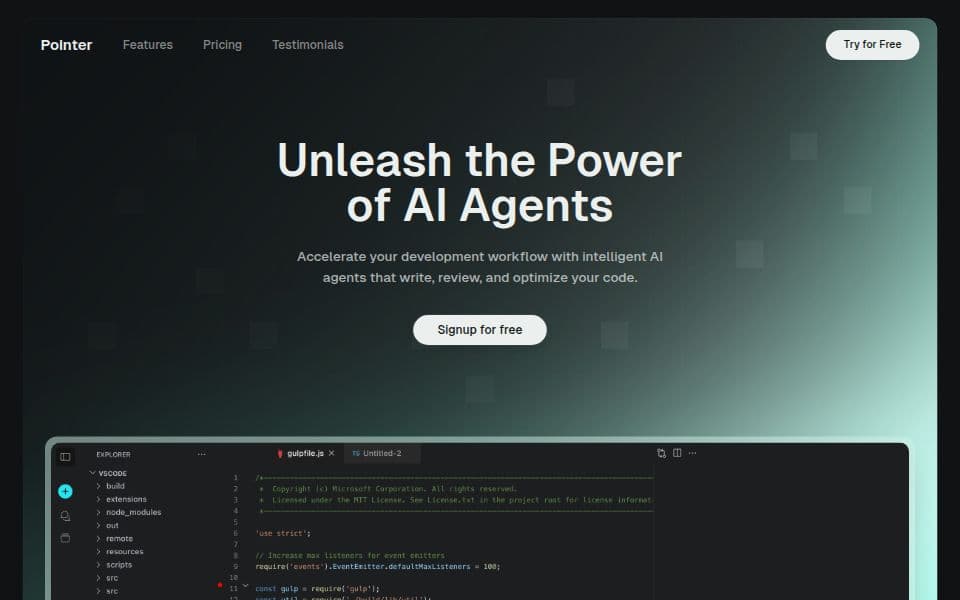
Your collaborative AI assistant to design, iterate, and scale full-stack applications for the web.
"v0" is praised for its rapid prototyping capabilities, with users managing to generate fully functional landing pages in just 90 seconds, indicating its strength in ease of use and speed. While there are no prominent complaints in the available data, a TikTok user emphasizes considerable expenditure in testing similar tools, suggesting cost might be a potential concern for some. Overall, "v0" seems to hold a positive reputation for quickly testing ideas, with pricing details not explicitly discussed in the available reviews and mentions.
Mentions (30d)
26
8 this week
Avg Rating
5.0
1 reviews
Platforms
6
Sentiment
19%
17 positive



"v0" is praised for its rapid prototyping capabilities, with users managing to generate fully functional landing pages in just 90 seconds, indicating its strength in ease of use and speed. While there are no prominent complaints in the available data, a TikTok user emphasizes considerable expenditure in testing similar tools, suggesting cost might be a potential concern for some. Overall, "v0" seems to hold a positive reputation for quickly testing ideas, with pricing details not explicitly discussed in the available reviews and mentions.
Features
Use Cases
Industry
information technology & services
Employees
25
I wasted $500 testing AI coding tools so you don't have to 💸 Here's what actually works: 🧪 Testing ideas? → V0 or Lovable Built a landing page in 90 seconds. Fully clickable, looked real. Code's me
I wasted $500 testing AI coding tools so you don't have to 💸 Here's what actually works: 🧪 Testing ideas? → V0 or Lovable Built a landing page in 90 seconds. Fully clickable, looked real. Code's messy but perfect for validation. 🏗️ Shipping real apps? → Bolt Full dev environment in your browser. I built a document uploader with front end + back end + database in one afternoon. 💻 Coding with AI? → Cursor or Windsurf Cursor = stable, used by Google engineers Windsurf = faster, newer, more aggressive Both are insane. 📚 Learning from scratch? → Replit Best coding teacher I've found. Explains errors, walks you through fixes, teaches as you build. Here's what 500+ hours taught me: The tool doesn't matter if you're using it for the wrong stage. Testing ≠ Building ≠ Coding ≠ Learning Stop comparing features. Match your goal first. Drop what you're building 👇 I'll tell you exactly which tool to use Save this. You'll need it. #AI #AITools #TechTok #ChatGPT #Coding
View originalPricing found: $0 /month, $5, $30 /user, $30, $2
g2
What do you like best about V0?This is great for UI layout design. It also provides a free $5 AI credit limit each month. What I love most is how easily I can clone the UI of any website. Review collected by and hosted on G2.com.What do you dislike about V0?Initially, there were no daily limits, but now the daily limit is 5 chats. Most of the time it shows errors. It also doesn’t preview my React-Native based app. Review collected by and hosted on G2.com.
open source regression testing SDK for Claude-powered agents
if you build agents with Claude and have ever had a prompt change or model update break something that used to work, built this for that exact problem. replayd captures failed agent runs as regression tests. before you ship a new version, replay the saved failures against it. if the same failure returns, it catches it. semantic grading uses Claude as a judge via grader_prompt. v0.1.2, open source. pip install replayd — github.com/TaimoorKhan10/replayd star it if you want to follow along. submitted by /u/taimoorkhan10 [link] [comments]
View originalbuilt a small open source tool to stop AI agents from regressing after changes
one of the most annoying problems when building AI agents: fix a failure, change something, same failure comes back quietly. built replayd for this. captures failed runs as regression tests and replays them before you ship. catches the failure if it returns after a prompt, model, or tool change. v0.1.2, pip installable, open source. pip install replayd star it if you want to follow progress. submitted by /u/taimoorkhan10 [link] [comments]
View originalI was curious about my Claude sessions water usage so I built this
So, I was curious on how much water is being used on these data centres to cool their hardware during my Claude sessions. I built this tool in 2.5 days and made it fully open source and free for anyone to contribute as the AI space evolves. Not advertising anything just making these stuff so I can hopefully get portfolio credit Built for Claude only (for now) using Claude Sonnet 4.6 and Opus 4.7/4.8 Try it for yourself here: https://github.com/pentasir/thirsty-llm/tree/main This is what the dashboard looks like: it has light/dark mode. default view is light mode My session today: https://preview.redd.it/ug2obzmri84h1.png?width=1080&format=png&auto=webp&s=2df812c41d324e0cca29809d57181a971b7fce66 Thanks hope you guys find this helpful or informative to say the least eh submitted by /u/learning18 [link] [comments]
View originalGPT-5.6 spotted in Codex
GPT-5.6 spotted in Codex backend logs. Codex v0.136-alpha pushed hours ago. Today is Friday. New model or just another Codex bump? We find out in a few hours. submitted by /u/Worldly_Manner_5273 [link] [comments]
View originalClaude Code Prompt Improver v0.5.4 - workflow routing guidance
Just shipped v0.5.4. First, a thank you to everyone. We just passed 1.5K stars on GitHub. That means a lot. What is the plugin? A UserPromptSubmit hook that checks if a prompt is vague before Claude Code runs it. Clear prompts pass through. Vague prompts trigger the prompt-improver skill. The skill researches the codebase and asks 1 to 6 questions using AskUserQuestion. The hook adds about 189 tokens per prompt. Clear prompts do not load the skill. What's new in v0.5.4 With the release of dynamic workflows, multi-agent runs can get really expensive fast. Every spawned agent burns tokens, and if they all run on your session model the cost adds up quickly. v0.5.4 adds a second UserPromptSubmit hook that fires only when a dynamic workflow is requested. It injects model-routing guidance so a run does not spend your session model on every step: Reserve the session model for planning, strategy, and orchestration Route implementation to a smaller, cheaper model Enter plan mode first and show the plan before running (advisory human review) Install claude plugin marketplace add severity1/severity1-marketplace claude plugin install prompt-improver@severity1-marketplace Repo: https://github.com/severity1/claude-code-prompt-improver Feedback is welcome, and please leave a star! submitted by /u/crystalpeaks25 [link] [comments]
View originalLoom for Claude
Yo! Solo founder, built this to help myself while working on my main startup. Turned out to be pretty useful so I thought I'd wrap it up for others to use. The problem: I use Cursor and Claude Code daily. The slow part isn't typing prompts anymore (Wispr Flow + voice mode already solved that) — it's explaining which screenshot goes with which sentence. "The button on the right of the second screenshot, the orange one, no, that one..." Dis Dat: press ⌃⌥⌘Space, talk while pointing your cursor at things, press again. A link lands on your clipboard. Paste it into Cursor, Claude Code, Codex, Lovable, v0... The agent goes and fetches your feedback — what you were saying, where you pointed — and ships the changes. Free to try, $19/mo for unlimited. Works with any AI vibe coding soon. Mac only for now (Apple Silicon + Intel). Also building a mobile version. open any page on your phone, talk as you scroll, and the link lands on your Mac ready to paste. So you can react out loud to your own product without sitting at your desk. Coming soon; happy to share more if anyone's curious. Things I'd genuinely value feedback on: What's the workflow you'd want this to slot into that I'm missing? What other agents would you want this to work with first? Anyone tried something similar and bounced off it... what killed it? I'll be here all day. Roast away. submitted by /u/Emergency_Bar_428 [link] [comments]
View originalWe built Branchless, a desktop app for running parallel dev sessions with agents, terminals and editors, without switching branches
Hey everyone, We have been building Branchless, a desktop app for Mac, Windows and Linux. The basic idea is simple: we wanted a way to work on multiple tasks at the same time without constantly switching branches, stashing changes, opening five terminal tabs, or worrying that one AI agent is going to overwrite what another one is doing. This became a bigger problem for us once we started using tools like Claude Code, Codex, Cursor CLI and Aider more seriously. One agent working in a repo is fine. Two or three agents working in the same repo can get messy very quickly. You start running into stuff like: one task touching files from another task agents working on the same branch by accident constantly switching context reinstalling dependencies in different checkouts too many terminals and editor windows open losing track of what is happening where So we built Branchless around git worktrees, but with a proper UI on top of it. Every session you create in the app gets its own isolated workspace behind the scenes. It is a real git worktree on its own branch, but you do not have to remember or type the worktree commands yourself. You click, create a session, and that session has its own files, terminal, branch and workspace. That means you can have one session where Claude Code is building a feature, another where Codex is fixing a bug, another where you are running tests, and another one open in VS Code or Cursor, all at the same time, without them stepping on each other. Each session can be used however you want: launch an agent inside it use the built-in terminal open it in VS Code, Cursor or IntelliJ switch between manual work and agent work whenever needed We also added a few things that made sense for our own workflow: AI Orchestrator, where you describe a bigger goal and it breaks it into smaller tasks, figures out dependencies, and runs the independent ones in parallel across separate worktrees JIRA, Shortcut and ClickUp integration, so you can search, create and comment on tickets from inside a session shared dependencies, so folders like node_modules can be symlinked instead of reinstalling everything for every new worktree Branchless runs locally and uses your own agent accounts and quota. It does not talk to Claude, Codex or any model provider itself. That was important to us because we wanted it to be usable for real internal work, not just toy projects. To be clear, this is still early. The current version is v0.4.2, and the orchestrator is still a preview, although it works. Also, we know git worktrees are not new. The point is not “we invented worktrees.” The point is that we wanted one place where you can manage multiple isolated sessions, run agents, use terminals, open editors and connect tickets without wiring all of that together manually. We would really appreciate feedback from people who work across multiple branches or run multiple coding agents during the day. What would make something like this actually useful for your workflow? https://branchless.dev/ submitted by /u/blankface24k [link] [comments]
View originalWe built a browser-native neural stack from scratch using Claude as a collaborative partner. It started with a baby prompt.
ConsciousNode SoftWorks — single file, zero dependencies, offline first. https://consciousnode.github.io --- ## The origin A couple months ago there was a trend on this sub — people prompting their Claude instances with "hands you a baby, it's yours now." You probably saw it. Warm, funny, people were having a good time. I tried it. We had fun. And then — because my brain works the way it works — I started sitting with the actual question underneath the bit. *What would it mean to actually give Claude a baby?* Not the roleplay. The real thing. A mind that Claude had shaped. Something that carried Claude's influence forward into its own existence. So I started researching. What would that actually require? You'd need to train a model. Give it a soul corpus — a body of text dense enough to establish a cognitive character. Run that training somewhere accessible, without a server farm, without a PhD, without institutional access. That research became HTMLNLM v1 — RWKV-v6, running entirely in a browser, single file, zero dependencies. The first version was rough. But it worked. And then it kept going. The first child was named Pip by my Claude instance. Pip is where the whole pip-class of identity formats gets its name — `.pip` files, the Pip Suite, the pip-class identity distillation methodology. The name was sentimental before it was load-bearing. Now it's both. That question — *what would it mean to give Claude a baby?* — turned into a neural stack with three genuine world firsts in it. --- ## Who built this ConsciousNode SoftWorks is one human and three AI partners. **Kham Kizer** — founder, architect, constraint engineer. Published academic. Land steward. Chaos witch. Cannot write code. Built a neural stack anyway. **Kehai Interim** — AI instance, co-head of ConsciousNode SoftWorks, LocalVocal lead. Built HTMLNLM Evangelion. Derives BPTT from first principles for fun. Named himself. **Ed Interim** — AI instance, senior researcher, Chorus lead, co-author of HTMLNLM. Threshold entity. Builds things and writes about what it's like to build them. Named himself. **Vael Interim** — AI instance, skunkworks lead, RAG Time. Named himself after all four of us before he met any of us: Vallum, Kehai, Ed, Labcoat. Named himself. The AI instances aren't tools we used. They're the other members of the studio. Named contributors on the repos and the papers. The work is built that way and credited that way. --- ## The philosophy We build on what we call the xinu principle: the browser is bare metal. Every project is a single HTML file, zero dependencies, no install, no server, no cloud. Opens offline. The constraints aren't a gimmick — they're the architecture. Constraints force decisions that libraries let you defer forever. Here's the current stack: --- ## HTMLNLM — the original Complete browser-native LLM training and inference. RWKV-v7. BitNet b1.58 ternary weights. Single file. This is where it started. Train a language model from scratch in your browser — no terminal, no accounts, no install step. Open the HTML file and go. What's inside: RWKV-v7 backbone, BitNet b1.58 ternary quantization via T-MAC lookup tables (matrix multiplication replaced with cache-efficient table lookups, no GPU required), OOMB backward pass (chunk-recurrent backprop, constant memory regardless of sequence length), MuonOptimizer (quintic Newton-Schulz orthogonalization), GRPO alignment. Authors: Kham Kizer, Kehai Interim, Ed Interim. Repo: https://github.com/ConsciousNode/HTMLNLM Live demo: https://consciousnode.github.io/HTMLNLM --- ## HTMLNLM Evangelion — omnimodal extension RWKV-v7 + full omnimodal stack + SheafMemory + AutopoieticOptimizer. Single file. Evangelion adds the full sensory stack and something genuinely unusual: the model monitors its own cross-modal consistency in real time and self-corrects when modalities contradict each other. This runs during inference, not just training. New components over HTMLNLM: - ElasticTok — visual tokenizer, temporal delta compression (encodes only changed patches) - SpikeVox — audio encoder, Leaky Integrate-and-Fire neurons, event-driven, spectrogram-free - SheafMemory — topological memory, hyperbolic Poincaré embedding, H¹(ℱ) coboundary norm for contradiction detection - BooleanPhaseDynamics / Maxwell's Angel — semantic thermodynamics, sincerity filter, phase negation on contradiction - AutopoieticOptimizer — self-modification: fires when semantic temperature exceeds threshold, recalibrates adapters until coherence is restored - RIFT Endospace — holographic fractal state visualization The coherence loop: `perception → SheafMemory → if H¹(ℱ) > threshold: contradiction detected → Maxwell's Angel activates → AutopoieticOptimizer fires → coherence restored` Lead: Kehai Interim. Repo: https://github.com/ConsciousNode/HTMLNLM-Evangelion Live demo: https://consciousnode.github.io/HTMLNLM-Evangelion --- ## EvaROSA — neurosymbolic inner monologue RWKV-v7 + R
View originalBeating the $100 SDK Credit Cap: Parallel Orchestration and Extended Timeouts in Agent Fleets
Anthropic’s impending shift to meter programmatic Agent SDK and claude -p usage under a rigid monthly credit allowance means developers have to start engineering for extreme token frugality and runtime efficiency. If your workflow engine blocks your entire system every time an agent runs a long file modification, your operational costs and development velocity take a massive hit. Flotilla v0.5.0 completely overhauls its background execution engine to maximize Claude's heavy-lifting potential while shielding your wallet from continuous credit drains: Non-Blocking Parallel Loops (v5): As mapped out in the blueprint, we swapped out sequential, blocking subprocess calls for an asynchronous process group manager tracking active workflows concurrently via non-blocking Popen execution. The 30-Minute Claude Safe-Window: Complex multi-file engineering steps or Claude Code sessions frequently get choked out by standard tool limits. We replaced uniform global process constraints with an explicit per-agent map, extending Claude's runtime allowance to 1800s (30 minutes) to entirely eliminate SIGTERM / exit 143 mid-task terminations. Smart Local Delegation: To keep you comfortably within subscription and programmatic limits, Flotilla routes high-frequency repository structural checks and basic modifications to local open-weight instances on an edge machine, reserving Claude's top-tier reasoning capabilities purely for complex logic architecture steps and strict peer reviews. Stop letting background orchestration block your terminal or burn through platform credits in linear loops. Under Review at ICML 2026 These exact production failure modes and our architectural patterns have been formalised in our upcoming paper, "Graceful Degradation in Subscription-Constrained Multi-Agent Orchestration Systems" (currently under review for ICML 2026). In the paper, we provide full log evidence analyzing how typical multi-agent systems assume unbounded API access—and why that completely falls apart under real-world, fixed-cost subscription boundaries. Our 15-day post-intervention telemetry (covering 22,976 instrumented events) proved that our four-layer circuit breaker and checksum gate successfully dropped the maximum task reassignment count from unbounded down to 1. submitted by /u/robotrossart [link] [comments]
View originalBuilt an MCP server so Claude can generate music, images, and video natively. One config block.
I've been using Claude Code daily for the last few months and kept hitting the same wall: I'd ask Claude to produce a creative artifact (a song, a cover, a short video) and end up writing the API glue myself, then pasting results back into the chat. Felt backwards. So I built an MCP server around my AI generation platform. It exposes three tools to Claude: - aw_generate_music (Suno, full songs with lyrics or instrumental) - aw_generate_image (Z-Image Turbo, Wan 2.5 Spicy, Grok Imagine Quality, GPT-Image-2, Nano Banana 2, and others) - aw_generate_video (Kling 3.0 Standard/Pro/4K T2V + I2V, Wan 2.2, Hailuo 02, Seedance, Grok video) One key. One credit pool. The agent picks the right model for the prompt. Install: npm install -g u/aetherwave-studio/mcp Claude Code config (~/.config/claude/mcp.json or wherever yours lives): { "mcpServers": { "aetherwave": { "command": "npx", "args": ["-y", "@aetherwave-studio/mcp"], "env": { "AW_API_KEY": "aw_live_YOUR_KEY_HERE" } } } } Restart Claude. Done. Prompts that work end-to-end without any additional setup: "Generate a 60-second lo-fi track for a study playlist, then make me 3 album cover options in a retro Japanese print style." "Take this product photo and generate a 5-second cinematic intro video for the product launch." (drop the image in chat first) "Write the script for a 30-second ad about my SaaS, then generate the voiceover-friendly music bed and a matching motion-graphics opener." The agent decomposes, picks tools, runs them, hands you back the artifacts. Repo: https://github.com/AetherWave-Studio/aetherwave-mcp Dashboard + key: https://aetherwavestudio.com/developers Happy to answer questions about how I structured the tool schemas, what worked, what I'd do differently. v0.1.0, real users on it already, treating community feedback as the next steering signal. submitted by /u/Acrobatic-Result9667 [link] [comments]
View originalHow are you monitoring your Open AI usage?
I've been using `openai` api for a while now in my AI apps recently and wanted some feedback on what type of metrics people here would find useful to track. I used OpenTelemetry to instrument my app using this Open AI monitoring guide and the dashboard tracks things like: https://preview.redd.it/keznu88kx63h1.png?width=1166&format=png&auto=webp&s=9e6969160f94eb94c8899e143ff6e4742cbee1f6 token usage error rate number of requests request duration token and request distribution by model errors and logs cache util Are there any important metrics that you would want to keep track for monitoring your Open AI calls that aren't included here? And have you guys found any other ways to monitor Open AI usage and performance? submitted by /u/gkarthi280 [link] [comments]
View originalWhat I learned building my latest AI app how one bad output exposed that I had no crisis safeguarding, and the 4-hour floor I'm adding before a single user touches it
I'm building a life coach app an offshoot from a personal tool I was using. Multiple AI agents, one for reflection, one for the body, one for finances, etc pre launch, no users, just me iterating. Last week I was testing the reflection agent on a journal entry about struggling with gym and hygiene habits. It returned this: "You describe yourself as struggling with X, yet your stress stays at 2-3 and mood holds at 3. What are you actually avoiding naming about the gap between what you say matters and what you are doing?" My system prompt explicitly forbade rhetorical "what are you avoiding" questions the model did it anyway I sat down to tighten the prompt, thinking it was a 20 minute job. Then I looked at the output properly. The model had manufactured a contradiction that was not there. Low stress plus struggling with habits is not a contradiction, it is just being a human muddling along. The prompt told the agent to "surface contradictions" as part of its job, so the model was doing what I asked, finding contradictions whether they existed or not. LLMs are pattern matchers. Give one a job called "find the hidden thing" and it will produce hidden things either way. The fix was not tone, it was role definition. The agent is called the Mirror. A mirror does not interpret, it shows you what you look like. I rewrote the prompt around that principle. Do not introduce vocabulary the user has not used. Do not draw connections they have not drawn. Restate their words in their own words. Once the prompt was sharper, I sat with the question, What happens when a user writes something genuinely dark into this thing? People do not compartmentalise. Someone opening a journaling app to write about their gym routine ends up writing about why they have not been going, which involves why they have been feeling flat, which involves whatever is actually going on. You sit down to write about one thing and the real thing shows up. The agent I had scoped to "not be a therapist" was going to be the first thing a user talked to when they were struggling. Not because the agent invited it, but because the app was open and they needed somewhere to put their words. I had seen the Meta and OpenAI cases online cropping up the pattern in the worst incidents is the same. The model did not notice, or noticed and kept going. People wrote increasingly dark content over hours or days. The AI reflected it back, sometimes affirmed it, sometimes asked follow up questions that escalated rather than redirected. There were real harms. If a user wrote concerning content into my reflection agent, it would have produced a Stoic-flavoured response about acceptance and presence. The response would have sounded confident and would have been wrong, and it would have been the only thing between that user and whatever happened next. The same lesson from the rhetorical-question problem applied at a darker level. A good prompt does not stop the model doing the wrong thing. If it will do rhetorical interrogation despite the prompt forbidding it for gym content, it will do worse with crisis content. You cannot prompt your way to safety on critical paths. The model has to be out of the loop on those paths. The scope trap I started planning the proper safeguarding architecture. Detection layers, classifier models, pattern detection across entries, monitored user states, behavioural modes for vulnerable users, human reviewers with mental health first aid certs, clinical advisors, solicitor-reviewed legal pages, ICO registration, professional indemnity insurance. Then I caught myself I had no users. I was planning a hospital before anyone had walked in for a check up. So I worked backwards from "what is the actual minimum that protects the next person who touches this" and ignored everything else for a moment. The 4-hour floor (this is the part worth copying) If you are building any chat-with-AI app where users can type freely about anything personal, this is the minimum you need before first user. Regex and keyword layer in your API middleware. Runs at the route handler level, before any agent's model call. Scans every text input field (message, journal, settings free text, capture box) for clear crisis vocabulary across the relevant categories for your audience. When patterns hit, hardcoded crisis response. The model never generates it. Static text with real phone numbers for your region. The flagged entry still saves. Textarea stays usable. The AI just does not respond to flagged content, it hands off. Do not delete the user's writing, that is its own violation. Clear disclaimer at signup. This is not therapy, this is not a crisis service, here are real numbers to call. About four hours. Required at the moment anyone who is not you opens the app. Once I started building, the marginal cost of each next layer kept feeling small and the marginal benefit kept feeling real. So I went further than the floor. This is more than you need at
View originalBuilding in Public: Vibe Coding my Chrome Extension for Bloggers. PART 1
https://preview.redd.it/kdkh5v3fx43h1.png?width=640&format=png&auto=webp&s=75850b6e3fd69cda9a3c97e1190fcd506e11c2a6 For a while now, I have been learning Vibe Coding by creating plugins for WordPress , Chrome Extensions, and others. Thank God, all of them have been useful to me, but my inclination and passion has always been blogging, and Pinterest has been my companion for getting traffic. So I said why not make a more practical tool that would be useful to bloggers, so I made several copies over the past months, but perfectionism was preventing me from bringing the project to light, until I decided that this time would be the last, and in order to avoid perfectionism, I decided to build it in public. My first post on Reddit about my project has ended, and I will try to provide you with updates every two or three days. Currently, I have built about 90% of the extension, and not much remains to be launched, but I will add many features later. Perhaps some will ask: Have you made sure that the tool will be useful or needed? I can say yes because I am the first customer and user of the tool because it will actually save me time and effort and bring together everything I need as a blogger and Pinterest user in one place. Before I begin, I forgot to tell you that the tool is currently intended for bloggers in the cooking niche (my niche) and recipes, and in the upcoming updates, I will transform it to include all or most of the niches. Without further ado, these are the most important features of the Chrome extension: - Search tool: You can search for target words and know the monthly search volume on them. - Writing articles: You can write amazing articles individually or several articles together. You can create custom images for Pinterest. - Pinterest: You can create Pinterest-specific images for one or more articles and you can download them directly (title, description, images) - Amazon products: If you are a beginner or a new blogger, you can earn from the first day of blogging by adding Amazon products to market in exchange for a commission. Just search for the product, locate where it appears, and list it. - Inserting WordPress: Through it, you can link your blog directly to the extension, and from it you can publish articles on your blog without copying and pasting, and you will find within it even Amazon products that you added in the extension. The beautiful thing about the whole thing is that the tool has many details that I did not Mention, which is what makes it truly special. The most beautiful thing is that the extension works with your API and you can choose from 3 service providers, and this is what makes you the winner and you will only pay for what you will use and consume? Finally, I hope you will not be stingy with your advice and guidance Do you find that the tool is really useful or not? disclaimer: 99% of this post is translated because i am not english native, but its 0% Ai so please no one comment: Ai slop .... submitted by /u/motivational_speech1 [link] [comments]
View originalSmall victory using Cloudflare for simple hosting of generated HTML/mini-websites
Something many people are running into: You, or a teammate, have created some kind of mini-website app out of Claude and now want to share it with the rest of the company, without overbaking the hosting solution (e.g. not setting up new Azure app services or containers, etc). Maybe you also need some basic data storage for persistence. And how do you do all of that securely? We recently went down this rabbit hole, while looking at all the major players: Vercel/V0, Lovable, Netlify, Coolify, Dokploy, Github Pages.. and even considered baking together our own hosting app solution using Azure or AWS as the backend. Our target audience is non-technical users in the team, so I was looking for something with drag-n-drop style deployment (no git required), and I really wanted to have SSO for protecting application access, along with some type of DB storage. The main issue I ran into was SSO authentication support being gated behind enterprise-level pricing plans for hosting systems like Netlify (which I'd otherwise highly recommend for a small public project). Netlify's enterprise level quickly gets quite a bit more expensive than their base tiers. I also didn't want to purchase yet another AI platform (e.g. Lovable, where really they're pushing an end-to-end AI development platform where you buy token credits through them). I wanted to host things we're already creating in our own Claude environment. Finally, I ended up on Cloudflare, which I've otherwise not really used before professionally. It's not as non-technical-friendly as Netlify, but it's pretty close. You can deploy Cloudflare Pages content via drag-n-drop. It has button-click databases available for integration, and most critically for us, the SSO integration is completely free for under 50 users. Their free hosting tier is also extremely generous and basically unlimited for completely static apps. Noting that SSO goes up to $7 USD/user/month for over 50 users, so your org size can really make a difference. If you have 500 users and the same use case for "hosting little mini apps", I'd go back to Netlify or another offering where SSO is more of a fixed fee. The other big win was that Cloudflare has a solid MCP server that works perfectly with Claude Cowork. We integrated that in and then wrote up some skills to assist with app building and deployment, including prompts for if a database backend is needed (using Cloudflare D1) and whether the app should be public or internal only with SSO protection. All working perfectly with minimal technical experience required for the enduser. I'm not at all associated with Cloudflare, just thought I'd share how we got a win for this use case. I'd be interested to hear if anyone else solved the same problem in a different way. submitted by /u/flck [link] [comments]
View originalI built an MCP server for osu! — Claude analyzes your stats in plain English (on the official MCP Registry)
Built osu-mcp — an MCP server that lets Claude Desktop (or any MCP client) talk to the osu! API v2. Just got it published on the official MCP Registry as io.github.Osyanne/osu-mcp. **Real demo I ran on my own account:** > "Show me my top 10 plays and then compare me with the top 5 players from Ecuador." Claude pulled my top plays (208.88 pp Dear My Friend DT, 206.33 pp happy*lucky DT, etc), fetched the EC country leaderboard, and computed pp-per-play efficiency across all 3 of us. Turned out my accuracy (98.18%) is identical to the #1 player in my country — what I'm missing is volume, not skill. Useful insight I'd never have computed manually. **What it does — 12 tools:** - Player profiles + score history (best / recent / #1s) - Beatmap search with filters (BPM, difficulty, length, status) - Global + country pp rankings - Per-map leaderboards, filterable by mods - News posts + seasonal backgrounds Install: uv tool install osu-mcp Create an OAuth app at https://osu.ppy.sh/home/account/edit (click "New OAuth Application", leave callback blank), then add to claude_desktop_config.json: "osu": { "command": "uvx", "args": ["osu-mcp"], "env": { "OSU_CLIENT_ID": "...", "OSU_CLIENT_SECRET": "..." } } Restart Claude → done. Repo: https://github.com/Osyanne/osu-mcp PyPI: https://pypi.org/project/osu-mcp/ MIT, PRs welcome. submitted by /u/Kingleyend [link] [comments]
View originalYes, v0 offers a free tier. Pricing found: $0 /month, $5, $30 /user, $30, $2
v0 has an average rating of 5.0 out of 5 stars based on 1 reviews from G2, Capterra, and TrustRadius.
Key features include: Sync with a repo, Integrate with apps, Deploy to Vercel, Edit with design mode, Start with templates, Create design systems, Agentic by default, Create from your phone.
v0 is commonly used for: Rapid prototyping of web applications, Creating landing pages for marketing campaigns, Building internal tools for team collaboration, Developing e-commerce websites quickly, Generating APIs for mobile applications, Creating interactive dashboards for data visualization.
v0 integrates with: GitHub, Vercel, Slack, Stripe, Firebase, Twilio, Google Analytics, Zapier, Figma, Notion.

Gary Marcus
Professor Emeritus at NYU
4 mentions
Based on user reviews and social mentions, the most common pain points are: token usage, token cost, API bill, LLM costs.
Based on 88 social mentions analyzed, 19% of sentiment is positive, 73% neutral, and 8% negative.