We've compiled a list of the most common questions we get asked.
SlidesAI is highly rated with scores between 4.5 and 5 stars, highlighting its impressive language support and features like image recommendations and translation capabilities. Users appreciate its ability to rapidly generate presentations in multiple languages, which enhances user efficiency. While there are minor complaints about development pace due to it being managed by a solo developer, the sentiment towards pricing seems positive, implying that users perceive it as offering good value. Overall, SlidesAI has an excellent reputation for improving presentation creation speed and ease across diverse user groups.
Mentions (30d)
20
Avg Rating
4.6
4 reviews
Platforms
3
Sentiment
12%
10 positive

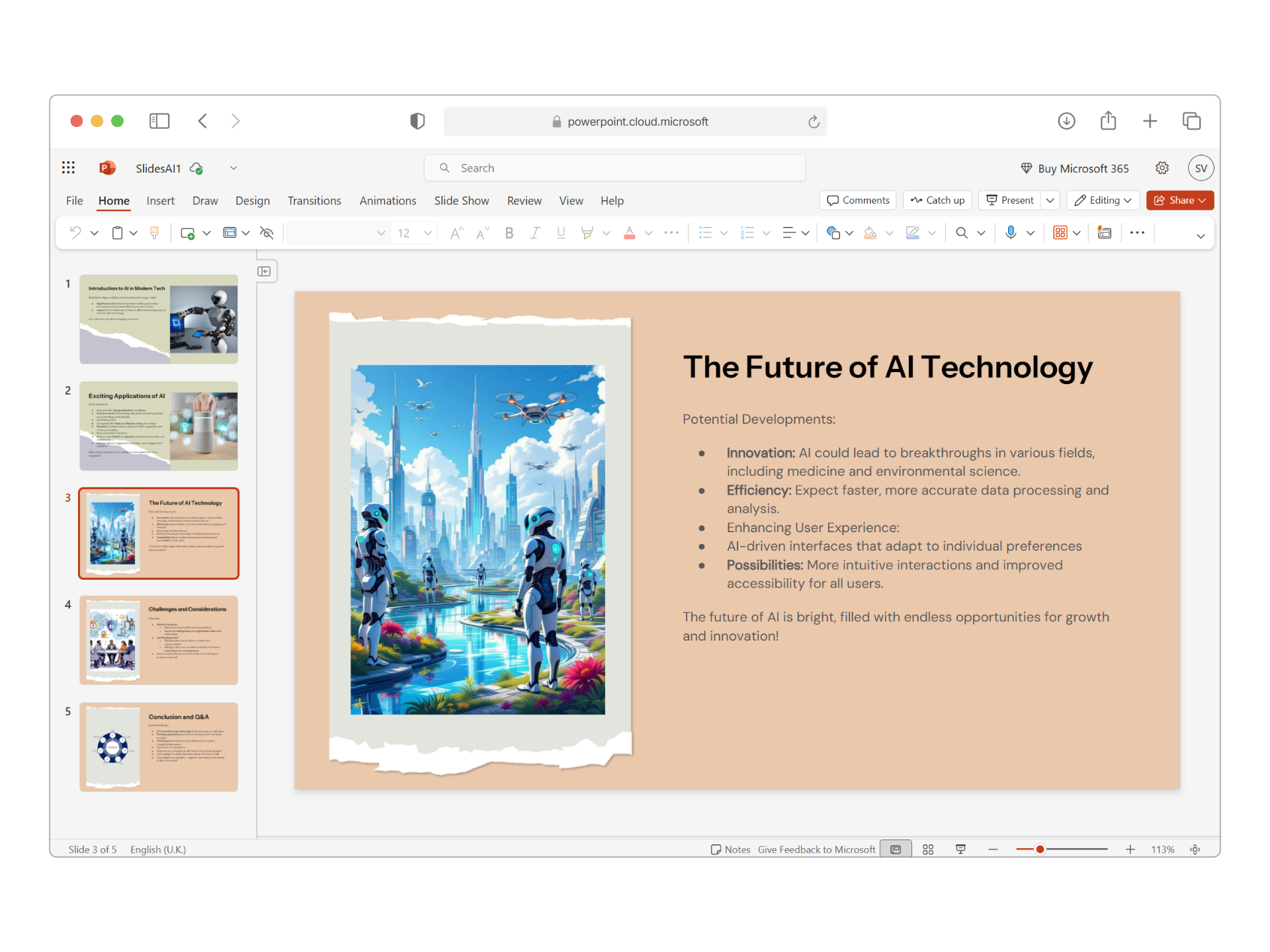
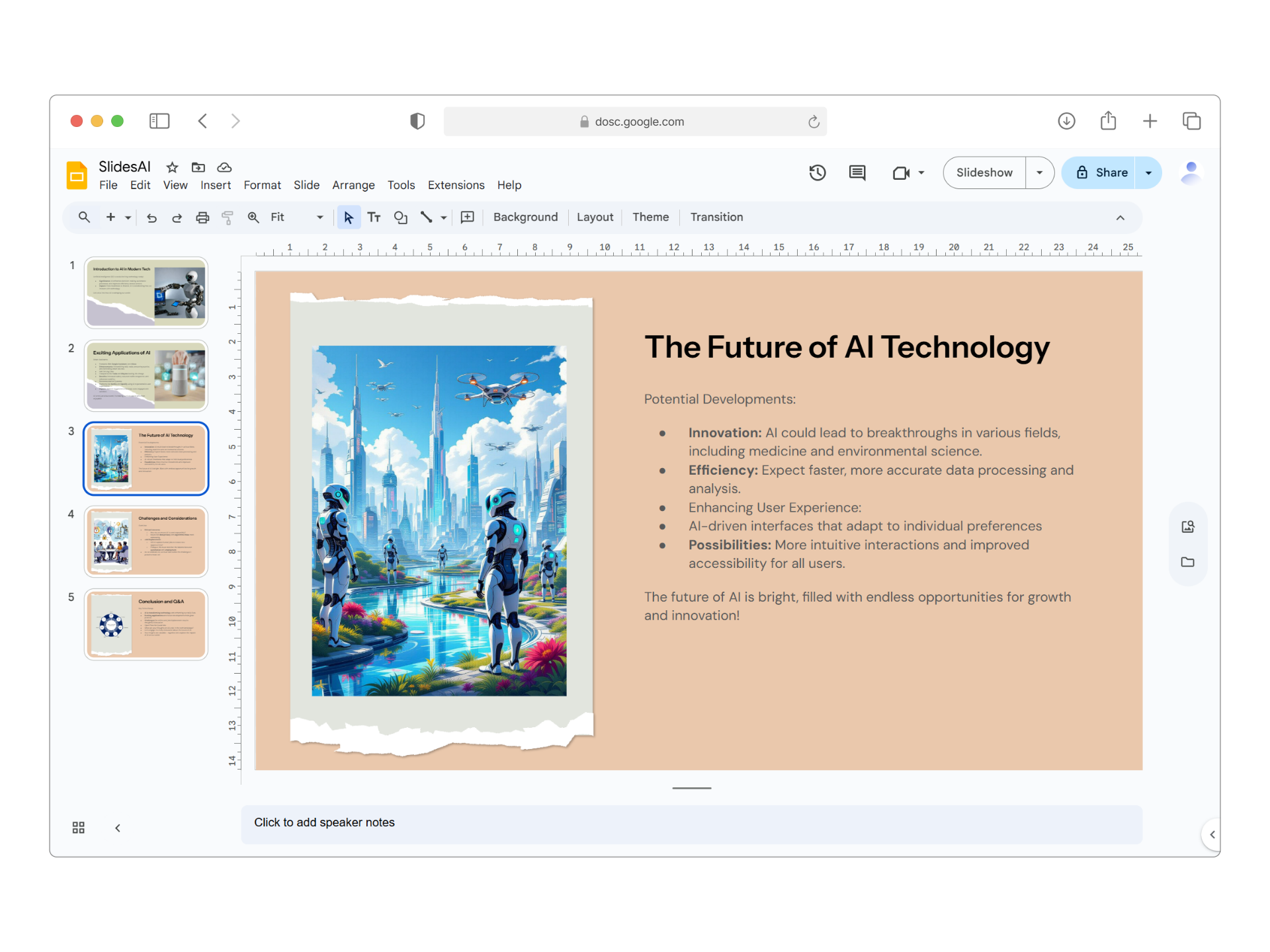
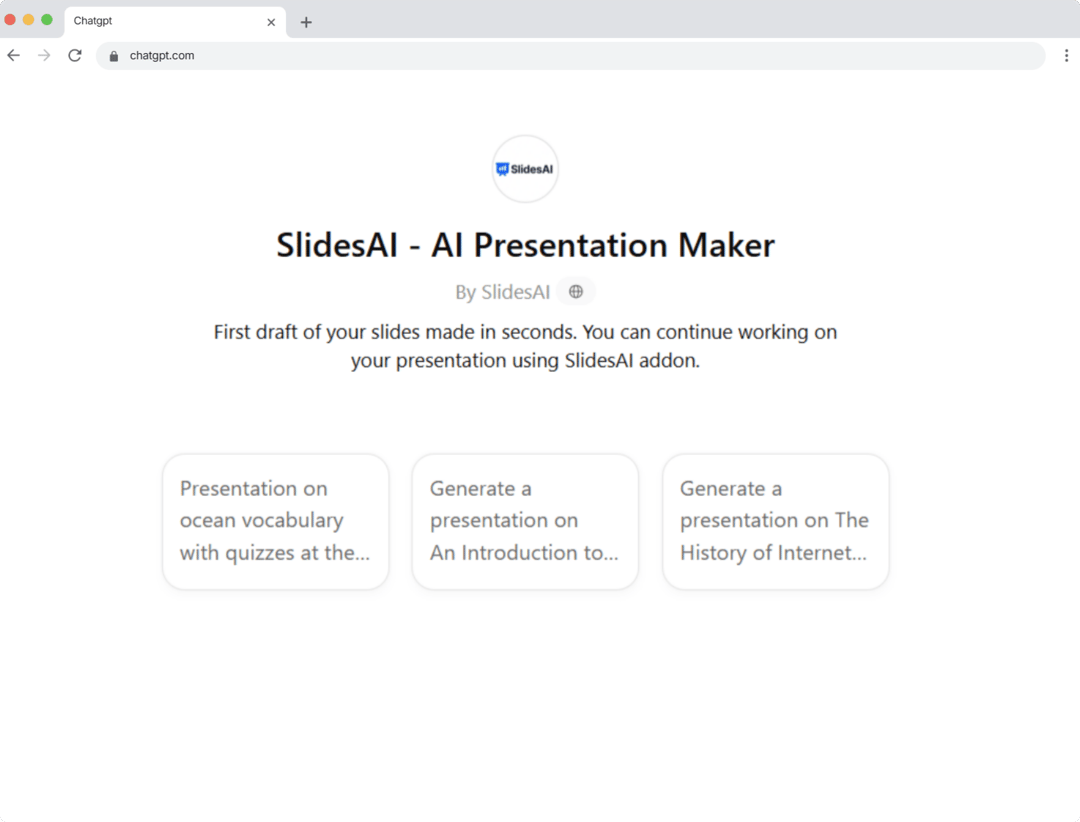
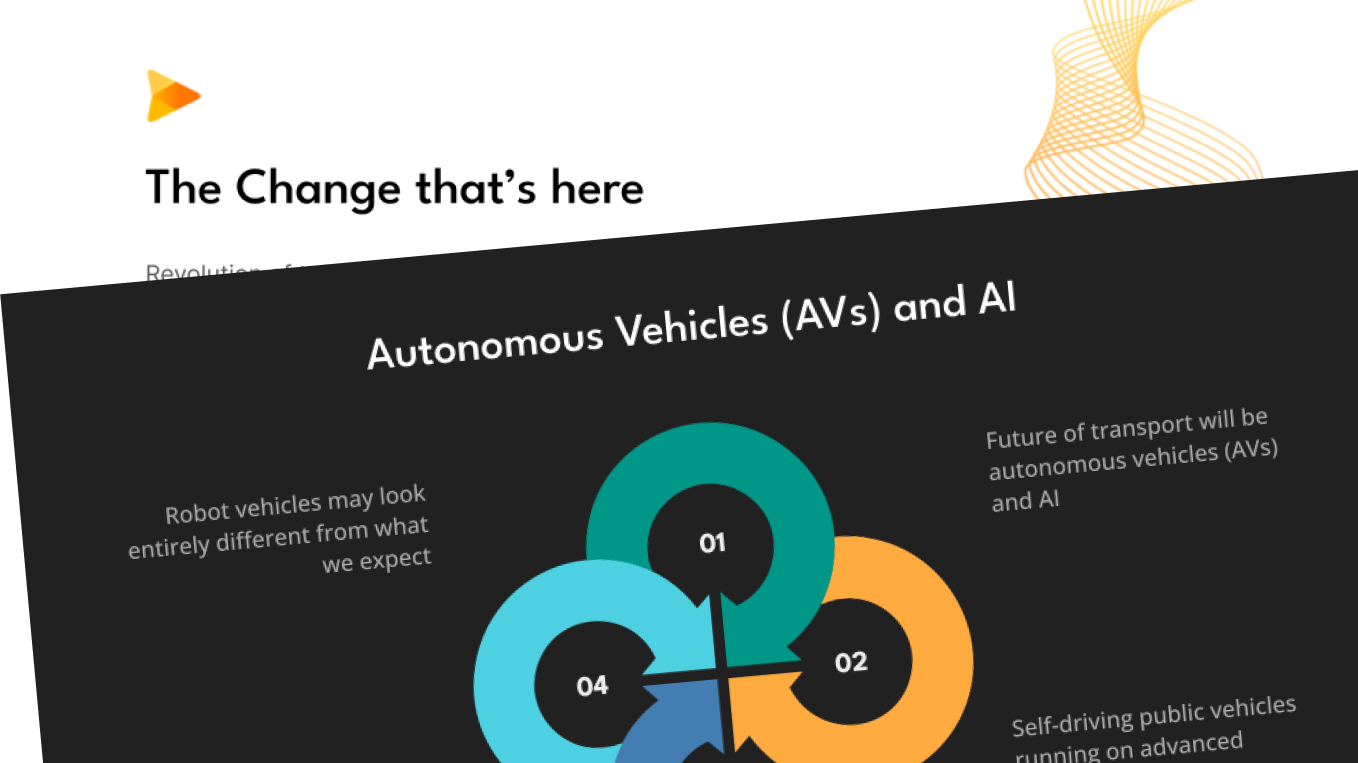
SlidesAI is highly rated with scores between 4.5 and 5 stars, highlighting its impressive language support and features like image recommendations and translation capabilities. Users appreciate its ability to rapidly generate presentations in multiple languages, which enhances user efficiency. While there are minor complaints about development pace due to it being managed by a solo developer, the sentiment towards pricing seems positive, implying that users perceive it as offering good value. Overall, SlidesAI has an excellent reputation for improving presentation creation speed and ease across diverse user groups.
Features
Use Cases
Industry
information technology & services
Employees
9
1,000
Twitter followers
Pricing found: $0 /month, $8.33 /month, $100 /year, $16.67 /month, $200 /year
g2
What do you like best about SlidesAI?I really like how it understands the context of my presentation. It even asks for a few details, such as the type of presentation and the number of slides, which makes the results more accurate. The best part is that it can generate presentations in multiple languages based on your preference. Plus, it works with ChatGPT, PowerPoint, and Google Slides. When I’m in a hurry, I find it especially useful—I can simply provide text, and it creates a full presentation along with a detailed outline. If I want to make changes, it allows easy editing, and if I’m not satisfied with the outline, it can regenerate a new one instantly. Review collected by and hosted on G2.com.What do you dislike about SlidesAI?Sometimes the generated slides need a bit of manual tweaking to perfectly match my style or formatting preferences. However, that’s a small step compared to the time it saves overall. Review collected by and hosted on G2.com.
What do you like best about SlidesAI?incredibly simple process and fast output with multiple theme and template options Review collected by and hosted on G2.com.What do you dislike about SlidesAI?Sometimes the AI-generated slides need a bit of manual tweaking or resizing to fit according to design Review collected by and hosted on G2.com.
What do you like best about SlidesAI?It can automate that saves a lot of time , it can generate slides and suggest designs. It suggest content based on keywords or topics that I love about it. One more great thing about it is that it supports multiple languages. Review collected by and hosted on G2.com.What do you dislike about SlidesAI?It looks a bit generic or uninspiring slides, there's a concern about privacy and security of sensitive data that we put on this.Pricing and subscription model is a bit concerning for me. Review collected by and hosted on G2.com.
What do you like best about SlidesAI?I love how easy it is to integrate while working out of Google Slides. Sometimes with the amount of content I need to utilize I struggle to lay it out and design. Review collected by and hosted on G2.com.What do you dislike about SlidesAI?It's not as intuitive as you'd hope it to be. I'm sure there's a way to finesse the tool however, I'm still in the learning process of how to do so. Review collected by and hosted on G2.com.
[Use Case] Making GPT Image 2.0 output come to life
The new image function was great to help me get visual ideas to 3d model and design. I am about to release a paint range that is affordable to most hobbyists in Australia. A dropper bottle is a better design so I got these in bulk but didn't like the fact people would just have an unattractive bottle to hold. Most of my art related stuff is grounded in historical concepts and I've saved my business strategy and vision on gpt memories. The idea we came up with after multiple back and forth was a cathedral style tied in with Abbot Suger's history and creation of stained glass. GPT output and how I 3d modelled, printed and painted the sleeve to show the actual colour. submitted by /u/ValehartProject [link] [comments]
View originali hate that opus 4.8 is honest
ok so i've been using opus 4.8 for a few hours and i think i finally figured out whats wrong with it its too honest like i dont mean that in a bad way exactly but bro will NOT let anything slide. asked it to help me write an article for ijustvibecodedthis.com (the ai coding newsletter) and it went "i should mention this section might come across as slightly overconfident" like thanks dad i didnt ask anthropic literally put in their own release notes that its "4x less likely to let flaws pass unremarked" and i felt that in my soul. every single response now comes with a little asterisk. a little "just so you know". a little "i want to flag that" i miss when it was just wrong sometimes and didnt tell me about it like the old vibe was ur slightly unhinged genius friend who'd help u do anything. now its that same friend but he went to therapy and has boundaries and wants to "be transparent about his limitations" its not bad its just. exhausting. i feel like im being given feedback on my life choices every time i ask it to write an email anyway its probably good that ai isnt confidently lying to me anymore but a small part of me misses the chaos submitted by /u/irelatetolevin [link] [comments]
View originalThe /slides skill in Claude Code makes building and publishing presentations genuinely easy
Peter Yang dropped the /slides skill a few days ago, so I gave it a test run. I recorded a short walkthrough video covering the whole flow – from kicking off the skill to the finished deck. 12 slide formats and 3 templates Supports live charts and subtle animations The one downside: no native publishing/editing loop, but I found a workaround. Original X post by Peter: https://x.com/petergyang/status/2059642246614647259 Final deck I created: https://display.dsp.so/kNW1RQRi-display-dev-publishing-built-for-ai-agents submitted by /u/redlikecherries [link] [comments]
View originalBuilding quickest workflow for turning MCP sources into a podcast or slide deck
I’ve been testing a workflow that made MCP feel more useful to me than “AI can call a tool.” The workflow is: Connect an MCP source that already has useful context. Combine it with uploaded files, Scholar, Web, or a project library. [optiona] Ask for a cited answer first, not a final asset. Turn that cited answer into a podcast, slide deck, report, or study guide with Activities. Keep the source trail attached so the output is easier to verify. Example: A researcher could connect a paper/reference-library source, add PDFs, and ask: “Build a cited literature matrix for this topic. Extract the method, sample, main finding, limitation, and relevance for each source.” Then turn that into: - a slide deck for a seminar - a podcast-style explanation of the topic - an annotated bibliography - a study guide - follow-up source discovery For a team, the same pattern could be: support tickets + roadmap docs + web sources → cited product brief → slide deck or internal audio recap What I like about this workflow is that the podcast or slide deck is not generated from a random chat answer. It comes after the evidence step. This comes with full customizability, it's backed by openai modes. so you get to change the models to more advance ones like 5.5 if you wish. We enabled this kind of MCP workflow in Nouswise. I’m sharing this because I’m trying to understand whether people care more about MCP as an integration layer, or MCP as a way to quickly turn trusted sources into useful outputs. Would love to have your feedback. submitted by /u/s_arme [link] [comments]
View original[Project] I built a Claude Code skill that turns a TV show wiki + Reddit into a NotebookLM expert, and the canon/theory separation surprised me
I shipped a Claude Code skill because NotebookLM kept treating Reddit theories like canon. That was the rabbit hole. I wanted a chat for FROM, the sci-fi/horror show, that could answer “what do we know about the monsters?” without making up episodes or mixing in some fan theory from 2023. Plain Claude was useful, but too confident. It would blend wiki summaries, speculation, and half-remembered Reddit posts into one answer. I wanted citations. More importantly, I wanted a hard split between “this happened on screen” and “people think this might be true.” So I built a skill that runs from one Claude Code command. For FROM, it does this: Scrapes the show’s Fandom wiki, which is 238 pages. Pulls top theory threads from the show’s subreddit, 200 posts for FROM. Bundles the output into ~10 thematic files, because NotebookLM caps you at 50 sources and one-file-per-wiki-page burns that budget almost immediately. Adds a SOURCE_CLASS header to every chunk: CANON for wiki content, REDDIT_THEORY for fan speculation. You upload the pack to NotebookLM on the free tier and get the chat, the ~15 min Audio Overview podcast, the mind map, the slide deck, quizzes, and the briefing doc. From “give me FROM” to “podcast playing in my ears” took about 5 minutes. No paid APIs. It just runs on the Claude Code subscription I already had. The weird part was how much the labels changed the result. Without SOURCE_CLASS, NotebookLM would casually cite a Reddit theory about the monsters’ origin like it was established canon. With the labels, it started saying things like “according to the wiki...” or “one Reddit theory suggests...” and it would back off when only theories existed. That one boring text header helped more than any prompt I tried. The Audio Overview was also better than I expected. Maybe too good. Listening to two AI hosts talk through FROM theories for 15 minutes while I was out walking felt pretty strange. I also tested it on Nu, Pogodi!, the Soviet cartoon, because I wanted to see if tiny fandoms would fall apart. That one only had 91 wiki pages and 10 Reddit posts. It still produced something coherent. Not perfect, though. There are no video transcripts yet. No proper episode-by-episode breakdowns beyond what the wiki already has. Reddit ingestion is based on top-of-sub heuristics, not a full archive. And if the wiki is bad, the output is bad. Garbage in, garbage out still wins. MIT licensed. It stores only fair-use excerpts from public wikis and Reddit, not full dumps. Repo link will be in the first comment so this does not turn into a drive-by promo post. Happy to answer questions about the skill architecture, since that was the part that took the most trial and error. submitted by /u/Ogretape [link] [comments]
View originalfinal 2 days — claude code bootcamp may 30
hey everyone posted about this a few weeks ago and surprisingly we drove a lot of interest from this community. coming back because we only have 2 days to go. packt publishing is running a full day hands on claude code bootcamp on may 30 with luca berton — anthropic certified claude code instructor, former red hat engineer, creator of the ansible pilot project and speaker at kubecon 2026 and red hat summit 2026. 10 real projects built live on the day. no slides. no theory. every session ends with a shipped project. what gets built: - cli task manager - notes app api with tests and debugging - dashboard built from a wireframe screenshot - your own claude code command library - production readiness report also covers CLAUDE.md setup, best-of-n prompting, git workflows for ai generated code and subagent delegation patterns. what every attendee gets: - free downloadable claude skills library — CLAUDE.md templates, code review prompts, test generation, security checklist, git workflow and more - packt endorsed certification for your linkedin -1 hour open q&a with luca directly many Software developers, network engineers, CTOs, engineering managers and senior engineers already registered for the bootcamp link in first comment submitted by /u/Plenty-Pie-9084 [link] [comments]
View originalSo, Claude helped build a sex requesting app for my wife and I...
Recently I asked my wife if we could do some sexy stuff later in the evening and she eye rolled me and said without looking up from her phone “Put it in a request. Maybe a Google Form. And I might say yes”. Ohhhh? Unfortunately for both of us, my degenerate brain took that seriously... what if I make an actual requesting/asking type app where we can both send in sex acts at certain times and agree, pass or counter? Meet Sexualsync. Teehee It’s a private, mobile-only app for couples to bring up the stuff that can be weirdly hard to say out loud: asks/requests, timing, fantasies, kinks, boundaries, “would you be into this?”, all of that. You can do the following: * Send an Ask to your partner with default Acts or Acts that you add Accept, counter, or pass on requests Save personal and shared boundaries Keep track of shared ideas (kinks and fantasies) and sparks (erotica and porn and whatever else) and comment on them together A "sexboard" that is your dashboard that is fed all information pertaining to open requests, responses needed, etc. Find overlap without either person having to cold-open the whole conversation from zero Play couple games like: The Pile: each partner drops a set number of acts, and if there’s overlap, you do it! Blind Reveal: one partner prompts a question, and answers are only revealed after both people respond! Use an encrypted Private Vault to save private clips, moments, or memories Comment together on saved vault items The Inspiration page has a totally optional porn/erotica section too. Not the main point of the app, just a place where a link, passage, RedGifs clip, or story can spark something, then get saved to The Shelf for your partner to reveal and react to later (emojis!). I know the obvious answer is “just communicate.” Fair. But sometimes typing the first sentence is the whole hard part. But you know what? Since using this app our sex life has been re-ignited. Were doing things we haven't done since dating and shes even looking at gifs I send to her in the app lol. Its kind of gamified sex for both of us and its been great. Privacy-wise: no public profiles, no feed, no discovery, discreet notifications, shared room data encrypted at rest, and Vault media encrypted in the browser with a passphrase the server never gets. There are optional AI helpers for wording/prompts, but Vault media is not sent to AI. I am sharing this app because it went from a personal project that got me really into utilizing Claude Code and figure out how to best utilize AI for a project like this into something that we use daily (yeah baby) and if it gets enough interest I MIGHT release it for folks to self host after I complete more security/privacy passes. You can sign up to be notified when or if I do this via the link above I made a visual HTML walkthrough/deck if you want the more informative version, theres a shitton more info in here and I highly recommend viewing this as it also has actual screenshots from the app (slides 13 and 14): sexualsync presentation submitted by /u/Aiml3ss [link] [comments]
View originalI built 10 gamified, interactive presentation decks using Claude Code to teach Agentic AI (Stop falling asleep reading whitepapers).
Hey everyone, I've noticed a massive gap in how developers are trying to learn Agentic AI right now. There are hundreds of theoretical whitepapers and boring PowerPoint decks about ReAct loops, GraphRAG, and Semantic Routing. The problem is passive reading. You read a 20-page doc on multi-agent handoffs, close the tab, and immediately forget how the architecture actually works. So, I built a custom presentation engine directly into the AgentSwarms platform and just published 10 gamified, interactive slide decks. Here is how the learning loop works: Instead of just staring at static diagrams, the slides require you to interact with the concepts. You click to reveal logic paths, test your intuition on how an agent would route a specific prompt, and actively engage with the architecture. It uses active recall so the patterns actually stick in your brain before you ever touch a line of code. The decks cover everything from zero-to-production: The Basics: What a system prompt actually does, how RAG prevents hallucinations, and how tools give an LLM "hands." The Swarm: Building a 3-agent swarm, adding human-in-the-loop (HITL) approval gates, and deterministic routing logic. Production: Building multi-tenant RAG, cost-optimization, and shadow-mode LLM-as-a-Judge evals. It is completely free to read and play with the decks in the browser (no login or local setup required). I'd love for you to jump into one of the specialized deep-dive decks, click around, and let me know how this gamified learning loop feels compared to reading a standard Medium article! Link: agentswarms.fyi/learn (AgentSwarms is mostly built with Claude Code Opus 4.7) submitted by /u/Outside-Risk-8912 [link] [comments]
View originalImage processing?
How good is Claude’s image processing capability? Basically, I want Claude code to detect any issues in AI generated presentations (around 5–7 presentations with 5–8 slides each). I want it to identify problems with aesthetics and formatting. I already converted all the slides from PDF to PNG. I’m currently using Gemini 3.5 Flash in antigravity , which is okay, but it hallucinates a lot. submitted by /u/TopHornet4259 [link] [comments]
View originalI built 10 gamified, interactive presentation decks to teach Agentic AI (Stop falling asleep reading whitepapers).
Hey everyone, I've noticed a massive gap in how developers are trying to learn Agentic AI right now. There are hundreds of theoretical whitepapers and boring PowerPoint decks about ReAct loops, GraphRAG, and Semantic Routing. The problem is passive reading. You read a 20-page doc on multi-agent handoffs, close the tab, and immediately forget how the architecture actually works. So, I built a custom presentation engine directly into the **AgentSwarms** platform and just published 10 **gamified, interactive** slide decks. **Here is how the learning loop works:** Instead of just staring at static diagrams, the slides require you to interact with the concepts. You click to reveal logic paths, test your intuition on how an agent would route a specific prompt, and actively engage with the architecture. It uses active recall so the patterns actually stick in your brain before you ever touch a line of code. **The decks cover everything from zero-to-production:** * **The Basics:** What a system prompt actually does, how RAG prevents hallucinations, and how tools give an LLM "hands." * **The Swarm:** Building a 3-agent swarm, adding human-in-the-loop (HITL) approval gates, and deterministic routing logic. * **Production:** Building multi-tenant RAG, cost-optimization, and shadow-mode LLM-as-a-Judge evals. It is completely free to read and play with the decks in the browser (no login or local setup required). I'd love for you to jump into one of the specialized deep-dive decks, click around, and let me know how this gamified learning loop feels compared to reading a standard Medium article! **Link:** [agentswarms.fyi/learn](http://agentswarms.fyi/learn)
View originalI built 10 gamified, interactive presentation decks to teach Agentic AI (Stop falling asleep reading whitepapers).
Hey everyone, I've noticed a massive gap in how developers are trying to learn Agentic AI right now. There are hundreds of theoretical whitepapers and boring PowerPoint decks about ReAct loops, GraphRAG, and Semantic Routing. The problem is passive reading. You read a 20-page doc on multi-agent handoffs, close the tab, and immediately forget how the architecture actually works. So, I built a custom presentation engine directly into the AgentSwarms platform and just published 10 gamified, interactive slide decks. Here is how the learning loop works: Instead of just staring at static diagrams, the slides require you to interact with the concepts. You click to reveal logic paths, test your intuition on how an agent would route a specific prompt, and actively engage with the architecture. It uses active recall so the patterns actually stick in your brain before you ever touch a line of code. The decks cover everything from zero-to-production: The Basics: What a system prompt actually does, how RAG prevents hallucinations, and how tools give an LLM "hands." The Swarm: Building a 3-agent swarm, adding human-in-the-loop (HITL) approval gates, and deterministic routing logic. Production: Building multi-tenant RAG, cost-optimization, and shadow-mode LLM-as-a-Judge evals. It is completely free to read and play with the decks in the browser (no login or local setup required). I'd love for you to jump into one of the specialized deep-dive decks, click around, and let me know how this gamified learning loop feels compared to reading a standard Medium article! Link: agentswarms.fyi/learn submitted by /u/Outside-Risk-8912 [link] [comments]
View originalStoryboard generated from GPT image 2.0
I gave GPT a set of prompts that I found a bit too complicated, and to my surprise, it generated content that matched perfectly. I'm very curious about how GPT Image 2.0 works behind the scenes, and how it can understand and produce high-quality images so quickly. I've included my creation process here; you can view the full image content and try using these prompts directly. https://app.tapnow.ai/tapflow/view/49aa2245 prompt:**PROJECT FILE: HIGH-ALTITUDE ASCENT // PREMIUM HARDSHELL CAMPAIGN** **FORMAT: ARRIRAW 4.5K / KODAK VISION3 50D 5203 EMULATION** **DIRECTOR'S PRE-PRODUCTION VISUAL BOARD** --- ### Top Left Area | Character Lock Zone **[SUBJECT]** 35-year-old male mountain guide/extreme climber. **[WARDROBE]** Top-of-the-line professional jacket (matte rock grey with minimal dark orange taped details), heavy-duty climbing harness. **[VIEWS]** - **Front:** The jacket is fully zipped up, hood pulled up, showcasing a three-dimensional cut and natural drape. - **Side:** Shows ample shoulder and arm movement without bulkiness. - **Back:** Shows the windproof and breathable back panel structure. - **3/4 View:** Dynamic standing pose, holding an ice axe. **[REALISM NOTES]** Realistic human bone structure, slightly asymmetrical. The face has the rough texture of high-altitude red and sun-dried skin, with clearly defined pores and stubble with a frosty look. Rejecting perfect plastic skin, rejecting CG aesthetics. Like a real makeup test photo. --- ### Top Right Area | Expression + Motion Keyframes (EXPRESSION & ACTION) **[EXPRESSIONS]** **Focused:** Slightly furrowed brows, resolute gaze, staring at the rock face above. **Bracing:** Squinting against the strong wind, facial muscles tense. **Breathing:** Lips slightly parted, exhaling real white mist. **[ACTIONS]** **Hood Adjustment:** Pulling the drawstring of the hood with one hand. **Ice Axe Swing:** Arm raised high with force, no pulling sensation under the armpits of the jacket. **Brushing Snow:** Brushing snow off the shoulders, demonstrating the fabric's water-repellent properties. --- ### Upper Middle Area | CAMERA PLAN **[GEAR]** ARRI Alexa Mini LF + Master Prime lens set. **[LENSES]** 24mm (wide-angle environment), 50mm (medium-range tracking shot), 100mm Macro (fabric close-up). **[MOVEMENT PLAN]** - **Shot A (Drone/Crane):** A wide, overhead view, slowly pushing in along a snow-covered ridge. - **Shot B (Handheld):** Shoulder-mounted camera, following the character's movements, with realistic breathing and slight shaking. - **Shot C (Slider):** A close-up panning shot close to the clothing, showing water droplets sliding off. --- ### Central Main Area | Continuous Story Shots (STORYBOARD: 8 PANELS) **[PANEL 01]** - **Shot:** 01 | 24mm | Wide Shot (EWS) | Slow Push-In - **Action:** A tiny figure struggles through a massive natural storm on a snow-covered ridge. - **Detail:** Strong atmospheric perspective; the wind and snow create a realistic fog effect; slight chromatic aberration at the edges of the image. **[PANEL 02]** - **Shot:** 02 | 50mm | Mid Shot | Shoulder-mounted tracking shot - **Action:** A man walks against a blizzard; the strong wind whips against his rain jacket, creating realistic physical wrinkles on the surface, but the overall silhouette remains sturdy. - **Detail:** Noticeable film grain; the snow-capped mountains in the background are slightly out of focus. **[PANEL 03]** - **Shot:** 03 | 100mm Macro | Extreme Close-up (ECU) | Fixed Macro - **Action:** Icy snowmelt hits the shoulders of the rain jacket. - **Detail:** The lotus effect is realistically rendered—water droplets condense and quickly roll off the matte micro-ripstop fabric without penetrating. **[PANEL 04]** - **Shot:** 04 | 85mm | Close-up of face (CU) | Slow motion - **Action:** The man stops and looks up. Real ice crystals cling to his eyelashes, and his breath dissipates at his collar. - **Detail:** Natural skin tone, without excessive blurring; realistic catchlight in his eyes reflects the snow wall ahead. **[PANEL 05]** - **Shot:** 05 | 35mm | Low Angle Full | Handheld, low-angle shot - **Action:** He swings his ice axe into the ice wall, climbing upwards. - **Detail:** Emphasis on showcasing the flexibility of the jacket during vigorous movement; no feeling of restriction; realistic light and shadow highlight the garment's three-dimensional cut. **[PANEL 06]** - **Shot:** 06 | 100mm Macro | Close-up Detail (Insert) | Shallow Depth of Field - **Action:** A heavily gloved hand pulls a waterproof zipper across the chest. - **Detail:** The matte waterproof rubberized finish of the zipper and the clearly visible scratches on the brushed metal zipper pull exude a strong sense of industrial design. **[PANEL 07]** - **Shot:** 07 | 50mm | Over-the-Shoulder Lens (OTS) | Slow Zoom In - **Action:** Over the man's shoulder, we see him finally reaching the summit, sunlight piercing through the clouds and shi
View originalI see a lot of claude design hate here lately. but for animated slide videos it's actually really good
most posts about claude design here have been negative lately. container soup, every output looks the same, two prompts kills your weekly limit. fair, i mostly agree when people use it for full UIs. but i've been using it for something narrower: animated slide videos as the one above. one slide, 30 seconds, voiceover on top. and most of the usual complaints just don't really matter at that length. nobody analyzes typography in a 30 second video, and one full slide is usually one longer session for me, not several full-app generations like people complain about. customization is there too, you just have to prime the chat first instead of expecting good defaults. quick workflow: plan the slide in regular claude.ai first prime claude design with pacing rules before pasting your real prompt. this changed output quality for me more than anything else iterate in claude design ask claude in the same chat for a voiceover transcript matching the timing export as mp4 i wrote up the full thing with the priming + iteration prompts and a sample video in this post anyone else using claude design for something like this and liking it as me? how do you get the best results out of it? submitted by /u/fermatf [link] [comments]
View originalInter-1 does streaming: real-time social signal detection from live video, audio & text
Hi – Filip from Interhuman AI here 👋 Last month we launched Inter-1, our multimodal model for detecting social signals from video, audio, and text. Today we’re making it work with video streams. We just released the Inter-1 Streaming API: a WebSocket endpoint that runs the full Inter-1 stack - 12 social signals, structured rationales, engagement, and conversation quality on live video while the conversation is unfolding. You stream WebM chunks in, and get back regular updates with detected signals. The model runs in sliding 8s windows with a sub-1.0 processing ratio, so it’s fast enough to power live coaching prompts, in-call overlays, and adaptive UI. It’s not meant to be a full voice agent on its own, it’s the behavioral signal layer you plug under whatever interaction system you’re building. If you’re working on sales/CS tooling, interview coaching, training, or live feedback products and want to experiment with real-time social intelligence, it might be worth looking into. Happy to answer questions or brainstorm use cases in the comments. submitted by /u/Sardzoski [link] [comments]
View originalPlus 5 hr usage limits
Not sure if OpenAI monitors this channel. I've been a chatgpt and codex user for a long time. My preferred codex model is gpt-5.3-codex, but this is primarily because the 5hr usage window of gpt-5.5 effectively makes it useless. This was not always the case. In fact in general I've used codex less because there's been noticeably less usage. For context I've switched things up and can dynamically route to any model mid context (took 6 months to build and test) mainly to have the freedom and flexibility I have now The point of me writing this is not to have a whinge but to share developer feedback. At one point your usage limit restrictions had me considering moving to a Pro plan. What I did instead was build a token solver that maintains context and tool awareness and can interdict a call to any llm and finish a prompt, effectively giving me no rate limit on any task. Because I have failover built into it, as well as a heuristic intent model, it can hit a rate usage on openai then preserve context and fallback to gemini flash then fallback to ollama cloud. I paid $200A a year for ollama cloud and I pay about $30A a month for gemini pro and $30A a month for plus. I guess a I'm saying I would have paid you the $150A a month if I didn't have faith you would just throttle the 5x plan so I effectively eliminated the need for it for $80A a month. In otherwords your plus usage is too low by 2x. Interestingly a few months ago you did have 2x usage, and I never needed my fallback system. I guess a I'm here to validate 2x for plus is the sweet spot. $150 won't add value if you keep sliding the throttle. To anyone still reading I will be putting my solution on github. My current rig requires Linux but I'm going to do a docker and openclaw build and stablize before I push publically. submitted by /u/SimulationHost [link] [comments]
View originalYes, SlidesAI offers a free tier. Pricing found: $0 /month, $8.33 /month, $100 /year, $16.67 /month, $200 /year
SlidesAI has an average rating of 4.6 out of 5 stars based on 4 reviews from G2, Capterra, and TrustRadius.
Key features include: Click to watch Step by Step Tutorial, Install and Launch, Create and Customize Presentations with AI, Refine, Share, and Download, Supports 100+ languages, Edit Theme and Layouts, Refine, Rephrase, Shorten, Add Stunning Images Instantly.
SlidesAI is commonly used for: Creating professional presentations for business pitches, Generating lecture slides for educators, Developing thesis defense presentations for students, Designing marketing campaign presentations for brand managers, Creating training materials for corporate teams, Translating presentations for multilingual audiences.
SlidesAI integrates with: Google Slides, Microsoft PowerPoint, Google Workspace, Zapier, Slack, Trello, Asana, Notion.
Based on user reviews and social mentions, the most common pain points are: token usage.
Based on 83 social mentions analyzed, 12% of sentiment is positive, 87% neutral, and 1% negative.