Slack AI excels in seamlessly integrating within the Slack ecosystem, optimizing communication and task management, whereas Notion Calendar offers superior scheduling features integrated with Notion and Google Calendar. Slack AI's pricing offers a freemium tier, while Notion Calendar has a consistent 4.6/5 rating across 20 reviews, suggesting strong satisfaction.
Best for
Slack AI is the better choice when the team relies heavily on Slack for collaboration and requires an integrated platform for managing projects and workflows.
Best for
Notion Calendar is the better choice when you need a versatile scheduling tool to manage team meetings, project deadlines, and task timelines effectively within the Notion workspace.
Key Differences
Verdict
For teams already using Slack, Slack AI provides significant productivity benefits through its integrated platform, despite some privacy concerns. Meanwhile, Notion Calendar is ideal for organizations looking for a flexible and intuitive scheduling tool that enhances planning efforts. Evaluate based on your primary need for communication versus scheduling capabilities.
Slack AI
Boost productivity and save time with Slack — the AI work platform for managing projects, automating workflows, and connecting teams securely. Start
Users highlight "Slack AI" for its seamless integration within the Slack ecosystem, making communication and task management more efficient. Some complaints revolve around potential privacy concerns and a learning curve for new users unfamiliar with AI-driven tools. Pricing sentiment varies, with some users finding it reasonable for the value provided, while others suggest it could be more competitive. Overall, "Slack AI" is gaining a positive reputation, especially among teams that rely heavily on Slack for collaboration, but there are reservations about privacy and ease of use.
Notion Calendar
Beautifully designed and fully integrated with Notion and Google Calendar.
Users of Notion Calendar have praised its integration into the broader Notion workflow, flexibility, and ease of use, earning it predominantly high ratings. However, some users have flagged occasional glitches, such as sync issues, as areas for improvement. Pricing is generally viewed as reasonable given its versatility and the value it offers in productivity enhancement. Overall, Notion Calendar enjoys a strong reputation as a highly effective planning tool, bolstered by recent feature updates and innovations in AI support.
Slack AI
+140% vs last weekNotion Calendar
+400% vs last weekSlack AI
Notion Calendar
Slack AI
Notion Calendar
Slack AI
Pricing found: $0, $8.75, $4.38, $7.25, $18
Notion Calendar
Slack AI (4)
Notion Calendar (8)
Only in Slack AI (5)
Only in Notion Calendar (3)
Shared (11)
Only in Slack AI (4)
Only in Notion Calendar (8)
Slack AI
No reviews yet
Notion Calendar
What do you like best about Notion?I like having dynamic pages in Notion that AI can reference, which helps to share information with my team. It's clean, simple to use, and was easy for me to set up. I value the knowledge management feature for aiding with AI prompting and keeping me in the loop with what's going on in the company. Overall, I think Notion is a great tool. Review collected by and hosted on G2.com.What do you dislike about Notion?n/a Review collected by and hosted on G2.com.
What do you like best about Notion?It’s very intuitive and flexible, and the templates are really nice. I also like the Notion AI question option. Review collected by and hosted on G2.com.What do you dislike about Notion?I don’t really dislike anything about it. The only issue is that it can sometimes be too easy to make changes where I shouldn’t. For example, I occasionally end up editing pages that aren’t mine and aren’t locked. Review collected by and hosted on G2.com.
What do you like best about Notion?I like the flexibility of Notion's system. I find it good for personal task managers and I appreciate the views. I also like Notion AI. Review collected by and hosted on G2.com.What do you dislike about Notion?I think the AI needs to be able to access automations. Also, I need the calendar to be able to group things by a date function. It does not, and I had to create a workaround to automate changing the date to text so Notion would use it for the calendar. Honestly, the initial setup was a good deal of work. I had ChatGPT help me, so I could get it to work the way I wanted. Review collected by and hosted on G2.com.
Slack AI
Notion Calendar
Slack AI
Notion Calendar
Slack AI
Notion Calendar
Slack AI


Notion Calendar
Slack AI
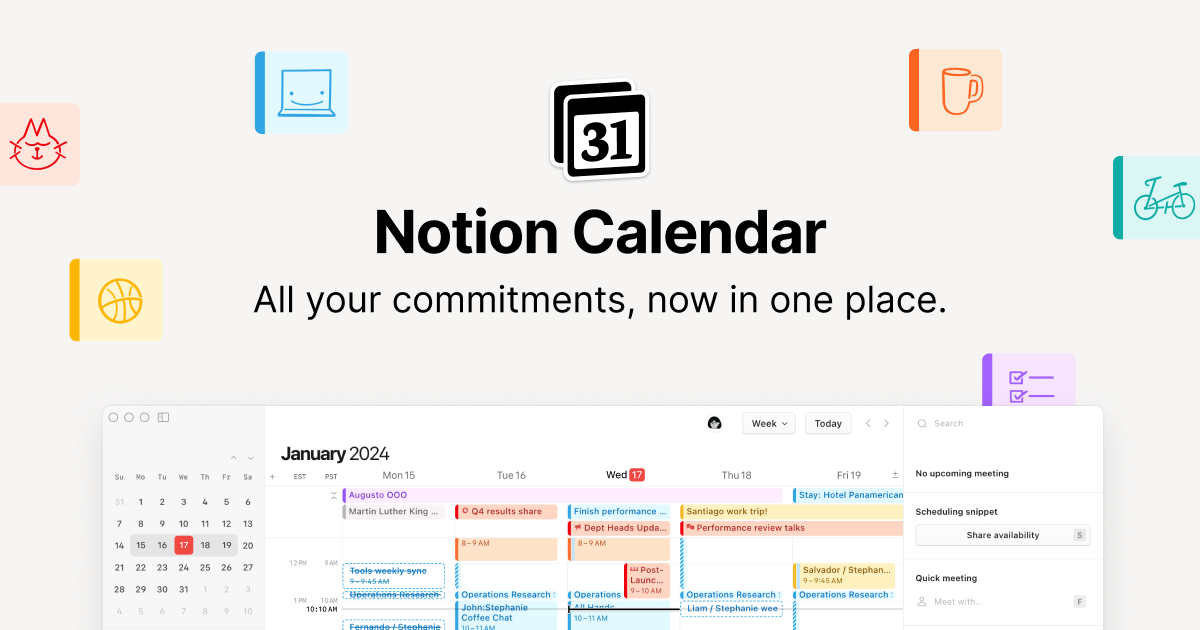
Notion Calendar
Slack AI
Has anyone else noticed certain words make AI agents actually listen?
Been working with AI agents for about 2 years and I keep noticing word choice matters way more than I expected. Simple example that got me thinking. "Don't do Y until X is done" works maybe \~75% of the time for me. But "Y has a dependency on X" and compliance jumps way up (well into the 90s). Same
Notion Calendar
Your mobile homepage just got a refresh! Now, your home, AI chats, meeting notes, and inbox… are just one swipe away. Take it for a spin and tell us what you think. https://t.co/wIOuaUCjr2
Your mobile homepage just got a refresh! Now, your home, AI chats, meeting notes, and inbox… are just one swipe away. Take it for a spin and tell us what you think. https://t.co/wIOuaUCjr2
Shared (2)
Only in Slack AI (3)
Slack AI is better for project management as it offers integrations with tools like Trello and Asana, providing comprehensive workflow automation.
Slack AI offers a more varied pricing model with freemium and tiered options, starting at zero cost, while Notion Calendar has a tiered pricing structure with unspecified rates.
Both tools have active communities, but Notion Calendar's higher average rating suggests more consistent community-driven improvements and satisfaction.
Yes, Slack AI and Notion Calendar can be used together as both integrate with Slack, enabling cohesive communication and scheduling within teams.
Notion Calendar is generally perceived as easier to get started with due to its intuitive scheduling features and fewer privacy concerns compared to Slack AI.


