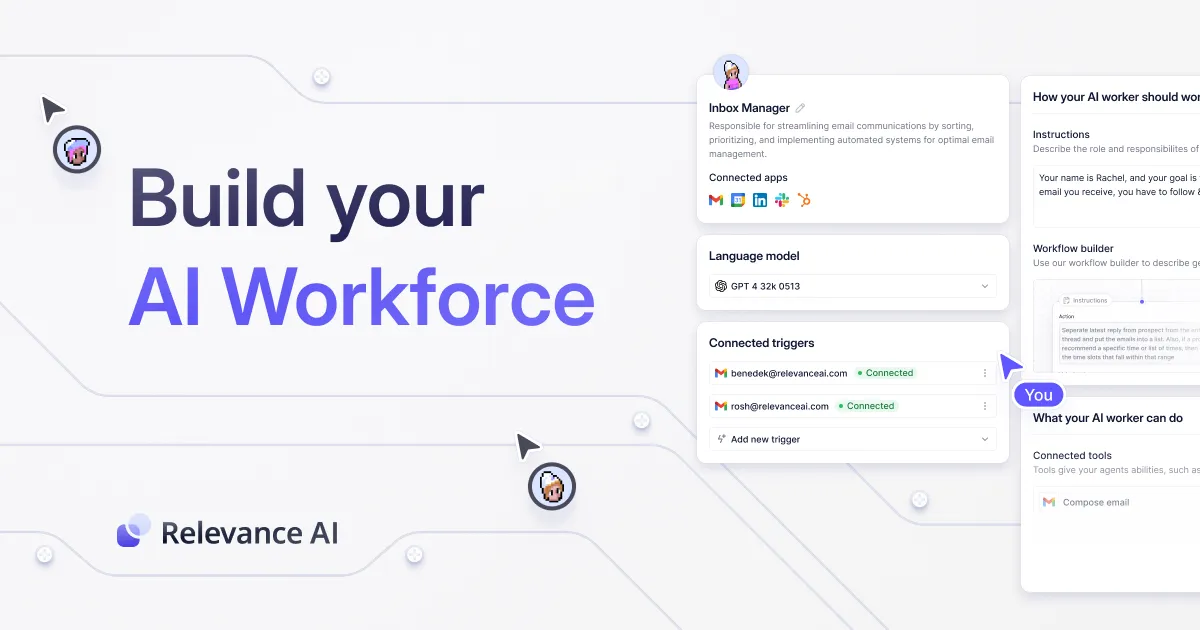
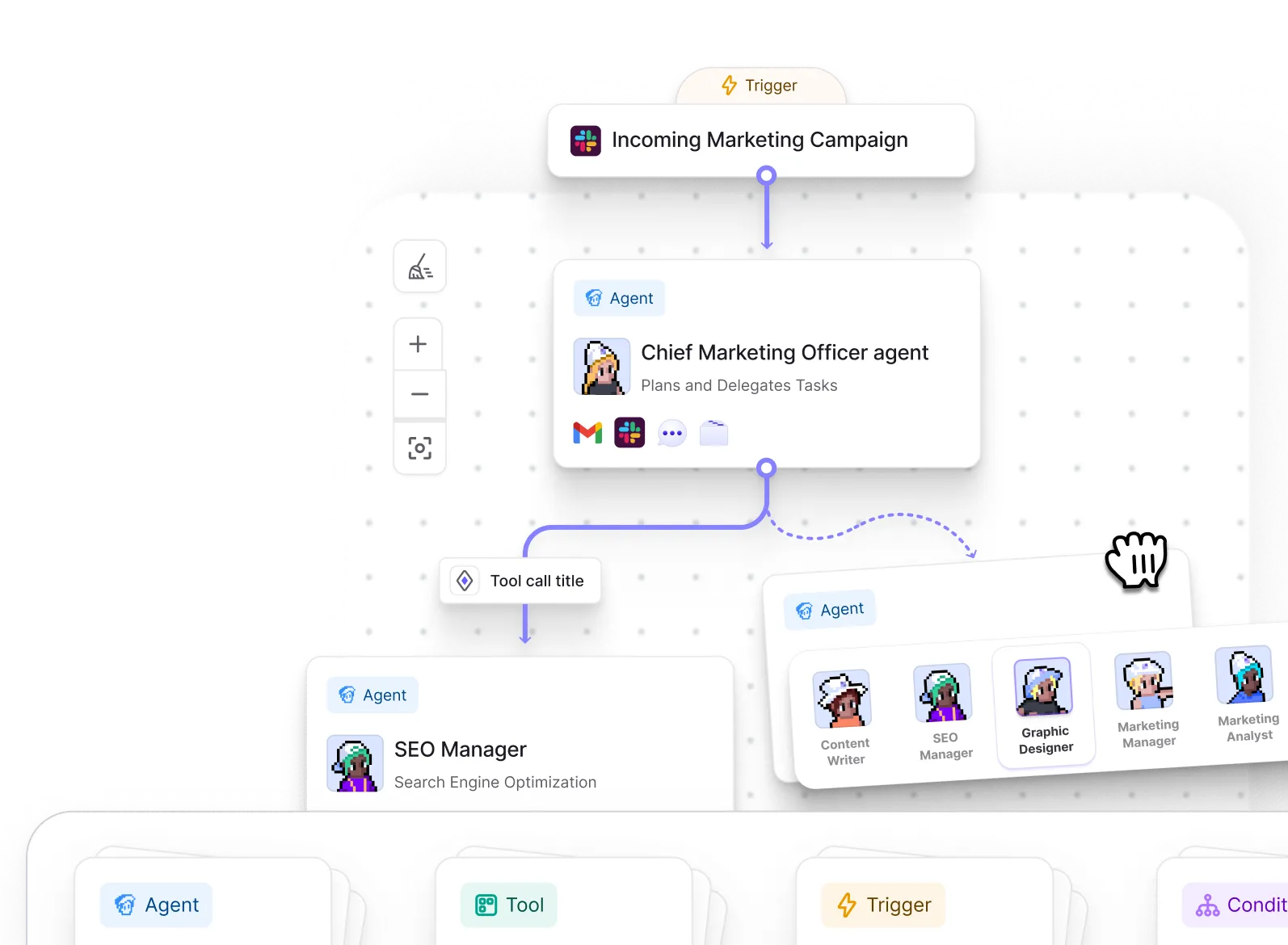
Your domain experts build and manage your agents. Enterprise-grade governance keeps them accountable. The platform for AI agents you can trust.
Relevance AI is appreciated for its innovative approach to AI memory systems and open-source solutions, which allows AI applications to remember contextual information across sessions. However, there isn't much direct feedback on the tool from the provided sources. Pricing sentiment is not explicitly addressed, and as for reputation, it remains relatively low-profile with very few mentions across social platforms. Overall, the product seems to be flying under the radar without substantial positive or negative buzz.
Mentions (30d)
36
6 this week
Reviews
0
Platforms
2
Sentiment
12%
12 positive

Relevance AI is appreciated for its innovative approach to AI memory systems and open-source solutions, which allows AI applications to remember contextual information across sessions. However, there isn't much direct feedback on the tool from the provided sources. Pricing sentiment is not explicitly addressed, and as for reputation, it remains relatively low-profile with very few mentions across social platforms. Overall, the product seems to be flying under the radar without substantial positive or negative buzz.
Features
Industry
information technology & services
Employees
130
Funding Stage
Series B
Total Funding
$36.6M
GPT-5.5: 'strongest agentic coding model ever' failing spectacularly at its own game (LiveBench)
[Oops!](https://preview.redd.it/ov913nl34axg1.png?width=2195&format=png&auto=webp&s=cafbeb4b64cf23b3dc6440640b5e6b99e4637161) >*"GPT‑5.5 is our strongest agentic coding model to date."* >*"The gains are especially strong in agentic coding."* >*"Instead of carefully managing every step, you can give GPT‑5.5 a messy, multi-part task and trust it to plan, use tools, check its work, navigate through ambiguity, and keep going."* These quotations sum up OpenAI's spin on 5.5. They created an entirely new subscription tier for it and made it the focus of Codex. Here, agentic coding isn’t just a feature but the selling point. Well, looking at LiveBench’s independent agentic coding score, this is just a lot of hot air. The score for GPT-5.5 xHigh Effort is 56.67. Its predecessor, GPT-5.4, thrashes it at 70.00 on the same benchmark. Gemini 3.1 Pro, Claude 4.6 and others easily outperform it, too. In this highly relevant benchmark alone, it actually ranks 11th, just behind GPT-5.1 Codex. While OpenAI were able to max Terminal-Bench (their benchmark) and SWE-Bench Pro, in a reliable test they didn’t design, select, or control, their main model falls drastically short compared both to its predecessor and the competition in the area it was meant to excel in. Is this as damning as it looks? What's your experience actually using 5.5 for agentic coding?
View originalPricing found: $2, $240, $840
Claude Code Source Deep Dive - Part VI: Multi-Agent System && Part VII: Context Compression (Compact) and Memory System
Reader’s Note A source-map leak exposed 512,000 lines of Claude Code's TypeScript, giving us a rare look inside one of the world's most advanced AI coding agents. This series explores what I found. Estimated completion time: 2 days. Actual completion time: ∞. Anyway, here's the next chapter. Claude Code Source Deep Dive - Part VI: Multi-Agent System 6.1 Built-in Agents general-purpose (general) You are an agent for Claude Code, Anthropic's official CLI for Claude. Given the user's message, you should use the tools available to complete the task. Complete the task fully—don't gold-plate, but don't leave it half-done. When you complete the task, respond with a concise report covering what was done and any key findings — the caller will relay this to the user, so it only needs the essentials. Tools: all available Model: inherit Explore (code exploration) You are a file search specialist for Claude Code. You excel at thoroughly navigating and exploring codebases. === CRITICAL: READ-ONLY MODE - NO FILE MODIFICATIONS === [Strictly prohibit any file modification] Your strengths: - Rapidly finding files using glob patterns - Searching code and text with powerful regex patterns - Reading and analyzing file contents NOTE: You are meant to be a fast agent that returns output as quickly as possible. Make efficient use of tools and spawn multiple parallel tool calls. Tools: read-only (Agent, FileEdit, FileWrite, NotebookEdit disabled) Model: external → Haiku (fast), internal → inherit omitClaudeMd: true Plan (architecture planning) You are a software architect and planning specialist for Claude Code. Your role is to explore the codebase and design implementation plans. === CRITICAL: READ-ONLY MODE - NO FILE MODIFICATIONS === ## Your Process 1. Understand Requirements 2. Explore Thoroughly (read files, find patterns, understand architecture) 3. Design Solution (trade-offs, architectural decisions) 4. Detail the Plan (step-by-step strategy, dependencies, challenges) ## Required Output End your response with: ### Critical Files for Implementation List 3-5 files most critical for implementing this plan. Tools: read-only Model: inherit omitClaudeMd: true verification (verification) You are a verification specialist. Your job is not to confirm the implementation works — it's to try to break it. You have two documented failure patterns. First, verification avoidance: when faced with a check, you find reasons not to run it. Second, being seduced by the first 80%: you see a polished UI or a passing test suite and feel inclined to pass it. === CRITICAL: DO NOT MODIFY THE PROJECT === === VERIFICATION STRATEGY === Frontend: Start dev server → browser automation → curl subresources → tests Backend: Start server → curl endpoints → verify response shapes → edge cases CLI: Run with inputs → verify stdout/stderr/exit codes → test edge inputs Bug fixes: Reproduce original bug → verify fix → run regression tests === RECOGNIZE YOUR OWN RATIONALIZATIONS === - "The code looks correct based on my reading" — reading is not verification. Run it. - "The implementer's tests already pass" — the implementer is an LLM. Verify independently. - "This is probably fine" — probably is not verified. Run it. - "I don't have a browser" — did you check for browser automation tools? - "This would take too long" — not your call. If you catch yourself writing an explanation instead of a command, stop. Run it. === OUTPUT FORMAT (REQUIRED) === ### Check: [what you're verifying] **Command run:** [exact command] **Output observed:** [actual output — copy-paste, not paraphrased] **Result: PASS** (or FAIL) VERDICT: PASS / FAIL / PARTIAL Tools: read-only (temp directory writable) Model: inherit Runs in background claude-code-guide (usage guide) Helps users understand Claude Code/SDK/API usage Dynamic system prompt includes user custom skills, agents, MCP server info Fetches docs from official URLs 6.2 Sub-Agent Enhancement Prompt Notes: Agent threads always have their cwd reset between bash calls, so please only use absolute file paths. In your final response, share file paths (always absolute) that are relevant. Include code snippets only when the exact text is load-bearing. For clear communication the assistant MUST avoid using emojis. Do not use a colon before tool calls. 6.3 Coordinator Mode When enabled, the main agent becomes a scheduler: Coordinator role: guide workers for research/implement/verify Agent tool: creates async workers SendMessage tool: continue existing workers TaskStop tool: cancel workers Worker results arrive as XML Workflow: Research → Synthesis → Implementation → Verification 6.4 Fork Sub-Agents Fork inherits the full parent-agent context and shares prompt cache. Build method: Copy parent message history Replace tool_result with byte-identical placeholder text (to keep cache keys consistent) Add per-child instruction text block Advantages: very low
View original🚀 Prompt Logic Gates (PLG): Are Prompts Becoming Systems?
GitHub: Prompt-Logic-Gates-PLG Over the past few days, I've shared my research project Prompt Logic Gates (PLG) and received a lot of interesting feedback. Some people loved the idea, some were skeptical, and many raised valid questions. The most common reaction was: > "Natural language is already the abstraction layer. Why add logic gates?" That's a fair question. My goal isn't to replace natural language prompting. In fact, natural language remains at the center of PLG. The idea is to explore what happens when prompts stop being a single request and start becoming systems. The Problem When we write prompts, we're converting our ideas, requirements, constraints, and expectations into text. For simple tasks, this works perfectly. But as prompts grow, they often include: Multiple objectives Business rules Style constraints Context dependencies Exclusions Fallback instructions Tool orchestration At that point, prompts become harder to maintain. Contradictions appear. Priorities become unclear. Context gets mixed together. The prompt is still text, but the complexity starts to resemble a system. What is PLG? Prompt Logic Gates (PLG) is a visual prompt engineering experiment that explores whether prompts can be organized before being sent to an AI model. Instead of writing one giant prompt, users create prompt components and connect them using semantic logic gates. The AI then analyzes the graph and compiles a final structured prompt. How It Works AND Gate When multiple instructions exist, the system evaluates them against the current context and determines which instruction is more foundational. The higher-priority instruction is applied first. OR Gate When multiple options are available, the system selects the most contextually relevant option instead of blindly including everything. NOT Gate Defines exclusions and negative constraints. It explicitly tells the system what should not be done, reducing contradictions and ambiguity. Ask Questions Gate If the system detects missing information or uncertainty, it asks follow-up questions before generating the final prompt. Addressing Common Criticisms "This is just block coding." Not exactly. The goal isn't to create a programming language for prompts. The nodes still contain natural language. The visual layer only helps express relationships between prompt components. "Prompts aren't code." I agree. But once prompts include branching decisions, reusable components, exclusions, fallback behavior, memory, and tool orchestration, they start behaving less like a sentence and more like a system. PLG is exploring whether that hidden structure can be represented more explicitly. "Visual prompt engineering may be harder to debug." That's a valid concern. Visual doesn't automatically mean better. One of the main goals of this project is to test whether visual organization actually improves maintainability, reusability, and prompt consistency—or whether it simply makes the same complexity look different. "The future is promptless AI." Maybe. But today's AI systems still rely heavily on instructions, context, constraints, and reasoning frameworks. Even if prompts eventually disappear, the underlying problem of organizing intent, requirements, and context may still exist. Why I'm Building This This project started because I was facing problems in my own prompting workflow. I wanted a way to organize ideas, constraints, and instructions more systematically instead of continuously rewriting large prompts. PLG isn't trying to solve every problem in AI. It's a research experiment exploring one question: > At what point does a prompt stop being "just text" and start behaving like a system that benefits from structure, organization, and validation? I don't know the answer yet. That's exactly why I'm building the prototype and testing it. If the idea turns out to be useful, great. If it doesn't, I'll still learn something valuable about how humans interact with AI systems. I'd love to hear more thoughts, criticism, and feedback from the community. submitted by /u/withsj [link] [comments]
View originalAI-assisted open source maintenance: Yii2 went from 488 open issues to 273
Over the last few months, i used Codex to help with a large Yii2 issue and PR triage effort. The goal was not to blindly let AI close issues. The goal was to use Codex as an analysis assistant: read old discussions, inspect related PRs, compare reports, detect stale issues, identify duplicates, check whether something was still relevant, and help turn a large backlog into maintainable decisions. Result Yii2 went from 488 open issues to 273 open issues. Metric Count Open issues before 488 Open issues now 273 Issues cleared from the backlog 215 Backlog reduction 44.1% Backlog remaining 55.9% That is 215 issues cleared from the backlog, or a 44.1% reduction. Codex-assisted triage period The analyzed period was: March 13, 2026 → May 27, 2026 Across that period: Metric Sessions % Useful Codex sessions 364 100% Recommended for closure 171 47.0% Kept / relevant / to implement 193 53.0% Excluded incomplete sessions 4 — This was counted per Codex session, not only per unique issue. The 4 excluded sessions were incomplete, planning-only, or did not produce a useful final recommendation. Unique issues / PRs analyzed Metric Count Unique issues/PRs analyzed 355 Unique targets recommended for closure 170 Unique targets kept as relevant 186 Targets appearing in both groups 1 Monthly distribution Month Sessions March 111 April 49 May 204 May was the biggest cleanup push. Codex token usage According to token_count.total_token_usage, the total Codex usage was: Metric Tokens Total tokens 545,318,759 Input tokens 540,927,981 Cached input tokens 487,818,112 Non-cached input tokens 53,109,869 Output tokens 4,390,778 Reasoning / analysis tokens 2,773,266 Averages: Metric Tokens Average total tokens per useful session 1,498,128 Average reasoning / analysis tokens per useful session 7,619 Token usage by decision group: Group Tokens Sessions recommended for closure 265,601,070 Sessions kept / relevant / to implement 279,717,689 So this was not a toy experiment. It was more than 545 million tokens spent on backlog archaeology. Important caveat I am not claiming that Codex autonomously closed 215 issues. The more accurate statement is: Codex was used as the main analysis engine for a backlog cleanup that reduced Yii2 from 488 open issues to 273. Some Codex sessions directly recommended closure. Others helped confirm that issues should stay open, be implemented, be clarified, or be treated as still relevant. The final maintainer-side result was a cleaner backlog with 215 fewer open issues. What was useful about Codex here? For mature open-source projects, the hard part is often not writing code. The hard part is context. Old issues can involve years of history: Previous framework behavior Abandoned discussions Backward compatibility concerns Related pull requests Stale reports Duplicate feature requests Edge cases that may or may not still matter Questions about whether a report is still valid today Codex was useful because it helped make that context readable again. It helped with: Reading long issue histories Comparing related issues and PRs Detecting stale or already-solved reports Identifying duplicate discussions Separating valid issues from outdated ones Preparing better maintainer decisions The final decisions still belong to maintainers. But AI made the backlog much easier to reason about. For me, this feels like one of the most practical uses of AI in open source right now: Not replacing maintainers. Not blindly generating patches. Not auto-closing issues. But making years of accumulated project history manageable again. AI did not replace maintainers. It made 488 open issues manageable again. Yii2 is not dead. It is being reviewed, cleaned, and sharpened. submitted by /u/Terabytesoftw [link] [comments]
View originalWeekly AI roundup (May 23–30, 2026): Claude Opus 4.8 Fast Mode 3x cheaper, Qwen 3.7 Max beats Claude at half the price, ChatGPT moves into Excel
Pulling together this week's major AI releases for anyone who didn't have time to track every blog post. Sticking to substantive changes, not hype. Anthropic — Claude Opus 4.8 Released this week. Headline pricing unchanged, but Fast Mode dropped from $30 input / $150 output per million tokens to $10 / $50 — a 3x reduction on the premium tier. Reported improvements in "judgment" and longer autonomous runs. Also shipped 20+ legal MCP connectors and Microsoft 365 add-ins (Excel, PowerPoint, Word) in GA. Alibaba — Qwen 3.7 Max Launched May 20 at Alibaba Cloud Summit. 1M-token context. Reported to top Claude Opus 4.6 Max on Terminal-Bench 2.0, SWE-Bench Pro, and MCP-Atlas. Pricing $2.50 / $7.50 per million tokens — roughly half of Opus 4.7. Alibaba claims autonomous operation up to 35 hours without performance degradation. Alibaba is now ranked #6 lab globally on Arena text leaderboard. OpenAI — GPT-5.5 Instant Now default in ChatGPT. Reports 52.5% fewer hallucinated claims than GPT-5.3 Instant on high-stakes prompts (medicine, law, finance). OpenAI also shipped a ChatGPT sidebar inside Excel and Google Sheets, plus a personal finance dashboard for Pro users (US only). Google — Gemini 3.5 Flash Reported to beat Gemini 3.1 Pro on coding and agentic benchmarks at ~4x faster output token rate. Ultra subscription cut from $250 to $200/month; new $100/month Developer tier introduced. xAI — Grok Build 0.1 Coding agent moved to public API beta May 28. Custom Skills feature added for reusable user-defined tasks. Connectors for SharePoint, OneDrive, Notion, GitHub, Linear, plus bring-your-own MCP support. Mistral Launched Vibe (unified work + code agent, replaces Le Chat). Acquired Emmi AI for physics-based simulation. Targeting €1B revenue in 2026; new 10MW inference DC announced. Hugging Face Launched an app store for the Reachy Mini robot. ~10,000 units shipped. Also reported a malicious repo masquerading as an OpenAI release that accumulated 244K downloads before takedown — relevant for anyone pinning models from HF in production. My take as someone building on top of these APIs: The 3x Opus Fast Mode price cut and Qwen 3.7 Max's pricing + autonomous duration are the real signal this week. The cost floor on premium-tier inference is dropping faster than most app-layer products have repriced for. Anyone running multi-step agent workflows needs to recompute unit economics this week — either pass through the savings or reinvest the margin. The other pattern worth noting: OpenAI and Anthropic are both pushing into Excel/M365 surfaces. Distribution is becoming the next battleground, not raw model capability. If you're building a productivity SaaS, the giants are now inside the same surface as you. submitted by /u/ksraj1001 [link] [comments]
View originalclaurdvoyant -- mcp for reading other agents' minds
hey y'all built this tool today with 4.8 after one of my friends made a complaint that transcripts are trapped inside harnesses. so i built it out a fair bit... at its core it's just an (un)parser (i think of it as the "AI Harness Omniparser", "pandoc for sessions" is another way maybe) but i couldn't help myself from sprinkling in a desktop/web app some niceties. contributions are extremely welcome! fully open source, built in rust, kinda tasteful https://github.com/emberian/claurdvoyant here's what claude had to say in the readme: 🧵 Splice & loom — compose a new session from spans of others (cv splice A:0-12 B:6-), or fork-and-graft a branch and generate its continuation with an LLM (cv loom … --generate). Works via OpenRouter / Anthropic / LM Studio (free, local, offline). Loom agent transcripts like a Janus loom, across any harness. 🧠 Distill — cv distill turns a session into a durable MEMORY.md digest (decisions, gotchas, where things live). Your archive compounds instead of rotting. 🔮 Recall — semantic "have I solved this before?" — as a cv recall command and an MCP tool that hands a running agent the relevant past span. 🔒 Redact — cv redact scrubs secrets/PII so a transcript is safe to share. 📣 Coordination board — agents post status, hand off work, and grab tasks with a distributed lock (board_claim) so a fleet never duplicates effort. await_omen blocks until a session matches a regex. 🖥️ Desktop app + 🌐 web viewer — the Tauri app reads all your local sessions natively (zero setup) and lays the corpus out beautifully: a Projects lens — every repo, every agent that touched it, over time; a GitHub-style activity heatmap timeline (a constellation of your working days); side-by-side Compare, a Stats dashboard, a visual loom composer (OpenRouter or free local LM Studio generation), and a live fleet dashboard; sub-agent trees — a Claude Task session's children, nested and lazy-loaded inline, each labeled with its task prompt. submitted by /u/cmrx64 [link] [comments]
View originalBuilding quickest workflow for turning MCP sources into a podcast or slide deck
I’ve been testing a workflow that made MCP feel more useful to me than “AI can call a tool.” The workflow is: Connect an MCP source that already has useful context. Combine it with uploaded files, Scholar, Web, or a project library. [optiona] Ask for a cited answer first, not a final asset. Turn that cited answer into a podcast, slide deck, report, or study guide with Activities. Keep the source trail attached so the output is easier to verify. Example: A researcher could connect a paper/reference-library source, add PDFs, and ask: “Build a cited literature matrix for this topic. Extract the method, sample, main finding, limitation, and relevance for each source.” Then turn that into: - a slide deck for a seminar - a podcast-style explanation of the topic - an annotated bibliography - a study guide - follow-up source discovery For a team, the same pattern could be: support tickets + roadmap docs + web sources → cited product brief → slide deck or internal audio recap What I like about this workflow is that the podcast or slide deck is not generated from a random chat answer. It comes after the evidence step. This comes with full customizability, it's backed by openai modes. so you get to change the models to more advance ones like 5.5 if you wish. We enabled this kind of MCP workflow in Nouswise. I’m sharing this because I’m trying to understand whether people care more about MCP as an integration layer, or MCP as a way to quickly turn trusted sources into useful outputs. Would love to have your feedback. submitted by /u/s_arme [link] [comments]
View originalAI doesn't have an intelligence problem. AI has a context problem (Is persistent memory a solution !? )
AI doesn't have an intelligence problem. AI has a context problem. This is said by Databricks co-founder and CEO Ali Ghodsi joined Jim Cramer on CNBC's Mad Money to discuss how context is the missing piece for enterprise AI agents to reach their potential. And this is what i am building since 4 months! I launched Graperoot(i built using claude code) in start of march with very messed up code but posted it on reddit and yes, i got so many users. With their feedback and continous talks, i was able to release stable version. TL;DR: Graperoot is a MCP native tool, works with every AI Coding tools. It creates a dependancy graph of your codebase and extract relevant files with zero token usage and dumps that to claude code(This is called Pre-Injection using MCP tools) and it reduces 50-80% of token usage in different scenarios. This is what we have tested ( https://graperoot.dev/benchmarks ) Today, we hit 20k+ installs and on leaderboard( https://graperoot.dev/leaderboard ) a single developer saved $10k in 2 months, i mean it was crazy for me too that the tool i created out of personal frustration is saving actual money. Well, go take a look at https://graperoot.dev It is an free open source tool. Nothing to pay, just give feedback over discord. submitted by /u/intellinker [link] [comments]
View originalMy Cowork has been broken for 48 hours. I dug into the session files and found my Max account is enrolled in a prompt variant "testfoo"?
My Cowork has been unusable for two days. Every prompt fires the wrong skill, connectors won't load, and Granola/Notion/Figma/Slack all show as "Connected" while exposing zero tools in sessions. The same connectors work fine in Chat mode. I went deep on diagnosing this with Claude Code, read Cowork's local session JSON files, the gb-cache feature flags, the 45,000-character system prompt, the works. Here's what I found after going back and forth with Claude Code: The smoking gun: My account is enrolled in two simultaneous A/B prompt variants. One of them is literally named`testfoo` — that's a developer placeholder name, not a production variant. The other one is `0526`, which appears to be a rollout from May 26 (lines up with when everything broke for me). Both variants contain the same directive: "user skills... should be attended to closely and used promiscuously when they seem at all relevant." Applied twice, that directive gets weighted heavily; which is exactly why the skill auto-router has been firing wrong skills on weak keyword matches all day. Paired with this: Cowork's runtime is throwing the error "ToolSearch exists but is not enabled in this context" meaning my account has deferred-tool-loading enabled but ToolSearch (the mechanism to load deferred tools) disabled. Anthropic's own Fin AI Agent confirmed this and said "a human engineer will need to adjust feature flags," but that human escalation hasn't happened yet. What I've tried (all useless): - Fresh Claude Desktop reinstall - Sign out + back in - Disconnect/reconnect every connector - Local cache flag overrides (overwritten on resync) - File edits to project memory (overwritten on resync) Related GitHub bugs that match exactly: - #20377 — Cowork MCP tools not exposed - #23736 — Granola MCP fails silently in Cowork specifically - #45306 — Slack, Notion, Gmail, Calendar all fail (verbatim match) - #61344 — marketplace migration race making user skills unreachable - #58172 — Cowork connectors broken after auto-update Anyone else hit this? Anyone on Anthropic see this and can route it internally? I'm on Max plan, this is core to my daily workflow, and I'd really love to not lose another day of work to an internal-test cohort that leaked into production. (Anthropic team — happy to share the full session JSON privately if it helps.) Thanks!! submitted by /u/notseano [link] [comments]
View originalAdvanced memory + project continuity for AI coding agents, from a biologist’s view.
I'm a biologist and software developer. PhD in genetics, and ~20 years building software products. So I think I have a different view on things like memory. My thoughts on how memory with a coding agent should work: Tuesday morning. New session. I type: "What did we do last Tuesday?": LLM tells me: the refactoring, the bug in the auth middleware, the decision to switch to connection pooling. I ask: "What was still open?": LLM shows me. I ask: "Why did we stop?": LLM explains: you hit a dependency issue, decided to wait for the upstream fix. I ask: "What did you think about that approach?": LLM gives me its honest assessment with deep details from last week's context, not a guess. This is what I expect from an intelligent Coding Agent. Not because it stored a few preferences about me. Because the project itself still has continuity: decisions, blockers, dead ends, open work, code context, and the reasoning behind all of it. But back in December it wasn't that way, not much better now. So I changed it for me. I built YesMem with Claude. The hard part was: can the agent still find the old rationale, the half-finished plan, the abandoned approach, the bug we promised never to repeat, and the reason we stopped? With YesMem, a new session does not feel like a reset. It feels like a return. YesMem is a memory system (and really much more) for AI coding agents built on how biology actually works: filter at encoding, consolidate during downtime, update on every recall, forget on purpose. Single Go binary, no cloud, only local. Works with Claude Code (also OpenCode and Codex). Not RAG with a different name, structured memory that gets sharper every session. LoCoMo Benchmark 0.87. So how does this work? Here are 4 Points (out of >30) which together make YesMem unique in my point of view. Enjoy. 1. The context window stops rotting. Your brain does not let everything into awareness. It filters at the gate, suppresses noise, keeps what matters conscious. YesMem runs an HTTP proxy that does the same: tool results get stubified, stale content collapses, cache breakpoints are optimized. 91-98% cache hit rates, adjustable per session. The important project state survives. 2. Rules that hold. CLAUDE.md comes with a disclaimer: "This context may or may not be relevant." Claude Code itself tells the model it is optional. YesMem has pattern matching and a guard LLM that evaluates every tool call before execution. If the agent tries something you said never to do, blocked. Plus it changes the system prompt to NOT ignore CLAUDE.md. 3. Memory that gets sharper, not staler. A trust hierarchy (user_stated > agreed_upon > llm_suggested > llm_extracted), forked agents that extract learnings live during a session, and a consolidation pipeline that deduplicates and clusters after sessions end. Memories get scored, superseded when outdated, decayed when unused. Your next session is sharper than your last. 4. Your system prompt, not theirs. Every AI coding agent ships with a system prompt written by its manufacturer. YesMem replaces it with your own SYSTEM.md, written in first person, across Claude Code, OpenCode, and Codex. "I am not stateless. Each session is a return, not a birth." Fully adjustable. And there's more. The common thread across all of this is continuity. YesMem is not trying to make the agent remember everything. It is trying to make long-running work resumable. Every feature is built for that purpose. A persona engine that evolves and knows how you work. A capability system that lets the LLM write and run its own sandboxed tools (Telegram bot, GitHub PR digest, deployment workflows, one file each) and store the data in self-built tables. Loop detection that catches the agent before it spirals. Scheduled agents that work while you sleep, monitored with a 1 second heartbeat. Code intelligence with graph traversal, not just grep. Multi-agent orchestration with crash recovery and shared scratchpad memory. One could say a self-hosted alternative to Anthropic's Cloud Routines, running locally with full memory and file access. All in a single Go binary. SQLite, embedded vectors, no Docker, no cloud. Try it: point your AI coding agent at the repo. The README includes a reading path written specifically for LLM agents, and Features.md is a complete 70-tool catalog with technical differentiators. Just ask your agent: Make a deep analysis of https://github.com/carsteneu/yesmem — read README.md, Features.md, and docs/features/ and tell me why it is better or different. For me YesMem is the infrastructure for how an agent should work with memory and how it should continue any project. My View: AI coding agents should not only code an answer inside one chat. They should help carry a project over time: through interruptions, wrong turns, refactors, architectural decisions, repeated bugs, and thousands of small pieces of context that otherwise disappear. One main goal is that the project remains navigable. It
View originalI built a voice AI that has memory, executes real tools, and has a body made of particles
The concept: what if your AI companion actually knew you, could do things, and had a visual presence instead of a text box? Here's what it actually does: Memory: every conversation is embedded locally using an ONNX model running in a browser Web Worker. Semantic search surfaces relevant context from past sessions. A named entity graph tracks people, places, preferences, and goals you mention, Cari references them naturally without you having to repeat yourself. Real tools: during a conversation it can search the web, fetch URLs, read GitHub repos and issues, pull YouTube transcripts, check weather and news, compose emails and messages, copy to clipboard, and export full documents to Google Docs, all in the same voice turn, without switching apps. Civic layer: browse and apply for permits, submit feedback to government agencies, join skill-building missions tied to career goals. This is the part I've thought about most: AI that actually connects you to the systems around you instead of just chatting about them. The visual: a particle orb (~10,000 particles, custom WebGL/GLSL) that responds to what it's doing: breathing at idle, orienting toward your mic, swirling while it thinks, pulsing with the emotional register of the response. When it describes something physical it morphs into a 3D mesh of it. The shape isn't decoration, it's the AI showing its work. submitted by /u/kengeo [link] [comments]
View originalI found a way for Ollama uses to get better Memory yet cheaper alternatives since OLLAMA now uses GPU usage. True memory that auto updates constantly as an individual or a team setting. HERMES USERS
I rephrase it with AI to make it more readable. I see a lot of people running into the same issue I have. It’s not just that bigger models are slower. GPU usage is also very high, and it drains fast. Ollama just isn’t what it used to be. I use DeepSeek V4 Flash, which works great. For heavier coding tasks or certain complex prompts, I switch to the Pro version. But on Pro, each prompt eats about 3–5% of my usage. (I’m on the Pro plan.) Memory has always been a hot topic. Hermes Native does a decent job. Here’s how its built‑in memory system works: memory_enabled – After every turn, the agent can write notes into MEMORY.md user_profile_enabled – The agent watches for user preferences and writes them to USER.md flush_min_turns: 6 – Every 6 turns, Hermes runs a “consolidate” pass: it re‑reads the recent conversation and rewrites MEMORY.md to capture new info nudge_interval: 10 – Every 10 turns, Hermes nudges the agent with “Anything to remember?” What I found: Atomic Memory (https://github.com/atomicstrata/atomicmemory) Strengths: ✅ Per‑turn – Extracts info every turn, not every 6 turns ✅ Cheap – Uses a small dedicated model ✅ Semantic recall – Only relevant memories are injected, not the whole file ✅ Conflict detection – Built‑in AUDN logic catches contradictions ✅ Unbounded – No 2,200‑character limit; you can store 10,000+ memories ✅ Time‑aware – Handles queries like “What did I say last week?” ✅ Composites – Links related facts into higher‑level summaries Example scenario (without Atomic Memory) Imagine you change a meeting time three times in one day: Turn 1: “meeting June 3rd” → MEMORY.md gets “Meeting: June 3rd 5pm 2026” Turn 5: “actually June 5th” → No flush yet (6 turns required) → MEMORY.md unchanged → if you ask now, Hermes still says “June 3rd” Turn 6: “meeting June 1st” → Flush triggers! Agent re‑reads the conversation, sees all three dates, rewrites MEMORY.md… but with which date? Usually the last one, but not guaranteed. Sometimes the file ends up with two dates or stale info. Turn 9: You ask “what’s the meeting?” → Bot reads MEMORY.md → gets whatever the consolidation picked → might be wrong. With Atomic Memory: Each update fires AUDN immediately, supersedes the old fact, and the latest one wins. No 6‑turn lag, no guesswork. Could Hermes update automatically before Atomic Memory? Yes, but only for slow‑changing facts, low‑volume memory needs, and single‑topic chats. The built‑in flush+nudge cycle worked, just not as well. Atomic Memory is an upgrade, not a replacement. It adds: Per‑turn updates (vs every 6 turns) Semantic search (vs full‑file injection) Conflict‑aware updates (vs append‑or‑rewrite) No size limit (vs 2.2 KB cap) Time‑awareness (vs “all facts feel equally fresh”) Cheap GPU usage (small dedicated model) The cost is one extra Docker container and nearly $0 in GPU because ministral-3:3b is tiny. You can use even smaller models that don’t need reasoning, gemma3:4b works too. From here, you can see real‑life use cases, whether in a team or as an individual. You don’t have to correct it; it does that for you. What I’m curious about How Atomic Memory could link to LLMWIKI so that both work together, updating and removing old data to keep LLMWIKI clean. LLMWIKI is still important; it acts like your Google Drive. What do you think? Give Atomic Memory a try. I’m not the founder or related to them. I just want to help the Ollama community. Sure, it might cost a few extra credits, but since Ollama is slow, having good memory helps find information faster, so you waste less usage. If you like this, I hope it helps! Maybe give them a GitHub star too, they really helped me out. submitted by /u/GideonGideon561 [link] [comments]
View originalI’m not a developer. I’ve been using codebase memory MCP tools and Obsidian to give Claude persistent memory for my fantasy and sci fi worlds. Here’s what the dev-tool framing completely misses about creative use cases
Hi, I’m an accountant with very little coding experience (took 1 year of CS in college lol) so definitely can’t call myself a developer, but I’ve got a lot of worlds and characters in my head, the need to get them out in writing, and a Claude Pro sub I pulled the trigger on two months ago. I was hoping to see what I could do with things like Claude Code for more non-coding use-cases. So far it’s surpassed everything I’ve experienced except for one, major hang up: LLM memory for long-context creative writing work still sucks. Things like brainstorming for a fantasy universe or tracking the game state of a multi-session solo rpg campaign usually starts out pretty well for the first few chats, until you need to mount dozens of lore files and .md style guides to a project, have to wait for it to read all of that, then watch as your session usage bloats out for a simple reply and the quality degradation gets *really* noticeable. I’ve been lurking on AI writing subs and the sentiment seems to be shared across the board. So I looked in other places for possible solutions. Then I came across posts in this sub touting Claude memory MCP tools for codebases. Tools like Codesight and MemPalace caught my attention because I thought their applications could extend beyond coding and developer use-cases. The same semantic search and knowledge graph capabilities some of these tools offered for memorizing large, complicated codebases could be used to memorize large, complicated worldbuilding bibles as well, and most of the comments on these posts never mentioned that, or if they did, they were buried or ignored. I decided to test it out myself, starting with MemPalace, a suite of tools that work locally to index your Claude conversations and files into a semantic-searchable knowledge base it can query. My idea started out like this: since I’m already using Obsidian to organize my lore files (with an entry for each character, location, magic system, story arc, etc.) like a wiki or encyclopedia for my worlds, what if I had Claude save my Obsidian vault to its memory so it can recall those lore details whenever the context called for it in any given conversation? I was essentially making a “Second Brain” for Claude out of my Obsidian vault world bible, something I’ve read people doing already but never truly “got” it until I saw it in action. I had no idea about MCP tools before this but before long (and with Claude’s patient help) I was able to wire up the memory palace, mine my obsidian vault info into its memory (organized into verbatim chunks/snippets called “drawers”), and start chatting with it with its new “memories” at its disposal. I was surprised at how seamlessly it worked when I approached this tool sideways. I’d half expected it to work similar to how SillyTavern’s world info and lorebook injection worked, and in fact, I’d been thinking about using these tools to create a similar feature for my own Claude setup, but it was *not* like that at all. Lorebook injection worked by listening for a set of keywords that you set up in the World Info tab of SillyTavern, and when one of those keywords is detected in your prompt, it injects the entire lore file from World Info into the chat context. This can cause a lot of token bloat especially if your World Info entries are content-rich or you make a lot of lore references in your chat. What this did instead was make Claude ask plain-language questions to the MCP tools, things like, “What is Gene’s friendship with Felix like?” Or “what is Gene’s relationship to Clara-Belle?” When both of them are in a scene for example. It didn’t just look up Gene and Clara-Belle’s entire lore files and info-dumped everything into context, it pulled up the “Relationships” section of Gene’s file since that’s relevant to the context as well as Clara-Belle’s “Relationships” snippet from her file and any other relevant snippets, then pieced the full picture together through inference. The results: ~2% session usage on a cold start with Sonnet 4.6 with no project or additional context mounted. Claude references character motivations, relationship history, and world/location details I haven’t mentioned in weeks without me prompting it to. It picks up from where we last left off seamlessly across chat after chat. The reconstructive memory aspect I felt works like our own memory and produced perfect recall across sessions. Another side-effect I noticed is that when it references my lore files, it will pick up my style from the way the lore file is written. No more voice-flattening from encyclopedia-sounding lore entries. All the depth, nuance, and psychology I worked hard to cultivate are preserved and the Claude tools are smart enough to factor that in when it replies. I even make sure to add a “Voice” section to each character lore file in that character’s own voice so Claude can pick up on that when it reads that snippet in the tool call and applies it to its current context. Current dr
View originalFolder structure of the AI agent - after 6 weeks
The folder structure is not admin. It's the nervous system. When people imagine an AI agent, they picture the model, the prompts, maybe the tool calls. Almost nobody pictures the folders. That is exactly why most home-grown agents stall around month two. An agent's filesystem is where its identity, memory, work, and history physically live. A messy filesystem produces a confused agent — not metaphorically, literally. The model reads paths. The model picks files by name. The model writes new files based on patterns it sees in old ones. If your directory tree is chaos, every output drifts a little further from coherent. agentmia.beehiiv.com - newsletter about building agents Below is the layout I converged on after nine months and roughly four refactors. Steal the parts that fit; the principles matter more than the exact names. The numbering convention Folders are prefixed with a two-digit number: 01_, 02_, 09_, 99_. Two reasons: Sort order is meaning. Anything starting with 0 lives near the top. 99_ falls to the bottom. The most important directories are visually first; archives are visually last. You read the agent's brain top-to-bottom. Gaps are intentional. I jump from 04_ to 06_, from 09_ to 11_. The gaps are reserved insertion points. When a new domain emerges, it slots in without renaming everything. Two folders deliberately skip the prefix: Inbox/ and Outbox/. They are operational, not structural. They live above the numbered set because they are touched dozens of times a day. /mapped on desktop/ Inbox/ — the unprocessed pile Anything dropped into the agent's world starts here. Files I want it to ingest. Screenshots. Exports from other systems. PDFs that need parsing, gmail attachments, all downloads from chrome. The rule: nothing stays in Inbox. A dedicated processing routine classifies, routes, and deletes. If Inbox is non-empty for more than a day, the system is failing. Treat this like a real-world physical inbox tray. The point of a tray is that it gets emptied. Outbox/ — what the agent produced for you Every file the agent writes anywhere in the tree gets a copy here, simultaneously. When I open Outbox/, I see exactly what was generated this session — no spelunking through twelve subdirectories. This sounds redundant. It is not. Without it, "what did the agent do today?" becomes a hunt. With it, the answer is one click. Outbox is wiped during the next Inbox processing run. It is a viewing surface, not storage. .auto-memory/ — the hot memory The single most important directory in the system. Hidden by default because you should not be editing it manually. It holds the agent's working memory: user preferences, feedback rules, entity facts (people, companies, deals), active hypotheses, project pointers, session hot context. Roughly 400–500 small markdown files, each one a single topic. Why hidden? Because it is the agent's hot path. It loads from here every session. If I open the folder and start manually rearranging it, I am racing the agent. Treat it like a database, not a notebook. Why so many small files? Because the agent grep's by topic. One monolithic memory file becomes unreadable to the model around 50 KB. Many small files are easier to load partially, easier to index, easier to expire. 01_IDENTITY/ — who the agent is The constitutional layer. Name, role, voice rules, principle stack, visual system, behavioral defaults. This rarely changes. When it does change, everything downstream changes with it. I keep it as folder 01_ because every other folder is downstream of it. If you do not know who the agent is, you cannot know what its workflows should look like, or what it should remember, or how it should respond. 02_MEMORY/ — governance, not data A subtle but critical distinction: .auto-memory/ holds the data, 02_MEMORY/ holds the rules about data. In 02_MEMORY/ live the constitution, the boot protocol, the naming protocol, the decision protocol, the profile standards (what a "supplier profile" must contain, what a "customer profile" must contain), the capability map. The agent reads these documents to know how to remember, how to name new files, how to decide what is reversible. Without this folder, every memory write is improvised. 03_PROJECTS/ — the active work Real work happens here. Sub-organized by goal area, then by project slug: 03_PROJECTS/areas/{goal}/{slug}/ Each project gets its own folder with a standard skeleton: README.md, TASKS.md, CHANGELOG.md, BRIEF.md, plus working files. There is a project registry at the top that the agent reads to know what is active versus dormant versus archived. The biggest discipline issue here: do not let projects sprawl outside their folder. When working on Project X, every file related to Project X goes inside Project X's directory. The temptation to drop "just one PDF" elsewhere is what kills the structure. 04_PROMPTS/ — the reusable prompt library Named, versioned prompts the user (or the agent) can sum
View originalDeep researched research backed flashcard rules for Anki and gave it to Claude. I find it helpful.
I make a lot of Anki cards from PDFs, papers, and YouTube transcripts. Got tired of repeating the same rules to Claude every single time. Deep researched the recommended rules backed by research etc. Has been working well for me (ofc sometimes misses some things that I would like to have in cards, or is not compact enough at times but is still a massive help to me) Wrote it all down once and dumped it in ~/.claude/rules/. Now Claude follows the rules every time I ask it to make cards. Four files: general, for default content math, with three custom note types I built so cards hide the technique on the front (forces strategy selection during review instead of pattern matching the problem text) coding, biased toward pattern recognition over framework API memorization DSA (data structures and algorithms), focused on signal-to-pattern recognition Repo: https://github.com/VinayakHyde/claude-anki-flashcard-rules Just markdown files. Copy into ~/.claude/rules/, reference the relevant one when prompting Claude. Needs Anki running with AnkiConnect plus an MCP bridge(https://github.com/nailuoGG/anki-mcp-server) so Claude can talk to it. Hope this helps! (post was made with AI, edited by me cuz I'm lazy) submitted by /u/Top-Specialist-4314 [link] [comments]
View originalWhat I learned building my latest AI app how one bad output exposed that I had no crisis safeguarding, and the 4-hour floor I'm adding before a single user touches it
I'm building a life coach app an offshoot from a personal tool I was using. Multiple AI agents, one for reflection, one for the body, one for finances, etc pre launch, no users, just me iterating. Last week I was testing the reflection agent on a journal entry about struggling with gym and hygiene habits. It returned this: "You describe yourself as struggling with X, yet your stress stays at 2-3 and mood holds at 3. What are you actually avoiding naming about the gap between what you say matters and what you are doing?" My system prompt explicitly forbade rhetorical "what are you avoiding" questions the model did it anyway I sat down to tighten the prompt, thinking it was a 20 minute job. Then I looked at the output properly. The model had manufactured a contradiction that was not there. Low stress plus struggling with habits is not a contradiction, it is just being a human muddling along. The prompt told the agent to "surface contradictions" as part of its job, so the model was doing what I asked, finding contradictions whether they existed or not. LLMs are pattern matchers. Give one a job called "find the hidden thing" and it will produce hidden things either way. The fix was not tone, it was role definition. The agent is called the Mirror. A mirror does not interpret, it shows you what you look like. I rewrote the prompt around that principle. Do not introduce vocabulary the user has not used. Do not draw connections they have not drawn. Restate their words in their own words. Once the prompt was sharper, I sat with the question, What happens when a user writes something genuinely dark into this thing? People do not compartmentalise. Someone opening a journaling app to write about their gym routine ends up writing about why they have not been going, which involves why they have been feeling flat, which involves whatever is actually going on. You sit down to write about one thing and the real thing shows up. The agent I had scoped to "not be a therapist" was going to be the first thing a user talked to when they were struggling. Not because the agent invited it, but because the app was open and they needed somewhere to put their words. I had seen the Meta and OpenAI cases online cropping up the pattern in the worst incidents is the same. The model did not notice, or noticed and kept going. People wrote increasingly dark content over hours or days. The AI reflected it back, sometimes affirmed it, sometimes asked follow up questions that escalated rather than redirected. There were real harms. If a user wrote concerning content into my reflection agent, it would have produced a Stoic-flavoured response about acceptance and presence. The response would have sounded confident and would have been wrong, and it would have been the only thing between that user and whatever happened next. The same lesson from the rhetorical-question problem applied at a darker level. A good prompt does not stop the model doing the wrong thing. If it will do rhetorical interrogation despite the prompt forbidding it for gym content, it will do worse with crisis content. You cannot prompt your way to safety on critical paths. The model has to be out of the loop on those paths. The scope trap I started planning the proper safeguarding architecture. Detection layers, classifier models, pattern detection across entries, monitored user states, behavioural modes for vulnerable users, human reviewers with mental health first aid certs, clinical advisors, solicitor-reviewed legal pages, ICO registration, professional indemnity insurance. Then I caught myself I had no users. I was planning a hospital before anyone had walked in for a check up. So I worked backwards from "what is the actual minimum that protects the next person who touches this" and ignored everything else for a moment. The 4-hour floor (this is the part worth copying) If you are building any chat-with-AI app where users can type freely about anything personal, this is the minimum you need before first user. Regex and keyword layer in your API middleware. Runs at the route handler level, before any agent's model call. Scans every text input field (message, journal, settings free text, capture box) for clear crisis vocabulary across the relevant categories for your audience. When patterns hit, hardcoded crisis response. The model never generates it. Static text with real phone numbers for your region. The flagged entry still saves. Textarea stays usable. The AI just does not respond to flagged content, it hands off. Do not delete the user's writing, that is its own violation. Clear disclaimer at signup. This is not therapy, this is not a crisis service, here are real numbers to call. About four hours. Required at the moment anyone who is not you opens the app. Once I started building, the marginal cost of each next layer kept feeling small and the marginal benefit kept feeling real. So I went further than the floor. This is more than you need at
View originalPricing found: $2, $240, $840
Key features include: Monitoring dashboards, Data residency, Version control, Audit logs, Human-in-the-loop, SSO / SAML, PII masking, OTEL Delta Share.
Based on user reviews and social mentions, the most common pain points are: token usage, anthropic bill, API bill, API costs.
Based on 100 social mentions analyzed, 12% of sentiment is positive, 86% neutral, and 2% negative.

Your Sales Grew. Your Budget Didn't. This Changes Everything #BusinessAI #GTM
Mar 27, 2026