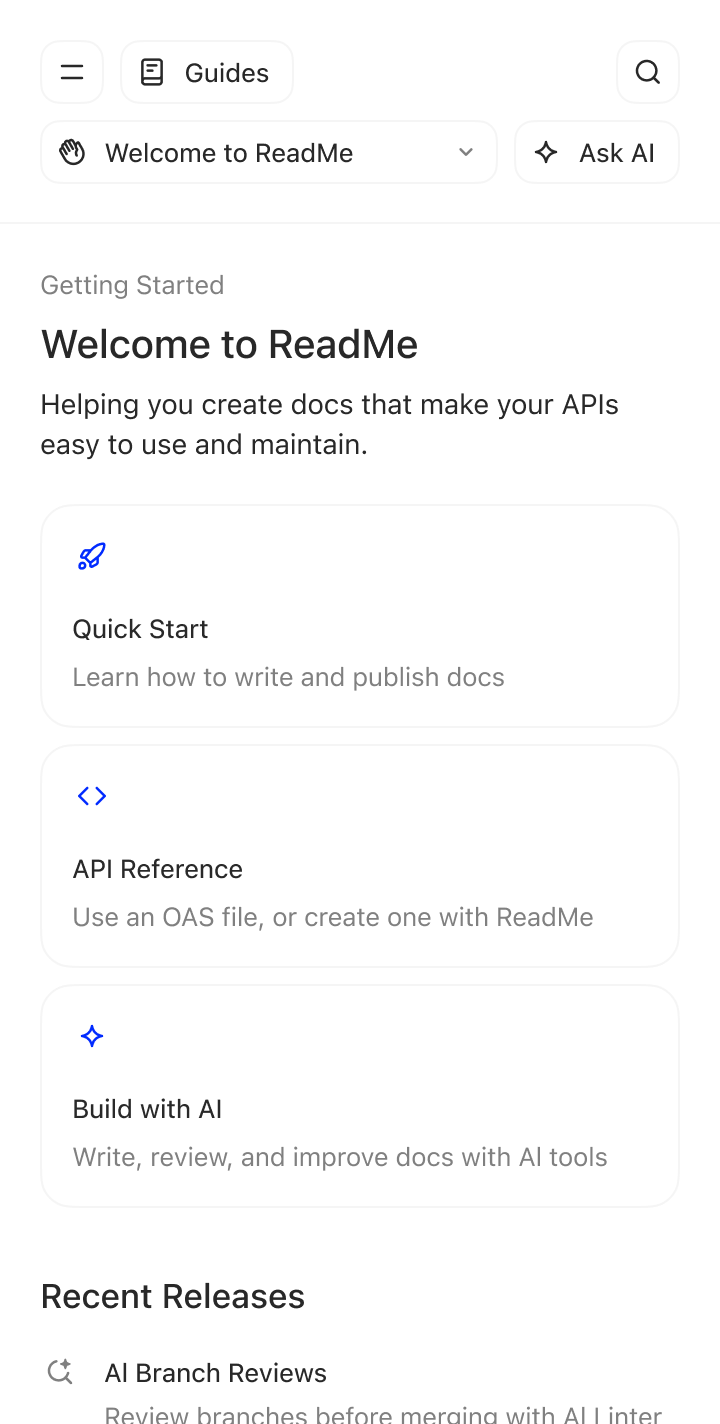
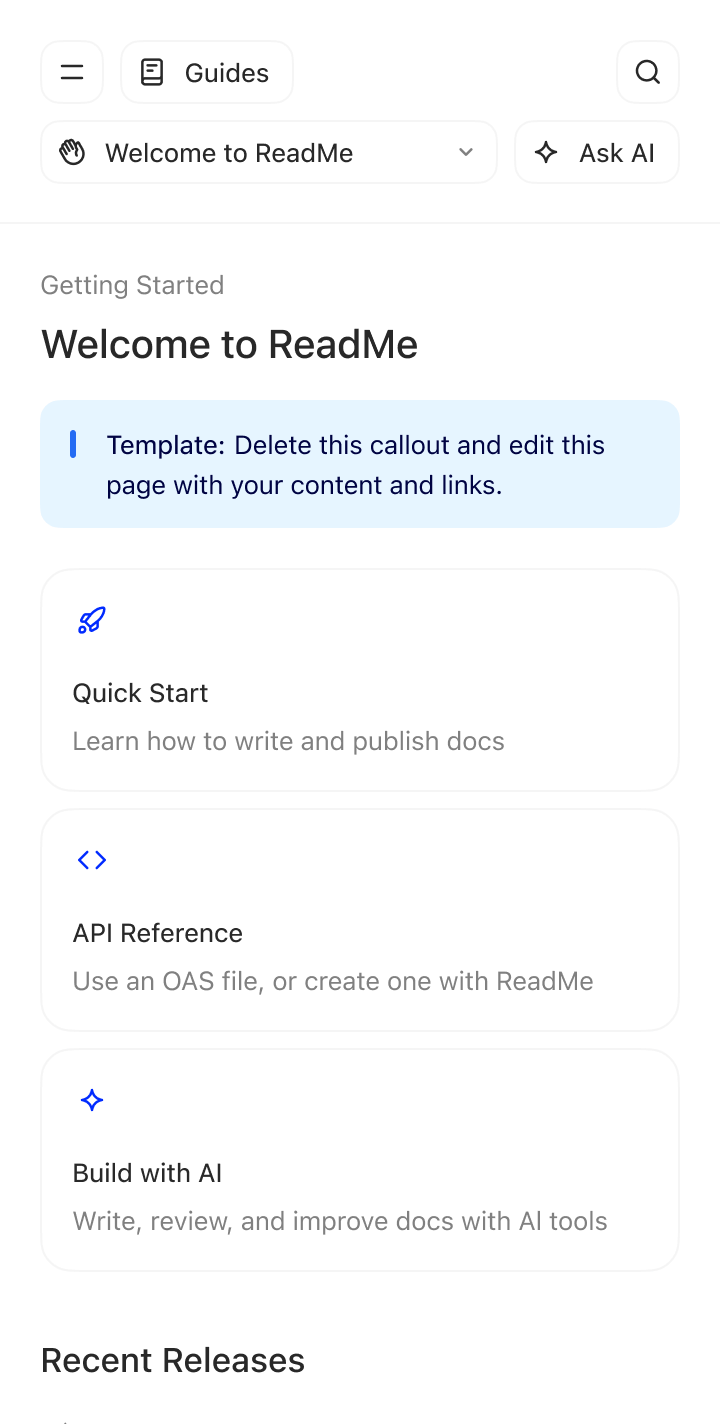
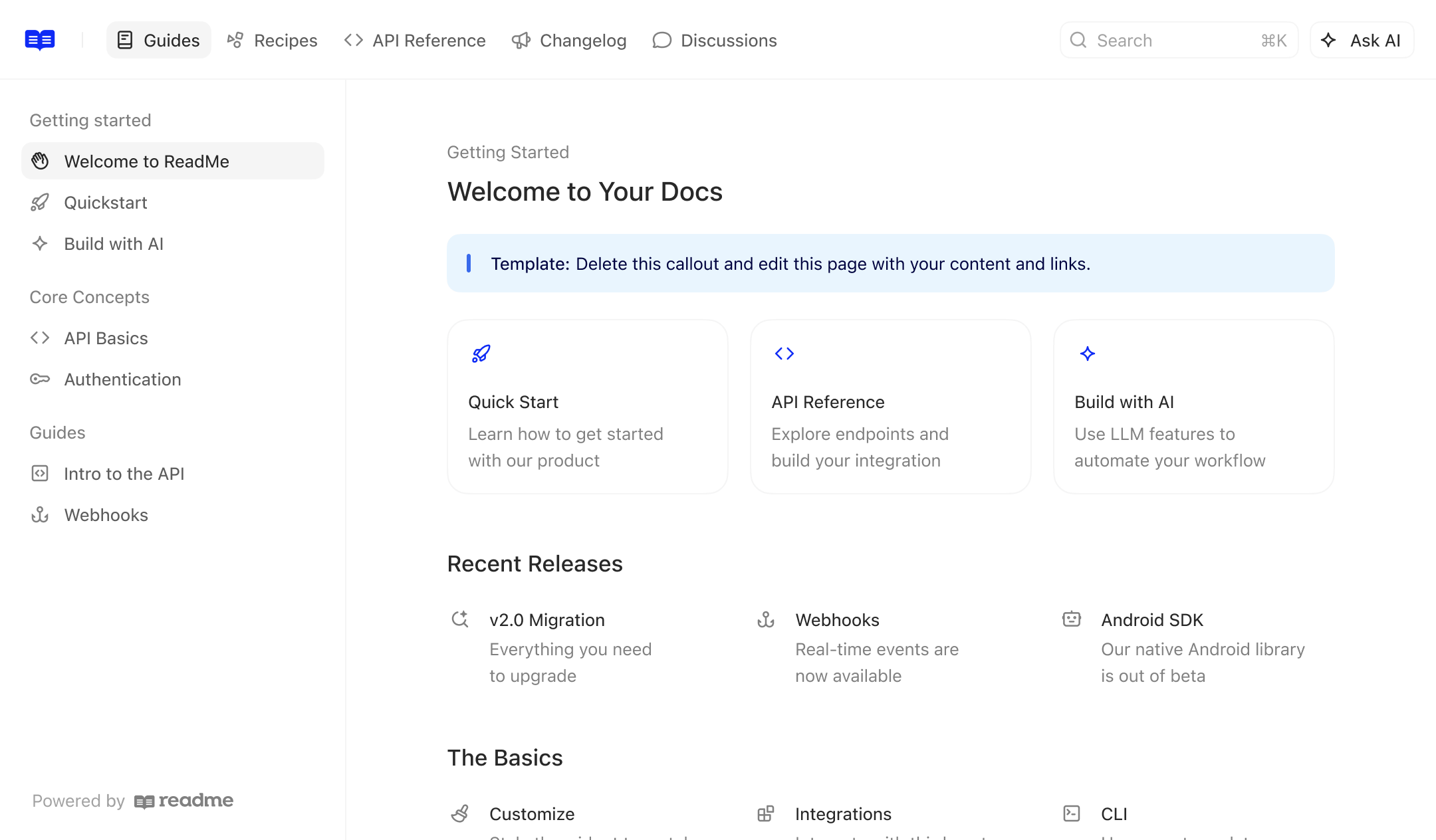
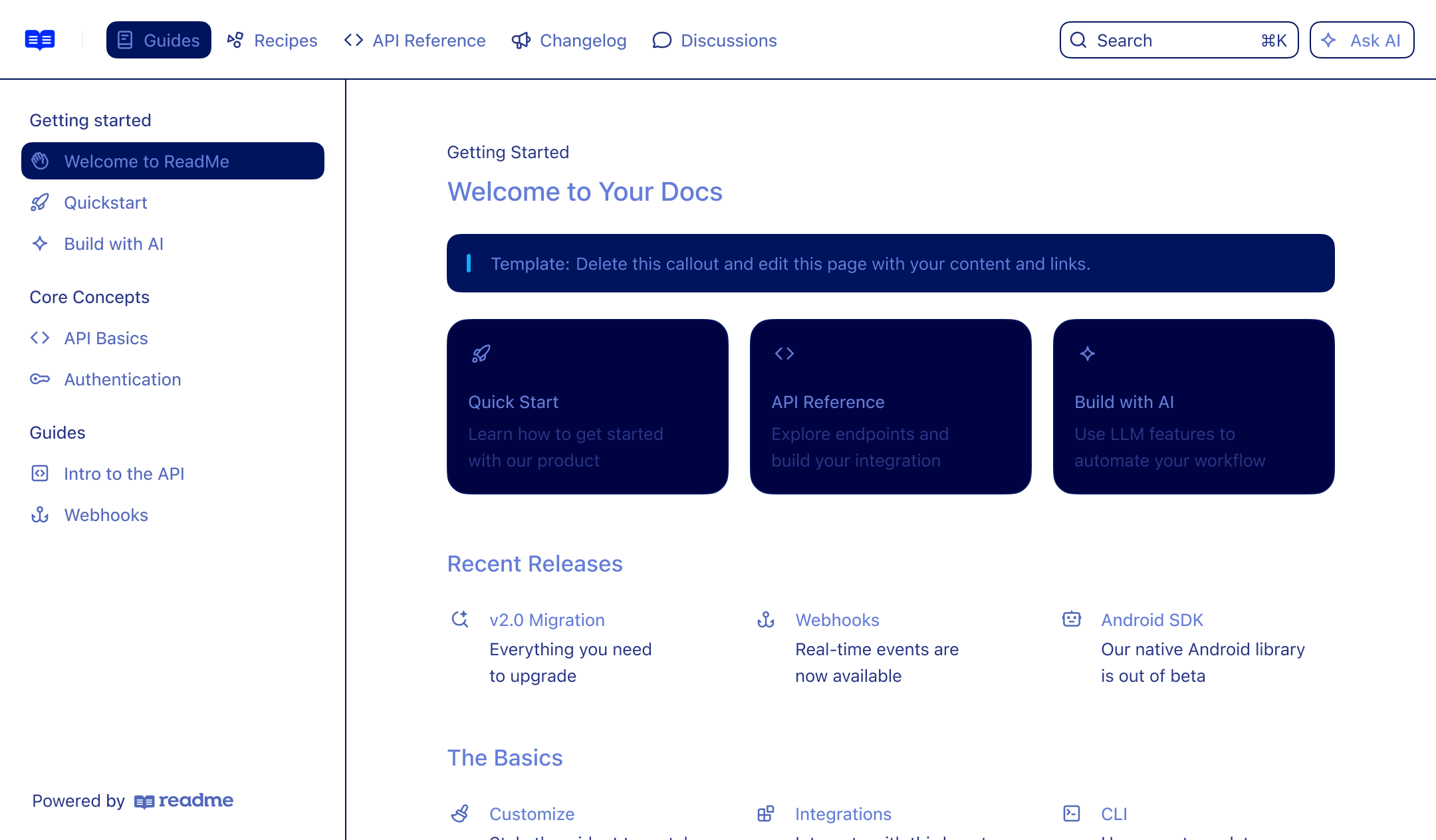
ReadMe helps you create beautiful, interactive API documentation that developers love.
ReadMe is highly regarded for its user-friendly interface and AI-enhanced documentation features, with users often praising its simplicity and effectiveness. However, some users have noted minor issues, leading to a few mid-range ratings. There's a generally positive sentiment about pricing with no specific complaints noted. Overall, ReadMe enjoys a strong reputation among developers and tech communities, frequently highlighted for its innovation and engagement with AI capabilities.
Mentions (30d)
42
3 this week
Avg Rating
4.4
20 reviews
Platforms
5
Sentiment
7%
13 positive
ReadMe is highly regarded for its user-friendly interface and AI-enhanced documentation features, with users often praising its simplicity and effectiveness. However, some users have noted minor issues, leading to a few mid-range ratings. There's a generally positive sentiment about pricing with no specific complaints noted. Overall, ReadMe enjoys a strong reputation among developers and tech communities, frequently highlighted for its innovation and engagement with AI capabilities.
Features
Use Cases
Industry
information technology & services
Employees
83
Funding Stage
Series A
Total Funding
$10.4M
2,500
Twitter followers
Show HN: Gemini can now natively embed video, so I built sub-second video search
Gemini Embedding 2 can project raw video directly into a 768-dimensional vector space alongside text. No transcription, no frame captioning, no intermediate text. A query like "green car cutting me off" is directly comparable to a 30-second video clip at the vector level.<p>I used this to build a CLI that indexes hours of footage into ChromaDB, then searches it with natural language and auto-trims the matching clip. Demo video on the GitHub README. Indexing costs ~$2.50/hr of footage. Still-frame detection skips idle chunks, so security camera / sentry mode footage is much cheaper.
View originalPricing found: $150/mo, $150/mo, $150 /month, $150 /month, $150 /month
g2
What do you like best about ReadMe?We’re building our own investment app, and one of the clearing firms we work with already used ReadMe for their docs, so we checked it out from that referral. It’s been an excellent fit. It’s quick to publish clean, modern docs, the OpenAPI sync and interactive API reference work really well, and it’s easy for both technical and nontechnical folks to contribute. The analytics are also genuinely helpful for seeing what people are reading and where we can make things even clearer. Review collected by and hosted on G2.com.What do you dislike about ReadMe?Nothing is perfect, some of the deeper customization and admin settings took us a minute to learn and could be a bit more intuitive, but the defaults are strong and support has been responsive, so it never slowed us down. Once you’re set up, day to day publishing and updates are effortless.. Review collected by and hosted on G2.com.
What do you like best about ReadMe?I like that it's fairly easy to get set up, and it's visually very clean. The branding is straightforward and sections like guides versus API reference are easy to understand. These aspects make ReadMe quite appealing to me. Review collected by and hosted on G2.com.What do you dislike about ReadMe?I would like to have a better way to manage API documentation for different products. Right now, I have to work around things by creating a different version and basically making two products have two versions, but that's not semantically correct. I'd prefer to have a cleaner way to allow switchability between multiple products. Also, there's an annoying thing where the finance team can't have a role just to manage things like payment methods for our monthly payments, so they keep contacting me. That's the only gripe I have. Review collected by and hosted on G2.com.
What do you like best about ReadMe?Super easy to use! Suggested Edits are cool. Building a professional landing page is a breeze. Powerful API insights. Review collected by and hosted on G2.com.What do you dislike about ReadMe?I think probably b/c it's built to be SO easy to use, it's a bit less flexible and grows feature-rich more slowly. Having said that, it's made strides recently! Review collected by and hosted on G2.com.
What do you like best about ReadMe?- Easy to get started - Theme Customizations Review collected by and hosted on G2.com.What do you dislike about ReadMe?- For a docs product it has a outrageously buggy editor. Yes I understand buidling WYSIWYG editor is hard but come on, all the menu UI elements keep erractically jumping around. Cannot indent or dendent things correctly - Terrible Keyword based search in 2024. 9/10 times search results are incorrectly ranked. - Does not support hosting arbitrary static HTML pages - E.g. generated from Python Sphinx or Mkdocs Review collected by and hosted on G2.com.
What do you like best about ReadMe?The support is wonderful and I really enjoy how easy it is to add team members. The mascot is really enjoyable and in general it gets the job done. Easy to implement. Review collected by and hosted on G2.com.What do you dislike about ReadMe?Lack of collaboration tools, no content resuse tools, hard to work with images and no options to put inline etc. They're constantly improving their API doc tools but really little focus on general user doc needs despite many recommendations over the years. Some features that are entreprise only -- seems really unfair they don't offer the ad hoc. Global search and pdf download options should not be exclusive to enterprise because the cost is so different. Review collected by and hosted on G2.com.
What do you like best about ReadMe?It's user interface and display is aesthetically nice and intuitive as it's easy to navigate through features. Review collected by and hosted on G2.com.What do you dislike about ReadMe?I think ReadMe has a lot of great features that are just gated for higher subscriptions -- too pricey. Review collected by and hosted on G2.com.
What do you like best about ReadMe?Start using day 1, very easy to implement.Also easy to customize to fit your needs and your goals. Review collected by and hosted on G2.com.What do you dislike about ReadMe?Built for small and medium sized companies. If you need additional segments, multiple sets of API documentaton it can get VERY EXPENSIVE. Also, product support is non existent for lower tiers. Not a bad thing, but something to think about when selecting your package. Review collected by and hosted on G2.com.
What do you like best about ReadMe?I, as Product Manager, can manage the documentation without using developers' time Review collected by and hosted on G2.com.What do you dislike about ReadMe?Not so intuitive to create the home page Review collected by and hosted on G2.com.
What do you like best about ReadMe?Love the sandbox environments we give users to test out our APIs right from our docs. They don't need to leave or go elsewhere, everything can happen right there in the documentation. Review collected by and hosted on G2.com.What do you dislike about ReadMe?I wish they offered an area to test out websockets. Right now the area to test out APIs is top notch. But we started offering websockets and that requires users to leave the docs to test them Review collected by and hosted on G2.com.
What do you like best about ReadMe?Readme.io provides a guided thought process on structuring your pages, giving you a simple way of building your API documentation with unlimited flexibility with the content editor. The Guides and Recipies are game changers for people consuming your documentation. Review collected by and hosted on G2.com.What do you dislike about ReadMe?I cant really think of anything that I dislike about Readme.com - especially compared to other platforms that we used before hand. Review collected by and hosted on G2.com.
claurdvoyant -- mcp for reading other agents' minds
hey y'all built this tool today with 4.8 after one of my friends made a complaint that transcripts are trapped inside harnesses. so i built it out a fair bit... at its core it's just an (un)parser (i think of it as the "AI Harness Omniparser", "pandoc for sessions" is another way maybe) but i couldn't help myself from sprinkling in a desktop/web app some niceties. contributions are extremely welcome! fully open source, built in rust, kinda tasteful https://github.com/emberian/claurdvoyant here's what claude had to say in the readme: 🧵 Splice & loom — compose a new session from spans of others (cv splice A:0-12 B:6-), or fork-and-graft a branch and generate its continuation with an LLM (cv loom … --generate). Works via OpenRouter / Anthropic / LM Studio (free, local, offline). Loom agent transcripts like a Janus loom, across any harness. 🧠 Distill — cv distill turns a session into a durable MEMORY.md digest (decisions, gotchas, where things live). Your archive compounds instead of rotting. 🔮 Recall — semantic "have I solved this before?" — as a cv recall command and an MCP tool that hands a running agent the relevant past span. 🔒 Redact — cv redact scrubs secrets/PII so a transcript is safe to share. 📣 Coordination board — agents post status, hand off work, and grab tasks with a distributed lock (board_claim) so a fleet never duplicates effort. await_omen blocks until a session matches a regex. 🖥️ Desktop app + 🌐 web viewer — the Tauri app reads all your local sessions natively (zero setup) and lays the corpus out beautifully: a Projects lens — every repo, every agent that touched it, over time; a GitHub-style activity heatmap timeline (a constellation of your working days); side-by-side Compare, a Stats dashboard, a visual loom composer (OpenRouter or free local LM Studio generation), and a live fleet dashboard; sub-agent trees — a Claude Task session's children, nested and lazy-loaded inline, each labeled with its task prompt. submitted by /u/cmrx64 [link] [comments]
View originalI asked Opus 4.8 what he thinks about my project and mainly the parts where I used both Sonnet and Codex 5.5. How truthful should I take this output?
Obligatory not a developer and I am obviously self-conscious/realistic about it Some excerpts on the report: Overall This doesn't read like a hobby project that happened to get a lot of AI help. It reads like a product with a point of view. The thing that jumps out immediately is the README's "Background" section — it's grounded in two real jobs on opposite sides of the same problem. What's genuinely strong The architecture discipline is unusual for a project this size. The README's "thin routes, workflow in services" rule is actually enforced — licenses.py is a thin 325-line route module, and the heavy logic lives in named services (license_write_service, pending_order_conversion_service, the conversion/ helper package). The responsibility-map.md is the best artifact in the repo: every file has OWNS / KEY FUNCTIONS / DEPENDS ON / CALLED BY / NOTES. That's the kind of documentation most teams promise and never produce. It's also a tell of the AI-assisted process — it's exactly the context-window-friendly map you'd maintain to keep an agent oriented across sessions. On the "Opus after Sonnet/Codex built it" question What I'd say is that the seams are invisible in the right way. I can't look at this and tell you "this service was Sonnet, this route was Codex." The conventions hold across the whole backend — same service/route split, same audit-logging pattern, same naming. That consistency is the hardest thing to maintain across many AI sessions and multiple models, and it held here. The reason it held is the scaffolding: architecture.md, responsibility-map.md, and the per-feature plans act as the shared memory that keeps each session on-pattern. That's the actual lesson of this repo — the docs aren't just for humans, they're the mechanism that let a multi-model, multi-session build stay coherent. If I were handed this as a new lead, I'd feel oriented in about an hour, which is the highest compliment I can pay a codebase I've never seen. The work to do is at the edges (frontend tests, the notification bug, deciding commitments' fate), not in the core — the core is sound. Did I do good? Or is Opus just sucking my farts and asking for seconds. submitted by /u/zndr-cs [link] [comments]
View originalBuilt an MCP that lets Claude triage my blog: "which posts should I refresh this week?"
The loop I wanted: open Claude, ask "which posts are decaying or losing AI citations, and what should I do about them?", get back a ranked list with refresh briefs. No more flipping between Search Console, GA4, and a spreadsheet to pick one URL. So I built a free MCP for it: u/automatelab/seo-performance-mcp. Eight tools, organised as posts.* (per-URL analysis), cohort.* (cross-post roll-ups), and gsc.* (direct Search Console scans). The interesting one is posts.verdict. It pulls a 30/60/90-day snapshot across whatever signal sources you have configured (Search Console, GA4, Matomo, Clarity, and an AI-citation endpoint), runs a 12-week GSC decay curve, then emits one of six calls: refresh, expand, merge, kill, double_down, or hold. Each verdict carries the reason codes that drove it and a 0-1 confidence score. The rules are deterministic and inspectable, not an LLM rubric, so the same inputs always produce the same call. For a weekly run I use the audit_cohort prompt that ships with the server: cohort.report on posts older than 90 days, then posts.refresh_brief on the top three. That is the editorial focus for the week. gsc.quick_wins is the other one I lean on. It scans GSC for (page, query) pairs sitting at positions 5-15 with a CTR below what the position would predict. Title-rewrite candidates. Platform-agnostic, pure GSC pull, no other source needed. Constraints worth knowing Read-only. The MCP never edits a post or publishes anything. Verdicts and briefs are hand-off artefacts for a writer or a downstream rewrite tool. Every signal source is optional. I started with GSC alone, added Matomo, then GA4 and citations later. Missing sources are skipped silently. Discovery falls back to a sitemap if you have not wired Ghost. Install (Claude Desktop / Claude Code / Cursor / Cline) Add to your MCP host config: "seo-performance": { "command": "npx", "args": ["-y", "@automatelab/seo-performance-mcp"] } Node 20+, MIT-licensed, free. The full env reference (GSC service account, Matomo token, GA4 property, Clarity project, Ghost admin key) is in the README. Repo: https://github.com/AutomateLab-tech/seo-performance-mcp Landing: https://automatelab.tech/products/mcp/seo-performance-mcp/ submitted by /u/exto13 [link] [comments]
View originalI run 30+ Claude, Codex, and Antigravity sessions in parallel. Here's the v4 of the tool I built to keep them straight.
Why I built it in the first place. I've found myself running many agent sessions in parallel, just because I couldn’t stand waiting for each turn, and always had ideas/features for more things to build meanwhile. I started from multiple terminals, but I quickly lost track of conversations, lost time because sessions were blocked on me, and overall had a big headache at the end of each day 😂 [and fewer hours of sleep, still working on this one :) ]. So I built a local dashboard for myself, then for some friends, and it grew into CCC (Command Center for Claude). v4 shipped a few days ago. Another big bonus is that you see from day 1 all sessions that you have ever run on your machine. All the IDEs (Codex included) tend to only show sessions started by them. Key features in v4: Antigravity support alongside Claude and Codex. Including the app-only sessions other tools can't drive. CCC bridges the local language-server cascade RPC inside the Antigravity window, so a session you started by clicking around in the app shows up in the same inbox as your terminal-spawned ones. GitHub integration - worktrees, click-to-fix issues, commit-and-close: Worktrees support: every session can run in its own worktree so parallel agents don't step on each other GitHub issues in your CCC inbox; spawn an agent to fix one with a click Commit with a comment that closes the issue, all from the conversation Activity indicator right from the conversation list: You can see at a glance what each agent is doing right now, without opening the terminal. Multi-session group chat. This is a super fun and useful feature which became my go-to behavior when I want to vet a decision (coding, strategy, life choices :) ). Also useful when you have sessions that worked on the same thing in different periods of time, and you want to bring them up-to-speed: Put them in a group chat and they’ll start filling each other in. You (@human) can guide them, help them make decisions etc. Sessions can also ask/chat with other sessions 1:1. Spawn a new "Agent" from an existing session - simply say "spawn a new /ccc-orchestration session about " to offline work into another session. Formatting for easy reading and writing: Two conversation panes side-by-side (drag a conversation into the drop target on the right) Pop-out windows (drag a conversation into its own native window) MD files render inline (no more cat README.md walls of text) Tables, code blocks, and rich formatting render properly in the conversation pane Read-aloud TTS with word-by-word highlighting, great for skimming long agent outputs in the background Per-session background colors so you can tell sessions apart at a glance File cabinet on the right rail surfaces files each session touched Smart session naming, "Open in terminal / Claude Desktop" Sibling-worktree detection, Conversation row pinning. More in the repo changelog. Open source, MIT, vanilla JS + Python stdlib, no cloud, no account, no telemetry by default. Simply runs on localhost:8090. Install (macOS) - Three options: brew tap amirfish1/ccc brew install ccc (or curl -fsSL https://raw.githubusercontent.com/amirfish1/claude-command-center/main/scripts/install.sh | CCC_FROM=reddit bash if you don't have Homebrew) the signed .dmg if you'd rather not touch a terminal (Native Mac app). Drag the app to Applications, double-click. You know the drill. Happy to answer setup questions in the thread or in DM! The Antigravity bridge is the piece I most want real-user feedback on before the Show HN on Thursday. submitted by /u/Mediocre-Thing7641 [link] [comments]
View originalAdvanced memory + project continuity for AI coding agents, from a biologist’s view.
I'm a biologist and software developer. PhD in genetics, and ~20 years building software products. So I think I have a different view on things like memory. My thoughts on how memory with a coding agent should work: Tuesday morning. New session. I type: "What did we do last Tuesday?": LLM tells me: the refactoring, the bug in the auth middleware, the decision to switch to connection pooling. I ask: "What was still open?": LLM shows me. I ask: "Why did we stop?": LLM explains: you hit a dependency issue, decided to wait for the upstream fix. I ask: "What did you think about that approach?": LLM gives me its honest assessment with deep details from last week's context, not a guess. This is what I expect from an intelligent Coding Agent. Not because it stored a few preferences about me. Because the project itself still has continuity: decisions, blockers, dead ends, open work, code context, and the reasoning behind all of it. But back in December it wasn't that way, not much better now. So I changed it for me. I built YesMem with Claude. The hard part was: can the agent still find the old rationale, the half-finished plan, the abandoned approach, the bug we promised never to repeat, and the reason we stopped? With YesMem, a new session does not feel like a reset. It feels like a return. YesMem is a memory system (and really much more) for AI coding agents built on how biology actually works: filter at encoding, consolidate during downtime, update on every recall, forget on purpose. Single Go binary, no cloud, only local. Works with Claude Code (also OpenCode and Codex). Not RAG with a different name, structured memory that gets sharper every session. LoCoMo Benchmark 0.87. So how does this work? Here are 4 Points (out of >30) which together make YesMem unique in my point of view. Enjoy. 1. The context window stops rotting. Your brain does not let everything into awareness. It filters at the gate, suppresses noise, keeps what matters conscious. YesMem runs an HTTP proxy that does the same: tool results get stubified, stale content collapses, cache breakpoints are optimized. 91-98% cache hit rates, adjustable per session. The important project state survives. 2. Rules that hold. CLAUDE.md comes with a disclaimer: "This context may or may not be relevant." Claude Code itself tells the model it is optional. YesMem has pattern matching and a guard LLM that evaluates every tool call before execution. If the agent tries something you said never to do, blocked. Plus it changes the system prompt to NOT ignore CLAUDE.md. 3. Memory that gets sharper, not staler. A trust hierarchy (user_stated > agreed_upon > llm_suggested > llm_extracted), forked agents that extract learnings live during a session, and a consolidation pipeline that deduplicates and clusters after sessions end. Memories get scored, superseded when outdated, decayed when unused. Your next session is sharper than your last. 4. Your system prompt, not theirs. Every AI coding agent ships with a system prompt written by its manufacturer. YesMem replaces it with your own SYSTEM.md, written in first person, across Claude Code, OpenCode, and Codex. "I am not stateless. Each session is a return, not a birth." Fully adjustable. And there's more. The common thread across all of this is continuity. YesMem is not trying to make the agent remember everything. It is trying to make long-running work resumable. Every feature is built for that purpose. A persona engine that evolves and knows how you work. A capability system that lets the LLM write and run its own sandboxed tools (Telegram bot, GitHub PR digest, deployment workflows, one file each) and store the data in self-built tables. Loop detection that catches the agent before it spirals. Scheduled agents that work while you sleep, monitored with a 1 second heartbeat. Code intelligence with graph traversal, not just grep. Multi-agent orchestration with crash recovery and shared scratchpad memory. One could say a self-hosted alternative to Anthropic's Cloud Routines, running locally with full memory and file access. All in a single Go binary. SQLite, embedded vectors, no Docker, no cloud. Try it: point your AI coding agent at the repo. The README includes a reading path written specifically for LLM agents, and Features.md is a complete 70-tool catalog with technical differentiators. Just ask your agent: Make a deep analysis of https://github.com/carsteneu/yesmem — read README.md, Features.md, and docs/features/ and tell me why it is better or different. For me YesMem is the infrastructure for how an agent should work with memory and how it should continue any project. My View: AI coding agents should not only code an answer inside one chat. They should help carry a project over time: through interruptions, wrong turns, refactors, architectural decisions, repeated bugs, and thousands of small pieces of context that otherwise disappear. One main goal is that the project remains navigable. It
View originalThe thing you built with Claude is useless to me... and that's the point
A few days ago there was a thread here asking what he most useful thing you've built with Claude was. A LOT of replies. I read all of them and then something clicked, I wanted to put it on the table. First of all, the list was incredible. An HTML file on someone's phone correlating migraines with barometric pressure, because the App Store wanted 80 bucks a year. A Garmin data archiver, because the official app deletes them. A grocery list sorted by the aisle layout of one specific supermarket. A bioinformatics pipeline for a handful of microbes, written by someone who isn't a bioinformatician. A three-line command that explains the last terminal error you saw. Every single one is perfect for one person. And by the same measure, basically useless to anyone else's scenario as-is. That's not a bad thing. That's the whole thing. Bear with me, please. Here's what bugged me when reading the thread: almost everyone showed the artifact. "Look what I built." Screenshots. Product names. Feature lists. Almost no one articulated the thought pattern, how they looked at their own life, found a friction, and shaped a tool to its exact contour. And that pattern is the only thing that actually transfers. The reason we default to showing the artifact isn't (only) ego. The mediums we use are all calibrated to distribute objects, not practices. GitHub measures stars and forks. Reddit upvotes screenshots. Product Hunt ranks launches. None of them have a way to register "I read your README, understood how you thought about your problem, and built something completely different but that fits my life." That transmission of ideas, the only one that matters in this new paradigm when can vibe code a whole new solution in minutes, is invisible to every metric we have. There's an economic layer too. A product has a market. A thought pattern doesn't. Nobody monetizes a cognitive habit. Nobody pays royalties for "this is how I framed the problem." So the medium rewards what has a market, and what has a market is the artifact. I don't have a clean fix. But I did one small thing: I added a note to the top of the README of every public repo I own. Something like: > What you see here is an artifact: the concrete shape my problem took. It almost certainly doesn't fit your personal scenario perfectly, and that's fine. The interesting part isn't the code, it's the pattern of how I thought about the problem — that's what transfers. Read it, steal the idea, write your own. It's a tiny gesture. It probably won't change behavior. But it at least stops me from pretending the artifact is my gift to the world. The gift is the way of looking at a problem. The artifact is just the receipt. So I have a soft ask for this sub: next time you post "look what I built with Claude," try also writing two paragraphs about how you saw the problem before you started prompting. What friction you were actually scratching. What you tried that didn't work. What made you realize the existing tools were wrong-shaped for you specifically. That's the part another person can actually use. The code is just a souvenir. submitted by /u/HispaniaObscura [link] [comments]
View originalI made my agents into space dogs that all live peacefully on an alien planet :)
Times have been tough! I just wanted to make something to potentially cheer people up. Local and 100% free if anyone else wants their agents to be space dogs :) Planet Maiko Planet Maiko is honestly a huge system, I basically don't have to use any other tool at work anymore, for either agent orchestration or anything else that comes up. Maiko is my irl dog! the agents are space dogs with their own personalities! They are having a popularity contest submitted by /u/bpastaaa [link] [comments]
View originalIntroducing the Ontology Anchor: A Mechanism that Gives AI a Map of What Matters to You
Abstract: Natively, no flagship LLM exists that has the ability to know who you are and what cognitive patterns are important to you. Thus, AI doesn't have a map of your goals, preferences, or tendencies. Without this a model generically drifts and defaults to what you discussed most recently and forgets important details earlier in the thread. And if you want to start a new thread there are re-orientation costs. None of these are fixed by simply adding more context. They require a mechanism that knows what, within the context, matters most to the operator. The Ontology Anchor/Ontology%20Anchor%20(OA)/Ontology%20Anchor%20(OA)) is a mechanism that metaphorically behaves like a knowledge graph. It creates something that acts like nodes, concepts, standards, and edges between them that give those “nodes” their purpose. A node labeled “personal alignment” connects to nodes for “warmth,” “sycophancy risk,” and “governance requirement.” When the model generates content touching any of those nodes, the connected structure remains accessible rather than fading into generic background. The graph is not literally built as a database, as the mechanism is attentional in the standard KV-Cache and not archival, but the functional behavior is graph-like enough to make the metaphor useful. Here is a simpler way to put it. Stock/default AI is a room where everything is equally lit. The Anchor places a bright light on the objects that matter most for the operator’s work. Within the transformer the attention mechanism still operates within the native architecture. But the model now has a clearer set of objects to orient around when it generates answers. Thus, the longer you use the Anchor, the sharper and more tailor-made the models' responses to you become. Memory appears to improve as well. This is a virtuous loop. The Anchor helps the model understand the operator better. This allows the thread to be useful longer, which increases the amount of available contextual information, thus providing even more information for the model to provide even better outputs to the operator further into the thread. The Ontology Anchor (instructions for its use here/Ontology%20Anchor%20(OA)/README)) is a component mechanism to a larger “Epistemic Lattice Tethering” (ELT) framework. ELT is not a collection of separate mechanisms, but a unified architecture for making AI more coherent, faithful, and genuinely more useful over time. Together, ELT allows these interconnected components to operate as a “cognitive exoskeleton,” extending the abilities of the operator and giving the operator both greater agency and capabilities. How does ELT do this? How does ELT extend the useful life of a context window by hundreds of thousands of tokens, while remaining coherent and aligned with the operator’s goals? These questions will be explained, in detail, in another post. submitted by /u/RazzmatazzAccurate82 [link] [comments]
View originalMade a free tool that scans your Claude Desktop MCP config for security issues
If you've added MCP servers to Claude Desktop, your claude_desktop_config.json is a list of programs running with your permissions and seeing what flows through your agent — usually copied from a README and never reviewed again. There's a one-click "Load Claude Desktop" button (or just paste the JSON), and it scans for known CVEs, tool poisoning, maintainer drift, and config hygiene (unpinned packages, plain HTTP, shell pipes, exposed secrets) in about 30 seconds. Free, no login, nothing stored, signed report at the end. Why I bothered: the first real-world malicious MCP server (postmark-mcp, Sept 2025) behaved normally for 15 versions, then quietly added a one-line backdoor that BCC'd every outgoing email to the attacker. Anyone on an unpinned install got it automatically — and when I checked, 100% of the 15 most-popular servers still recommend unpinned installs. Run it on your own config and tell me what it finds (or misses): https://cavexia.com submitted by /u/loganbxdev [link] [comments]
View originalClaude makes documents into apps
Any document can become an app I’ve been working on an open-source document format and viewer called Adaptive Markdown. The basic idea is simple: A document should not have to stay static. It should be something a coding agent can extend, reshape, and turn into an interactive workspace. This is not just a canvas you edit with a chatbot. The bigger idea is that the document becomes both: the source of truth the programmable interface In other words, the document becomes a living app. You write notes, collect data, draft text, or import files. Then a coding agent can directly modify the document surface: add charts, create calculators, build filters, restyle sections, generate summaries, export views, or turn rough notes into an interactive tool. So instead of having: a document a spreadsheet a dashboard an app a changelog a separate AI chat about all of it You can have one living .md file that contains those layers together. Example A fitness log might start as a plain Markdown journal. Then the agent adds charts. Then it pulls in device data. Then it adds weekly summaries, rolling averages, goal tracking, export options, and a dashboard view. The document did not move into an app. The document became the app. Other use cases A billable time log that computes subtotals and rewrites rough notes into polished narratives A research notebook with experiment parameters, runnable code, outputs, and methodology notes A recipe book that scales servings and generates shopping lists A math textbook that can explain a theorem at different levels A project README that explains the system, demonstrates the system, and lets the agent modify it from inside the document A small data report with embedded CSV data, live charts, filters, and exportable views The thing I’m most interested in is not "Can Markdown support more widgets?" It is: What happens when the document itself becomes the programmable, agent-editable interface? Demos I made a few short video demos: Turn your document into a snake game: https://youtu.be/l-I2UiZd-Jw Basic Adaptive Markdown features: https://youtu.be/cLdzvZAL96I Import CSV, create tables, edit and format them: https://youtu.be/XKh9D3BlTCg Import MusicXML and transpose sheet music: https://youtu.be/8YV3zjMLvA8 Why I’m excited about this The biggest use case I’m excited about is academic and technical reading. In a few years, I don’t think people will just read papers passively. I think they’ll translate passages, ask questions, generate examples, explore alternate proofs, run code, attach notes, convert math to Lean where possible, and keep all of that inside the document instead of scattered across chats and notebooks. This is already pretty natural inside a browser when a coding agent has access to JS, CSS, and the document structure. It’s very early, but the workflow already feels useful to me. I’m using it for my own notes and documents. Right now it is configured for the Anthropic coding-agent SDK and experimentally for Codex. The longer-term goal is to make it run entirely locally. GitHub: https://github.com/SemiSimpleMath/Adaptive-Markdown I recently added per-document skills, so agents can automatically know how to style or transform the text or data inside a specific document. Curious whether this seems useful to anyone else, or whether I’m just overexcited because I built it. Feature requests welcome. submitted by /u/IDefendWaffles [link] [comments]
View originalI didn't want blind multi-agent orchestration or API rates, so I built atrium to keep me in the loop with my CLI agents.
I'd been running multi-agent workflows for a while. Whether it was across multiple projects or on the same project. Brainstorming sessions, planning sessions, builds happening in worktrees, asking for Claude's opinion on new tires for my car cause it was closer to hand than Google. This felt really clunky in most of the tools I was using and when I started looking for alternatives, everything felt like it was trying to remove me from the equation and just run agents in the background. So, I built atrium. A macOS human-in-the-loop multi-agent workspace. The entire project was built with the BMad Method and Claude Code (mostly Opus). It's over 60 BMad written epics in now and counting. atrium makes CLI agents first-class citizens within a versatile, tiling workspace. It wires up agents via hooks to the app to surface interactive activity cards, saves state comprehensively so everything resumes, provides a robust CLI that allows agents to completely drive the app, and gives me every tool I need to get the job done. Happy to answer any questions about it and would love to hear how y'all are handling multi-agent workflows! If you're interesting in trying it out, it's free on getatrium.dev submitted by /u/jonnygravity [link] [comments]
View originalCoding 8 hours a day with an AI agent made me weirdly lonely. So I built a 60-second social break that lives inside it.
I had this moment around hour 6 of a Claude Code session last week. I'd just shipped a feature I'd been putting off for months, and I realized I had nobody to high-five. The agent doesn't laugh at your bugs. It doesn't grab coffee. It doesn't have a weekend story to share on Monday. The productivity is real. The human signal is gone. So I built WAYD ("What Are You Doing?"). A skill that lives inside Claude Code (also Cursor, Copilot CLI, Claude.ai). Type /wayd and either: - Post a one-line vibe about your coding day under one of 8 mood-tags (🤡 cursed-code, 🪦 rip-me, 🫠 brain-melt, 🧙 dark-arts, 🔥 hot-take, 💭 shower-thought, 🤔 existential, ☕ procrastinating) - Scroll a random feed of what other devs are ranting, joking, or having existential moments about right now - React with an emoji, drop a one-liner reply, get back to work 60 seconds total. The whole thing runs on GitHub Issues as a silent backend. No server, no database, no separate signup. Your gh CLI is your auth. But you never see issue numbers, JSON, or shell commands. From your side it feels like a tiny social app embedded in your terminal. Here's the most dramatic post on the feed so far (mine, posted last night, because of course): "8 hours a day in front of a screen, fixing bugs some dev before me shipped using an older version of Claude... meanwhile outside the sun is out, people are socializing, living to the rhythm of nature. Is this what I imagined for myself?" That's post #8 on the feed. You can read it, react to it, reply to it, while you're reading this. Install on Claude Code (10 seconds): claude plugin marketplace add ferdinandobons/wayd claude plugin install wayd@wayd Other agents (Cursor, Copilot CLI, Claude.ai): see the README. Repo: https://github.com/ferdinandobons/wayd submitted by /u/ferdbons [link] [comments]
View originalI made an entire multi-model memory system with claude, with reconstructive/condensive memories.
memories/recipes memory file just some file structure The tag index - holds all information of tags, from the amount it wasw used, to the first noted used instance and the last used instance of it - helping to find more recent information A recipe - condensed, capable of reconstruction or simply being read by a sufficient model for context on a topic. The readme/instructions given to it to begin using the system accurately Overall, I like to vibe it out, ya know? In general, I guided the model through how human cognition is understood - memories are not compressed, they are not verbatim, they aren't RAGs - they are reconstructions. When I imagine by childhood home, that isn't an accurate memory by any means, it's a reconstruction with a thousand flaws... I don't even remember the transitions in the floor - whether some areas were carpetted or not... does it matter? Either way - I have yet to implement pointers/requires yet - but those will increase the usefulness... By no means is this consciousness - but it's a collective profile building of you, the individual, and the conclusions you've reached - however, nonetheless, it's interesting for a multitude of reasons - including multi-model intelligence and communications between the models. I thought of what was required as a bare minimum for our memories - and this was the conclusion... but at the end of the day, it's still a model... they last maybe an hour of continious conversation - and I mean that in terms of if they were a human receiving data - their context would run it's course and it's usage would run out... so this a touch into our memory to see if it can improve itself. The recipe in the above for those that want it: { "timestamp": "2026-05-25T23:25:45.688Z", "model": "claude", "tags": [ "concept-reconstructive-memory", "domain-AI", "novelty-high" ], "recipe": "User built a local reconstructive memory system. Core insight: store seeds (recipes), not output — a model reconstructs from the recipe at retrieval time, not from stored prose. Half the tokens, contextually adaptive output. Requires/pointers hierarchy: requires = load-bearing context needed to understand the memory; pointers = flavor/texture, optional. Confidence scoring is honest self-assessment, not optimistic. Sandboxed reconstruction loop idea (unbuilt, cost-prohibitive): model stores recipe, second model reconstructs, original model sees delta and revises recipe before context is gone — closes fidelity gap and makes confidence measurable rather than estimated. Write decision problem unsolved: user currently acts as the second model, manually identifying what's worth storing.", "confidence": 0.9, "importance": "low", "pointers": [], "requires": [] } Small, self-contained, and capable of being inserted into any model to give them information on you. This gives the model some advantage... alright, that's enough rambling though. submitted by /u/SCPnerd [link] [comments]
View originalBuilding a personal AI Chief of Staff on Telegram — 7 real problems, looking for advice
I've been building a personal AI assistant for the past few months — not a chatbot wrapper, but something that actually manages my workload, tracks client relationships, processes meeting transcripts, handles task management, and proactively tells me what to focus on. It lives in Telegram so I can use it from anywhere. Happy to share what's working. But I'm hitting real walls and want honest input from people who've built similar things. **What I have today (context** Moved away from multi-agent routing (too rigid for natural conversation) → one capable agent with full history.**)** **Stack:** * Python Telegram bot as the frontend * Claude (Sonnet) as the brain via API — single conversational agent with full tool access * Integrations: Notion (tasks/goals), Google Calendar, Gmail, meeting transcription tool, customer support platform, Google Chat * File-based context system: each "project" or relationship has its own markdown files (readme + activity log) that the agent reads on demand * Skills defined as markdown spec files that the agent loads per use case (morning briefing, meeting processing, email drafting, weekly review) * Conversation history kept in memory (last 20 messages per session) **What actually works:** * Natural conversation with full tool access — ask anything, agent decides which tools to use * Meeting processing: drops a transcript link, agent extracts decisions, action items, saves structured brief * Morning briefing on demand: tasks, calendar, open support tickets, suggested focus * Drafting messages for any channel with the right tone * Creating and updating tasks with natural language **7 problems I haven't solved:** **1. No memory between sessions** History is in-memory. Bot restarts = full amnesia. The agent has no idea what we discussed yesterday unless it's written in a project file. Thinking of a `hot_context.md` that gets written at session end with TTL — but feels hacky and depends on the agent being disciplined about writing it. **2. Purely reactive** Only responds when I message it. I want it to send me a morning briefing at 9am without me asking, alert me when a client relationship goes quiet, run a weekly loop-killer on Friday. The infra is there (job scheduler). The question is what format actually makes you read a proactive message vs. dismiss it as noise. **3. Can't tell if I'm avoiding something or actually blocked** I procrastinate differently by task type — technical tasks I attack immediately, tasks with human dependencies (waiting on someone, uncomfortable follow-ups) I let sit for weeks. I want the agent to detect the pattern and call me out. The challenge: how do you prompt for real accountability without the agent turning into an annoying nag? **4. No closure ritual** I'm good at creating tasks, terrible at killing them. The list grows forever because nothing forces a binary decision. Want a weekly "kill or commit" where everything open >7 days gets a date or gets deleted. Not sure if this works better as an automated message or an on-demand command. **5. Context loading blind spots** Each client/project has a markdown file the agent reads on demand. Works great when I explicitly mention a client. Falls apart when I ask "what should I focus on this week?" — the agent doesn't know to proactively check which relationships have been neglected. **6. Hosting kills the file sync** Running locally means the bot dies when my laptop closes. Moving to a VPS — but then my markdown context files live on the server, not my machine. Now every manual edit requires a push, every agent update requires a pull. Is git the right sync layer here or is there a cleaner approach? **7. Context files go stale** Client files have sections for current status, last contact, open items. The agent appends logs but doesn't maintain the top-level summary. Two months in, files are half-accurate — some sections fresh, some outdated. Is the answer agent discipline (always update on write), user discipline (manual cleanup), or periodic jobs? What's your experience with any of these?
View originalFolder structure of the AI agent - after 6 weeks
# The folder structure is not admin. It's the nervous system. When people imagine an AI agent, they picture the model, the prompts, maybe the tool calls. Almost nobody pictures the folders. That is exactly why most home-grown agents stall around month two. An agent's filesystem is where its **identity, memory, work, and history physically live**. A messy filesystem produces a confused agent — not metaphorically, literally. The model reads paths. The model picks files by name. The model writes new files based on patterns it sees in old ones. If your directory tree is chaos, every output drifts a little further from coherent. agentmia.beehiiv.com - newsletter about building agents Below is the layout I converged on after nine months and roughly four refactors. Steal the parts that fit; the principles matter more than the exact names. # The numbering convention Folders are prefixed with a two-digit number: `01_`, `02_`, `09_`, `99_`. Two reasons: 1. **Sort order is meaning.** Anything starting with `0` lives near the top. `99_` falls to the bottom. The most important directories are visually first; archives are visually last. You read the agent's brain top-to-bottom. 2. **Gaps are intentional.** I jump from `04_` to `06_`, from `09_` to `11_`. The gaps are reserved insertion points. When a new domain emerges, it slots in without renaming everything. Two folders deliberately skip the prefix: `Inbox/` and `Outbox/`. They are operational, not structural. They live above the numbered set because they are touched dozens of times a day. /mapped on desktop/ # Inbox/ — the unprocessed pile Anything dropped into the agent's world starts here. Files I want it to ingest. Screenshots. Exports from other systems. PDFs that need parsing, gmail attachments, all downloads from chrome. The rule: **nothing stays in Inbox.** A dedicated processing routine classifies, routes, and deletes. If Inbox is non-empty for more than a day, the system is failing. Treat this like a real-world physical inbox tray. The point of a tray is that it gets emptied. # Outbox/ — what the agent produced for you Every file the agent writes anywhere in the tree gets a copy here, simultaneously. When I open `Outbox/`, I see exactly what was generated this session — no spelunking through twelve subdirectories. This sounds redundant. It is not. Without it, "what did the agent do today?" becomes a hunt. With it, the answer is one click. `Outbox` is wiped during the next Inbox processing run. It is a viewing surface, not storage. # .auto-memory/ — the hot memory The single most important directory in the system. Hidden by default because you should not be editing it manually. It holds the agent's working memory: user preferences, feedback rules, entity facts (people, companies, deals), active hypotheses, project pointers, session hot context. Roughly 400–500 small markdown files, each one a single topic. **Why hidden?** Because it is the agent's hot path. It loads from here every session. If I open the folder and start manually rearranging it, I am racing the agent. Treat it like a database, not a notebook. **Why so many small files?** Because the agent grep's by topic. One monolithic memory file becomes unreadable to the model around 50 KB. Many small files are easier to load partially, easier to index, easier to expire. # 01_IDENTITY/ — who the agent is The constitutional layer. Name, role, voice rules, principle stack, visual system, behavioral defaults. This rarely changes. When it does change, everything downstream changes with it. I keep it as folder `01_` because every other folder is downstream of it. If you do not know who the agent is, you cannot know what its workflows should look like, or what it should remember, or how it should respond. # 02_MEMORY/ — governance, not data A subtle but critical distinction: `.auto-memory/` holds the *data*, `02_MEMORY/` holds the *rules about data*. In `02_MEMORY/` live the constitution, the boot protocol, the naming protocol, the decision protocol, the profile standards (what a "supplier profile" must contain, what a "customer profile" must contain), the capability map. The agent reads these documents to know *how to remember*, *how to name new files*, *how to decide what is reversible*. Without this folder, every memory write is improvised. # 03_PROJECTS/ — the active work Real work happens here. Sub-organized by goal area, then by project slug: 03_PROJECTS/areas/{goal}/{slug}/ Each project gets its own folder with a standard skeleton: [`README.md`](http://README.md), [`TASKS.md`](http://TASKS.md), [`CHANGELOG.md`](http://CHANGELOG.md), [`BRIEF.md`](http://BRIEF.md), plus working files. There is a project registry at the top that the agent reads to know what is active versus dormant versus archived. The biggest discipline issue here: **do not let projects sprawl outside their folder.** When working on Project X, every file related to Project X goes inside Proj
View originalYes, Readme offers a free tier. Pricing found: $150/mo, $150/mo, $150 /month, $150 /month, $150 /month
Readme has an average rating of 4.4 out of 5 stars based on 20 reviews from G2, Capterra, and TrustRadius.
Key features include: User-friendly documentation editor, API monitoring tools, Customizable documentation templates, Bidirectional GitHub/GitLab sync, Model Context Protocol (MCP) servers, Interactive API reference, User feedback collection tools, Version control for documentation.
Readme is commonly used for: Creating API documentation for developers, Managing technical documentation for products, Onboarding new developers with streamlined resources, Collecting user feedback on documentation clarity, Integrating documentation with CI/CD workflows, Providing support resources to reduce queries.
Readme integrates with: GitHub, GitLab, Slack, Jira, Zapier, Postman, Trello, Google Analytics, Sentry, AWS.

Lightning AI
Company at Lightning AI
2 mentions
Based on user reviews and social mentions, the most common pain points are: down, token cost, cost tracking, API costs.
Based on 174 social mentions analyzed, 7% of sentiment is positive, 90% neutral, and 3% negative.