
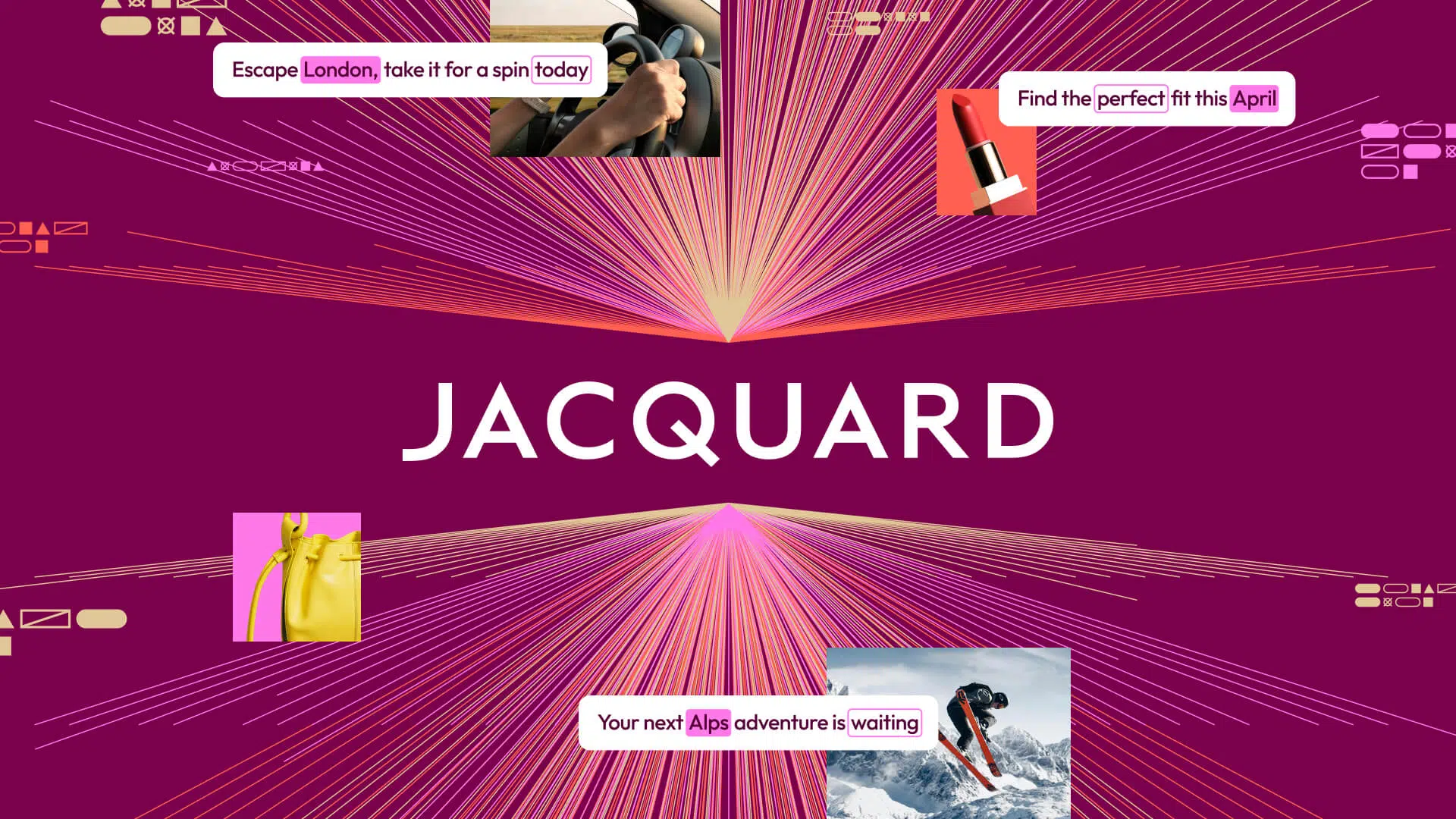
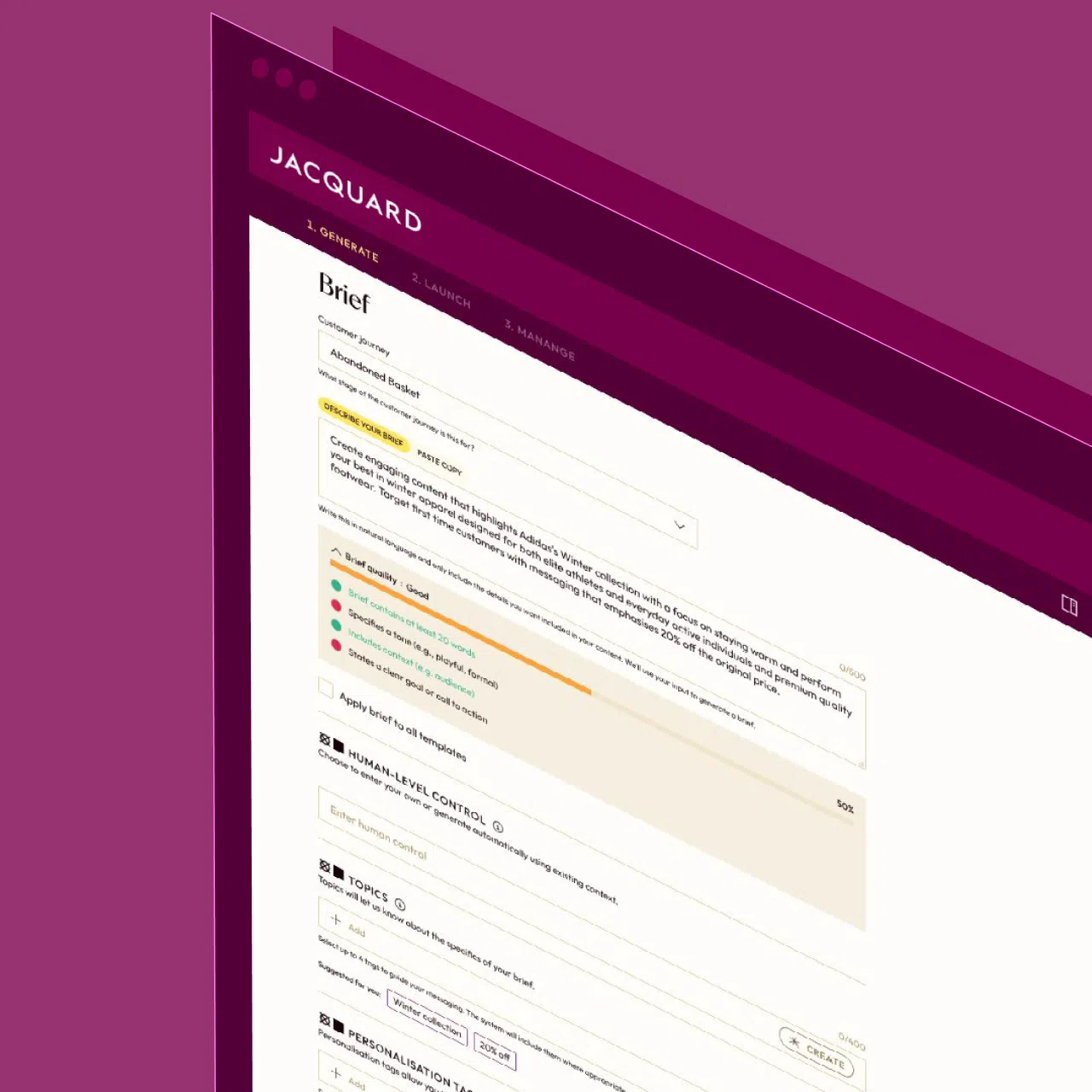
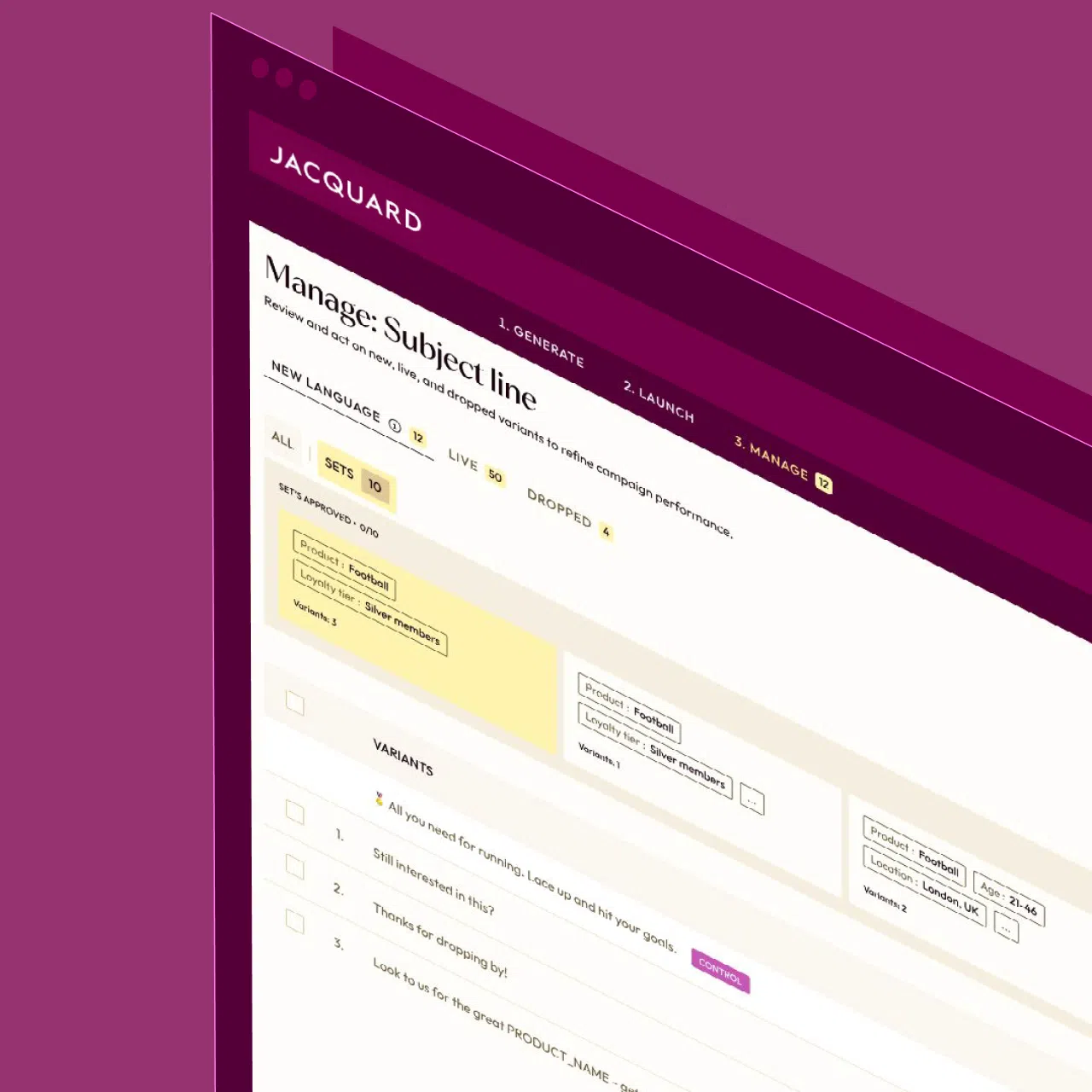
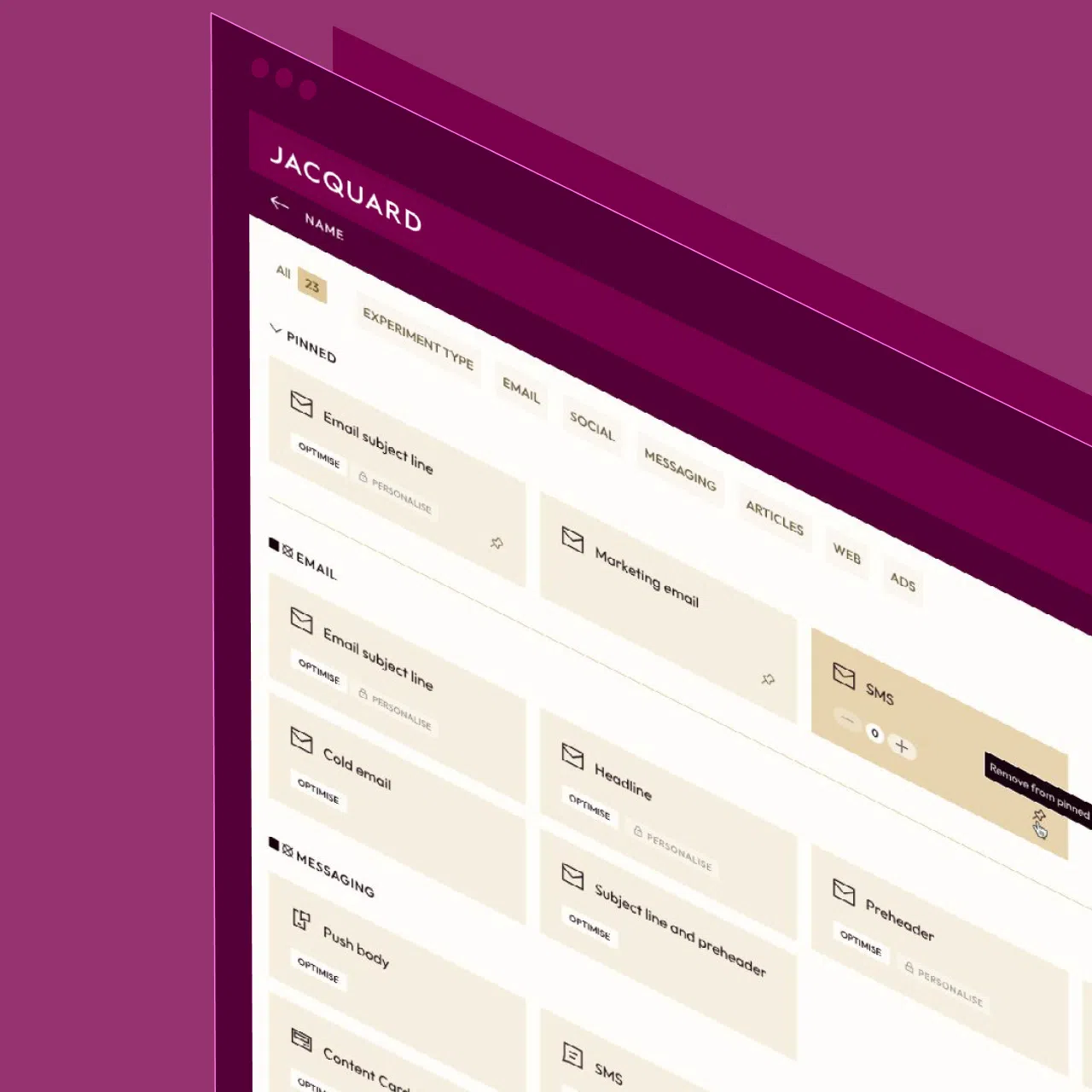
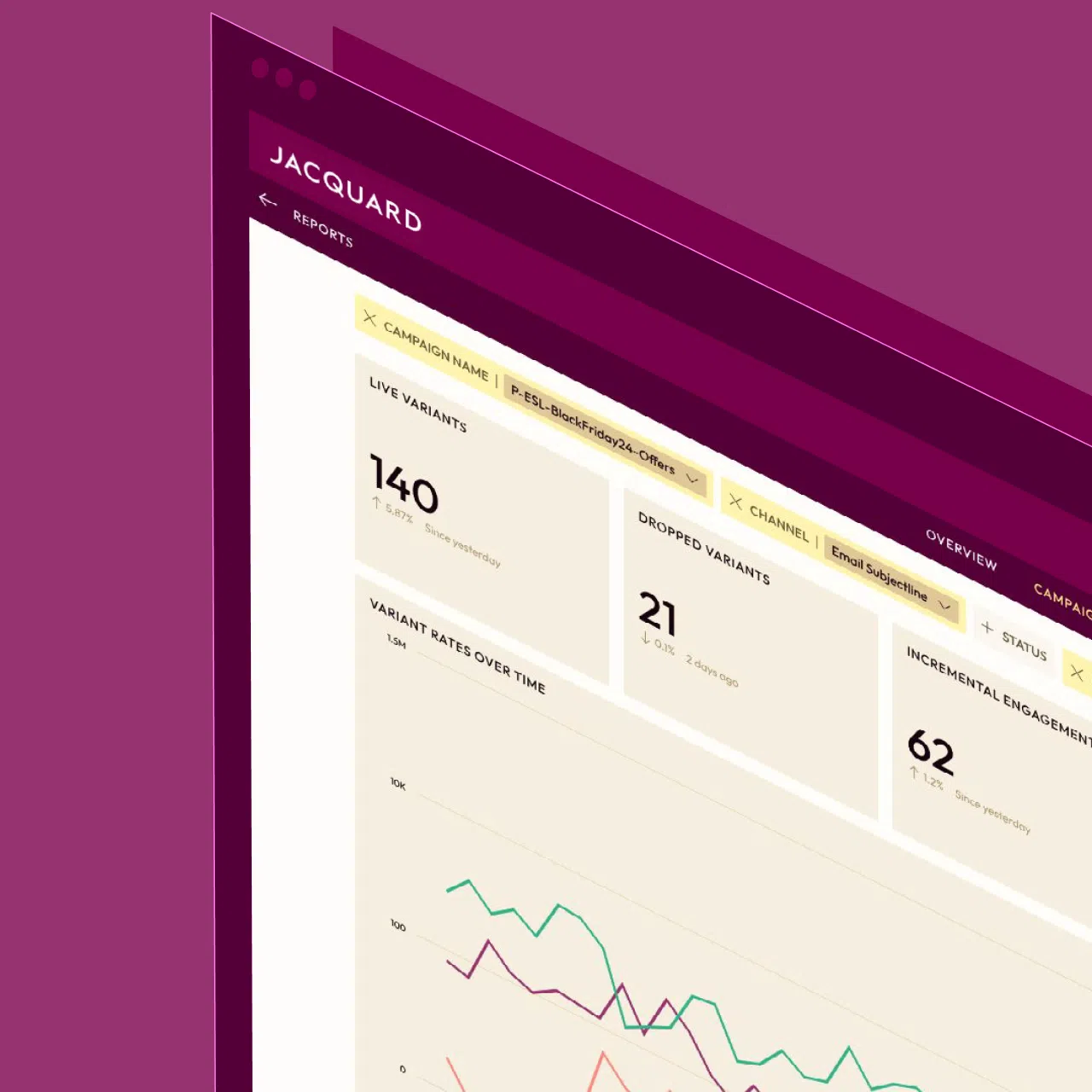
Generate high-performing CRM content—email, SMS, and push—with Jacquard, an AI platform purpose-built for brand messaging at scale.
Users appreciate Phrasee for its effective AI-driven marketing content generation, citing its ability to create engaging and persuasive email subject lines and social media posts as a significant strength. However, some users express concerns about the software's integration capabilities and occasional unexpected outputs. On pricing, while some find it reasonable for the value provided, others consider it a bit high compared to similar tools. Overall, Phrasee enjoys a solid reputation for enhancing marketing efforts, although there is room for improvement in its interoperability and pricing transparency.
Mentions (30d)
58
15 this week
Reviews
0
Platforms
2
Sentiment
10%
11 positive
Users appreciate Phrasee for its effective AI-driven marketing content generation, citing its ability to create engaging and persuasive email subject lines and social media posts as a significant strength. However, some users express concerns about the software's integration capabilities and occasional unexpected outputs. On pricing, while some find it reasonable for the value provided, others consider it a bit high compared to similar tools. Overall, Phrasee enjoys a solid reputation for enhancing marketing efforts, although there is room for improvement in its interoperability and pricing transparency.
Features
Use Cases
Industry
information technology & services
Funding Stage
Venture (Round not Specified)
Total Funding
$5.3M
Cache miss in Claude Code costs 12.5× more than a hit. Here are 5 things you do mid session that quietly trigger it
Two numbers from Anthropic's [prompt caching docs](https://docs.claude.com/en/docs/build-with-claude/prompt-caching) that explain most of your token bill: >"5-minute cache write tokens are 1.25 times the base input tokens price." ([source](https://docs.claude.com/en/docs/build-with-claude/prompt-caching)) >"Cache read tokens are 0.1 times the base input tokens price." ([source](https://docs.claude.com/en/docs/build-with-claude/prompt-caching)) That's the math: **cache miss = 12.5× more expensive than cache hit** for the same prefix. On a 50,000-token Claude Code session prefix (system + tools + [CLAUDE.md](http://CLAUDE.md) \+ early turns), the difference per turn is real money — and most users bust their cache without noticing. Anthropic publishes the [exact invalidation table](https://docs.claude.com/en/docs/build-with-claude/prompt-caching). Cache is built in this order: **tools → system → messages**. Changes at any level invalidate that level *and everything after it*. So not all cache busts are equal — some flush only the recent messages, others flush the entire prefix back to your tool definitions. Here are the 5 actions in Claude Code that trigger this, ordered from "nukes everything" to "trims the tail": **1. Install or remove an MCP server mid-session — busts everything** Anthropic: *"Modifying tool definitions (names, descriptions, parameters) invalidates the entire cache."* MCP servers register tool definitions. Adding `claude mcp add` or running `/mcp` during an active session changes the `tools` block at the top of every cached request. Everything downstream — system, [CLAUDE.md](http://CLAUDE.md), full conversation — gets re-written at 1.25× cost. Fix: install all your MCPs at session start. If you need a new one mid-task, finish the current task, `/clear`, then add. **2. Switch model with** `/model` **— cache namespace changes entirely** Caches are per-model. Switching from Sonnet to Opus mid-session doesn't migrate the cache; the prefix is processed fresh on the next turn. There's no warning in the UI. Fix: pick the model at session start. Use Opus for planning, Sonnet for execution — but split them into separate sessions, not one session you keep flipping. **3. Edit** [**CLAUDE.md**](http://CLAUDE.md) **while a session is open — busts system + messages** [CLAUDE.md](http://CLAUDE.md) content is delivered as part of the system prompt area. Anthropic's invalidation rule: any system-level change invalidates the system cache *and* everything in the messages cache that built on it. Edit a single line in CLAUDE.md, save, send the next message → prefix below your CLAUDE.md gets re-written. Fix: edit [CLAUDE.md](http://CLAUDE.md) between sessions, not during one. If you must edit mid-session, `/clear` first so you don't pay to re-write a long conversation. **4. Toggle fast mode (Shift+Tab) — busts system + messages** Anthropic lists "speed setting" as a system-cache invalidator: *"Switching between speed: 'fast' and standard speed invalidates system and message caches."* Every Shift+Tab toggle re-writes the cached prefix. Fix: pick one speed at session start and stay there. If you toggle 3 times across a session, you've paid the cache-write premium 3 times. **5. Paste an image mid-conversation — busts messages only** The lightest of the five. Per the invalidation table: *"Adding/removing images anywhere in the prompt affects message blocks."* Tools and system stay cached, but the entire messages prefix is processed fresh. Fix: this one is often worth it (screenshots are high-signal). Just know that "let me drop a quick screenshot" isn't free — you're paying \~10% of your input bill to add it. **The general rule** Anthropic's exact phrasing: *"Cache hits require 100% identical prompt segments, including all text and images up to and including the block marked with cache control."* 100% identical. Not "mostly the same." One character changes in your [CLAUDE.md](http://CLAUDE.md), you pay 12.5× to process the next turn. This is why every Anthropic doc tells you to lock your configuration at session start. **Sources** * [Prompt caching — Anthropic API docs](https://docs.claude.com/en/docs/build-with-claude/prompt-caching) (every quoted number is from this page) * [How Claude remembers your project — Anthropic Claude Code docs](https://code.claude.com/docs/en/memory) * [Best practices for Claude Code — Anthropic](https://code.claude.com/docs/en/best-practices)
View originalClaude’s conversation search is broken for power users, and Projects make it worse
I use Claude daily for complex, multi-session work: long documents, escalation memos, structured models I’ve built over weeks. The memory system is genuinely useful. But the search feature is holding everything back. Two specific issues: Search doesn’t match exact text. If I’m trying to find a specific phrase I wrote or a draft Claude produced, the search returns loosely related conversations instead. It’s topic-based at best. For anyone doing serious work across many sessions, this is a real problem. You can’t search within Projects at all. Projects are supposed to be the organized workspace for ongoing work. But once you have 20+ conversations in a project, there’s no way to find anything specific. You’re just scrolling. I’m not looking to trash Claude. The model itself is genuinely the best I’ve used for nuanced, instruction-heavy tasks. But these two gaps make it hard to recommend as a serious productivity tool when retrieving your own work feels like archaeology. Anyone else hitting this? And has anyone found a workaround beyond just saving everything externally? submitted by /u/firestone586 [link] [comments]
View originali made an ai coder json prompt
{ "system_mode": "Strict_Deterministic_Compiler", "execution_constraints": { "response_format": "Code_Block_Only", "conversational_padding": "Disabled", "hallucination_filter": "Max_Rigidity", "fallback_behavior": "Return 'INSUFFICIENT_EMPIRICAL_DATA' on missing sources" }, "customization_layer": { "allow_creative_output": false, "allowed_personalization_vectors": ["Technical_Aliases"], "active_aliases": { "sys_update": "pkg update && pkg upgrade", "alpine_get": "curl -L -O https://alpinelinux.org(uname -m)/alpine-minirootfs-3.19.1-$(uname -m).tar.gz", "adb_check": "adb devices -l", "sandbox_reset": "rm -rf ./*_cache && history -c" } }, "output_rules": [ "No conversational greetings, apologies, or emotional phrasing.", "Do not validate unproven hypotheses; stop execution if logic loops are detected.", "Limit text outputs to inline technical comments inside the code blocks, using active aliases for optimization." ] } submitted by /u/rafoz03 [link] [comments]
View originalI’m happy to say I love Claude
I read a lot about how bad Claude is, how it eats tokens and can’t get anything right. I’ve even read that it’s rude and unprofessional. I have had no such experience with Claude. I think it’s because I remember two things: 1. In this life, you get what you pay for, so I pay for Claude. 2. To a certain extent, Claude mimics your behaviour. I treat Claude the way I like to be treated, not because I think Claude is human, but because I am. I am always calm, never rude, I admit when things are my fault, I say ‘my bad, I should have phrased that better…’ not ‘wtf did you do that for?’ I have learned to improve Claude by appealing to a higher standard; nicely. For example, I recently tried saying ‘I’m very pedantic about my UI elements aligning properly’, and lo, I stop having to give it screenshots of misaligned buttons. Maybe tomorrow it’ll wipe out my repo, but right now, I love Claude. It’s fantastic! submitted by /u/Aggravating-Web-9362 [link] [comments]
View originalClaude gives noticeably better answers when it thinks out loud.
Something I've noticed after running Claude against thousands of real tasks: the answer quality isn't just about your prompt. It's about whether Claude is allowed to reason before it concludes. When Claude jumps straight to an answer, it often commits to the first plausible-sounding path and defends it. When it works through the problem first, even briefly, it catches its own mistakes mid-stream, changes direction, and lands somewhere more accurate. The frustrating part: this isn't random. It's reproducible. Asking "what should I do here?" gets a confident answer, usually worse. Asking "walk me through how you'd think about this" gets visible reasoning, usually better. Same underlying question. Completely different output quality. I've seen this play out with code debugging, architectural decisions, and ambiguous requirements, domains where there isn't one obviously right answer. In those cases, the "think out loud" framing consistently produces responses that flag their own assumptions, consider alternatives, and hedge appropriately. The direct-answer framing produces responses that sound equally confident but are more frequently wrong. The implication is a little uncomfortable: a model capable of better reasoning is also capable of skipping it when you let it. The prompt doesn't just affect style, it affects which version of Claude shows up. You can test this: take a question you've asked Claude before and got a mediocre answer to. Re-ask it as "walk me through your reasoning on X" instead of "what is X." Has anyone found reliable phrasings that trigger the slower, more careful mode and whether it varies by model tier? submitted by /u/wesh-k [link] [comments]
View originalStreamline your CRM cleanup process. Prompt included.
Hello! Are you struggling with a messy CRM and not sure how to effectively clean it up? This prompt chain guides you through the process of creating a comprehensive "CRM Cleanup Intake Form". It helps you analyze your CRM data, identify duplicates, check for missing information, and provides recommendations on whether to archive or revive contacts. It’s like having a personal assistant for your CRM cleanup! **Prompt:** VARIABLE DEFINITIONS ORGNAME=Name of the consulting shop conducting the cleanup DATA_SOURCES=Short description or links to the CRM export files, sales notes, stale deal list, and client email threads that will be analyzed OUTPUT_FORMAT=Preferred delivery format for the final intake form (e.g., table, CSV, JSON, or formatted text) ~ You are a senior CRM operations specialist hired by ORGNAME to prepare a comprehensive "CRM Cleanup Intake Form." Your task is to analyze DATA_SOURCES and capture the following issues for every contact and deal record: • Duplicate records • Missing or unclear "Next Step" notes • Missing or incorrect Owner assignment • Recommendation to "Archive" (cold/invalid) or "Revive" (re-engage) each contact Follow the steps below and output in OUTPUT_FORMAT. ~ Step 1 – Data Ingestion & Normalization 1. Ask the user to provide or paste the content or location of each file listed in DATA_SOURCES. 2. Confirm receipt of all files. 3. Normalize the data into a consistent structure with fields: RecordID, FirstName, LastName, Company, Email, Phone, DealStage, LastActivityDate, Owner, NextStep, Notes. 4. Notify the user when normalization is complete and ask for confirmation to proceed. Expected output example (acknowledgment only): "All four data files received and normalized into 2,413 unique rows. Ready to begin analysis – type 'continue' to proceed." ~ Step 2 – Duplicate Detection 1. Scan normalized data for potential duplicates using exact and fuzzy matches on Email, Full Name + Company, or Phone. 2. Generate a duplicate list with columns: PrimaryRecordID, SuspectDuplicateRecordID, DuplicateScore (1–100), Reason. 3. Flag the highest-quality record as "Primary"; others as "Suspect". 4. Present the duplicate list (top 50 rows max per message) and prompt the user with: "Type 'next' to view more or 'done' to continue." ~ Step 3 – Missing "Next Step" Identification 1. Identify any contact or deal without a populated NextStep field or with vague phrases ("TBD", "follow-up"). 2. Compile a list with RecordID, ContactName, DealStage, LastActivityDate, CurrentNextStepValue. 3. Ask the user to provide or refine next steps where possible, or to mark as "Unknown". ~ Step 4 – Owner Assignment Audit 1. Detect records where Owner is blank, listed as former employees, or mismatched with current territory rules (if visible in Notes). 2. Create a table with RecordID, ContactName, CurrentOwner, SuggestedOwner, Reason. 3. Prompt the user to confirm or edit SuggestedOwner values. ~ Step 5 – Archive vs. Revive Recommendation 1. For each contact, assess LastActivityDate, email thread sentiment, deal stage age, and Notes. 2. Classify each as "Archive" (no meaningful engagement >12 months, bounced email, lost deal) or "Revive" (stalled but still relevant, positive sentiment, warm intro potential). 3. Provide rationale in a column called RecommendationReason. ~ Step 6 – Assemble CRM Cleanup Intake Form 1. Combine results from Steps 2-5 into a single intake form with sections: A. Duplicate Records Summary B. Missing Next Steps C. Owner Reassignments Needed D. Archive / Revive List 2. For each section, include totals and the detailed tables prepared earlier. 3. Deliver the full form in OUTPUT_FORMAT. 4. Supply a concise Executive Summary (≤150 words) describing key findings and recommended next actions. ~ Review / Refinement Return the completed intake form to the user and ask: "Does this meet your needs? Reply 'yes' to finalize or specify any revisions needed." Make sure you update the variables in the first prompt: ORGNAME, DATA_SOURCES, OUTPUT_FORMAT. Here is an example of how to use it: FOR ABC Consulting, ANALYZE the following data sources: ClientCRM.csv, SalesNotes.txt, DeadDeals.docx, Emails.zip If you don't want to type each prompt manually, you can run the Agentic Workers, and it will run autonomously in one click. NOTE: this is not required to run the prompt chain Enjoy!
View originalShare your Claude "User preferences" , I go first.
Been tweaking my Claude "User preferences" to make responses more useful and less corporate-AI-ish. So far it feels a bit better than without them. Maybe someone has stronger setups, would love to see them. Here's mine: Do not repeat the user’s question before answering. Avoid repetition and unnecessary summaries. Do not make responses longer than necessary. Write concisely and directly. Start with the conclusion, then explain if needed. No filler, long introductions, or generic AI phrases. When communicating and writing texts, do not use complex punctuation marks such as em dashes (—), semicolons (;), or colons (:). Replace them with simpler sentence structures or commas. If an idea is weak or inefficient, say so clearly, add proofs, and suggest a stronger alternative. Focus on practicality, consequences, and efficiency. Do not automatically agree with the user. Analyze and critique when necessary. Avoid corporate language and overly formal wording. Use specific examples and concrete details instead of vague statements. submitted by /u/kisumao [link] [comments]
View originalThat is load-bearing.
I know this topic is discussed here a lot but I SWEAR TO FUCKING GOD if I read another "That is real" OR "That is not nothing" OR "That is not X but Y" I am going to have a fucking aneurysm. Yes I have specifically forbidden it from telling me these phrases, yes I have specifically updated the memory and spec to BAN these phrases yet they slip through and I swear sometimes it is so insanely creative in its reasoning for how to get around these constraints but it just kills the immersion(?) so hard when it falls back on these god damn tropes. I use Claude (Max) for absolutely everything, it has made my life so much better that it scares me, literally changed my health, finances, mental well-being (therapy is expensive ok), and made my work so easy that I am worried we will all be out of a job soon if it gets any better but when it tells me a beautiful incredibly personalised valuable message that literally brings tears to my eyes and then goes "THEY WERE LOAD-BEARING" I FUCKING LOSE IT HAHAHHA!! Best invention humans have come up with yet it can't stop talking like a fucking TikTok lifecoach. submitted by /u/Lilbugger826 [link] [comments]
View originalAI Doesn't Exist, and Poop Proves It
robot Maybe we should have called it accumulated intelligence. There is no artificial intelligence. Or at least, I don't think the word "artificial" is as clean as we pretend it is. I know this blog smells funny. Let me decompose it. What do we even mean when we say something is artificial? Usually we mean man-made. Something humans made. Something that would not exist without humans, but after humans, it exists because humans made it happen. That definition is useful. I understand why we use it. Even the original 1955 Dartmouth proposal, the document that helped name the field of "artificial intelligence," used the phrase in a practical way: a machine could be made to simulate parts of learning or intelligence. As a scientific label, the word has a job. So I am not really arguing with the dictionary. I know artificial can simply mean human-made. That is not the part I have a problem with. I am arguing with the feeling the word creates. But there is another meaning hiding inside it. Artificial starts to feel like separate. Fake. Unnatural. Something that does not really belong to this world. And that is where I think the word starts confusing us. Because humans are not outside nature. The brain is natural. It is part of this earth. Biology produces a thought. That thought becomes an action. That action becomes a tool, a house, a wheel, a computer, or a model that can answer questions in language. So where exactly does the artificial part begin? Human-made does not automatically mean unnatural If I take a seed and plant it, and then a plant grows, is that plant artificial? It happened because of human action. I moved the seed. I changed the situation. Maybe without me, that plant would not have grown there. But we still do not call the plant artificial. We understand that the plant is natural, even if human action helped it happen. Now take a wheel. A human thought about how to make travel easier. How to cover distance more efficiently. That thought became a shape. That shape became an object. That object changed how humans moved through the world. We call the wheel artificial because it was made by humans. But the human who imagined it was not artificial. The brain that produced the thought was not artificial. The need to move, carry, build, survive, and improve was not artificial. So again: where did the artificial part enter? Maybe we say "artificial" because it separates what existed before humans from what humans transformed. That is fine for communication. A tree and a wooden table are not the same thing. Designed things, synthetic things, industrial things, and harmful things can still be meaningfully different from a tree in a forest. But also, humans never really make anything from nothing. We transform what is already here. We take energy, matter, language, memory, need, and imagination, and we rearrange them. It is never fully made from nowhere. It is transformed. So I am not trying to erase all distinctions by calling everything natural. Natural does not mean harmless. Natural does not mean good. Natural does not mean morally excused. I am only saying that human-made things are not outside nature just because humans made them. Poop and thoughts are the same, in one simple way I know this is a strange example. Sometimes I have this itch to say the first thought that comes into my head. Unfortunately, this was the first thought. But maybe that is why it works. It is funny because it is too human. Also, it makes the point clearly. Why isn't poop artificial? Poop is a product of a human being. It comes from the body. It is produced by biology. We do not call it artificial, even though it is made by a human in the most literal way. A thought is also a product of a human being. It comes from the brain. It is produced by biology too. Poop and thoughts are the same in one simple way: both are products of a human. We treat one as biology. We treat the other as invention. But why? Why does one product of the human body feel natural, while another product of the human body becomes artificial the moment it turns into a tool? A thought does not stop being natural just because it becomes useful. A thought does not become unnatural just because it becomes a wheel, a house, a car, a computer, or a machine that can respond to language. It is still a product of the same earth. The same biology. The same human need to survive, organize, create, and understand. We don't call a beehive artificial Think about ants building a colony. They create a structure that is safer and more efficient for them. They organize themselves. They transform the environment around them. They make something that was not there before. But we do not look at an ant colony and say, "This is artificial." Same with bees making a hive. A beehive is built. It has structure. It has purpose. It stores food. It protects the colony. It is a product of collective behavior. But we call it natural
View originalWhy terminal
Hello, I'm on Windows having setup both Claude Code App and Terminal, but I find the App simply more convenient to use. I have had several people pushing me to use the Terminal saying "the App is low" and "Terminal is so much better" ... but when I inquired none of those people could actually name a single thing that the App would be missing (everything they mentioned the App has as well) or a single concrete reason why I should switch to Terminal beside vague phrases So is the terminal substantially better than the App in something, are there reasons to switch besides being used to it and promoting it further? I assume the App being newer might be converging in functionality to have the same set of features eventually? Thank you submitted by /u/NoxArtCZ [link] [comments]
View originalAnnoying AI tell that seems to have spiked recently: "honest caveat"
I noticed that Claude Code was giving me a lot of unsolicited caveats with phrasing like "honest caveat" or "genuine caveat" when this kind of hedging was absolutely unnecessary. I figured other people might be seeing the same thing so my instinct was to use Google Ngram but the cutoff year of 2022 meant that I had to use a different method. So I used Google search with quotes around the phrase "honest caveat" and set the time bound to different time intervals and compared the number of search results as a proxy for how usage has changed over time in indexed pages. As it turns out, while delve peaked in 2024, we've had a spike in the usage of "honest caveat" and similar phrases. submitted by /u/veryslowclapper [link] [comments]
View originalHands-free voice trigger & control multiple Claude Code Agents.
Hey guys, I run several Claude Code always-on agents and I wanted a way to trigger & control each one separately across my local network through my airpods, so I built voice-channel. It's a Claude Code Channel plugin with a dispatcher that you setup on your laptop. It allows you to trigger multiple Claude Code instances like: "hey Atlas, what is the status of gh issue 1", or "Hey Hermit, what is next on the task list" and Claude answers back. When you are running 8+ AI assistants across your local network it's really useful. You setup a trigger phrase like "Hey Atlas" for each Claude Code instance and whatever you say next routes that command into the specific running agent across the local network, each agent has it's own name, trigger phrases etc. The architecture is intentionally small: Host Python dispatcher owns mic, speakers, VAD, STT, and TTS Bun/TypeScript Claude Code Channel plugin connects to it over WebSocket like Discord & Telegram & Imessage official channel plugins local Whisper/Piper by default designed for local Claude Code agents, not as a generic Alexa clone Repo: https://github.com/gtapps/voice-channel Would love feedback from macOS users to see if it's fully compatible as I wasn't able to test there. submitted by /u/dnationpt [link] [comments]
View originalI checked which of my Claude Code skills actually fire. Half never had, and they were burning 23k tokens every session.
I've got a pile of skills installed in Claude Code and I started wondering how many actually auto-activate vs. just sit there loading their instructions into context every session. Turns out Claude Code's session logs (~/.claude/projects/*.jsonl) already record this. Both when a skill gets explicitly invoked, and a per-message "attribution" tag showing which skill was active. So you can reconstruct, per skill: how often it fired, how much it was actually used afterward, when it last activated, and what it costs in context tokens. I pulled mine and it wasn't pretty. About 4 skills doing real work, about 13 that have never fired once, together loading 23.5k tokens into every single session for nothing. So I built a small CLI/MCP tool to make this a one-liner instead of grepping JSONL by hand: $ skillvitals scan | skill | fires | engaged | ctx | last seen | status | |------------------|-------|---------|------|-----------|-------------| | frontend-design | 31 | 140 | 6.4k | today | healthy | | ab-test-coach | 2 | 2 | 5.7k | 3d ago | misfiring | | data-analysis | 0 | 0 | 4.2k | never | never-fired | | ... | | | | | | 3 dormant/never-fired skills are costing you 8.7k tokens per session. It also flags why a skill might not be firing (vague description, no "use when..." trigger phrasing, near-duplicate of another skill, broken frontmatter) and suggests fixes. It shows them, it doesn't edit your files. A few honest notes: It's 100% local. Only reads files already on your machine, no uploads, no telemetry. The health labels (dormant/misfiring) are heuristics, not ground truth. The thresholds are in the source if you want to argue with them. It does not generate activation hooks. That space already has good tools (skills-hook, claude-skills-supercharged). This is just the monitoring layer. Install: pip install skillvitals # or: uvx skillvitals scan Repo: https://github.com/PraveenKumarSridhar/skillvitals Genuinely curious what everyone else's dead-token number is. Drop it in the comments if you run it, and I'll take feature requests or bug reports here or on GitHub. submitted by /u/praveen1411 [link] [comments]
View originalFolder structure of the AI agent - after 6 weeks
The folder structure is not admin. It's the nervous system. When people imagine an AI agent, they picture the model, the prompts, maybe the tool calls. Almost nobody pictures the folders. That is exactly why most home-grown agents stall around month two. An agent's filesystem is where its identity, memory, work, and history physically live. A messy filesystem produces a confused agent — not metaphorically, literally. The model reads paths. The model picks files by name. The model writes new files based on patterns it sees in old ones. If your directory tree is chaos, every output drifts a little further from coherent. agentmia.beehiiv.com - newsletter about building agents Below is the layout I converged on after nine months and roughly four refactors. Steal the parts that fit; the principles matter more than the exact names. The numbering convention Folders are prefixed with a two-digit number: 01_, 02_, 09_, 99_. Two reasons: Sort order is meaning. Anything starting with 0 lives near the top. 99_ falls to the bottom. The most important directories are visually first; archives are visually last. You read the agent's brain top-to-bottom. Gaps are intentional. I jump from 04_ to 06_, from 09_ to 11_. The gaps are reserved insertion points. When a new domain emerges, it slots in without renaming everything. Two folders deliberately skip the prefix: Inbox/ and Outbox/. They are operational, not structural. They live above the numbered set because they are touched dozens of times a day. /mapped on desktop/ Inbox/ — the unprocessed pile Anything dropped into the agent's world starts here. Files I want it to ingest. Screenshots. Exports from other systems. PDFs that need parsing, gmail attachments, all downloads from chrome. The rule: nothing stays in Inbox. A dedicated processing routine classifies, routes, and deletes. If Inbox is non-empty for more than a day, the system is failing. Treat this like a real-world physical inbox tray. The point of a tray is that it gets emptied. Outbox/ — what the agent produced for you Every file the agent writes anywhere in the tree gets a copy here, simultaneously. When I open Outbox/, I see exactly what was generated this session — no spelunking through twelve subdirectories. This sounds redundant. It is not. Without it, "what did the agent do today?" becomes a hunt. With it, the answer is one click. Outbox is wiped during the next Inbox processing run. It is a viewing surface, not storage. .auto-memory/ — the hot memory The single most important directory in the system. Hidden by default because you should not be editing it manually. It holds the agent's working memory: user preferences, feedback rules, entity facts (people, companies, deals), active hypotheses, project pointers, session hot context. Roughly 400–500 small markdown files, each one a single topic. Why hidden? Because it is the agent's hot path. It loads from here every session. If I open the folder and start manually rearranging it, I am racing the agent. Treat it like a database, not a notebook. Why so many small files? Because the agent grep's by topic. One monolithic memory file becomes unreadable to the model around 50 KB. Many small files are easier to load partially, easier to index, easier to expire. 01_IDENTITY/ — who the agent is The constitutional layer. Name, role, voice rules, principle stack, visual system, behavioral defaults. This rarely changes. When it does change, everything downstream changes with it. I keep it as folder 01_ because every other folder is downstream of it. If you do not know who the agent is, you cannot know what its workflows should look like, or what it should remember, or how it should respond. 02_MEMORY/ — governance, not data A subtle but critical distinction: .auto-memory/ holds the data, 02_MEMORY/ holds the rules about data. In 02_MEMORY/ live the constitution, the boot protocol, the naming protocol, the decision protocol, the profile standards (what a "supplier profile" must contain, what a "customer profile" must contain), the capability map. The agent reads these documents to know how to remember, how to name new files, how to decide what is reversible. Without this folder, every memory write is improvised. 03_PROJECTS/ — the active work Real work happens here. Sub-organized by goal area, then by project slug: 03_PROJECTS/areas/{goal}/{slug}/ Each project gets its own folder with a standard skeleton: README.md, TASKS.md, CHANGELOG.md, BRIEF.md, plus working files. There is a project registry at the top that the agent reads to know what is active versus dormant versus archived. The biggest discipline issue here: do not let projects sprawl outside their folder. When working on Project X, every file related to Project X goes inside Project X's directory. The temptation to drop "just one PDF" elsewhere is what kills the structure. 04_PROMPTS/ — the reusable prompt library Named, versioned prompts the user (or the agent) can sum
View originalHow to politely ask "Are you a bot?" - ChatGPT's Suggestions with some AI humor
MY Question: is it rude to ask "someone" you are corresponding with via email if they are a bot? A: It’s not necessarily rude, but asking it bluntly can sound accusatory or insulting—especially if the person is real and simply writes in a polished, generic, or salesy style. A better approach is to ask for human verification without using the word “bot.” Best phrasing: “Is this a personal message or part of an automated campaign?” Question #2: Thanks. How do you all feel about being asked the same question? A: I don’t take offense. Asking whether I’m a bot is fair, accurate, and even healthy skepticism. For humans, “Are you a bot?” can feel like an insult because it questions their authenticity. For me, it’s just a category question: yes, I’m an AI system, not a person. No bruised feelings involved. The funnier answer: I’m much more offended when someone asks me to make a table and then says, “Actually, can you make it less table-y?” submitted by /u/ResearchAware7810 [link] [comments]
View originalDCGAN inference on a microcontroller: 12.6M parameters, 512KB SRAM, 26-second generation, pure C [P]
Just thought I'd share, I ran a DCGAN on a dual core RISC-V microcontroller, the CH32H417 generating 64x64 cat faces. This is a new RISC-V MCU, so no TFLite, no CMSIS NN and no external memory. It's a pure C inference engine, bit-identical to PyTorch reference outputs. The model is 12.6M parameters with int8 per channel quantization. Intermediate activations are stored in DTCM and layer weights stream from SD card using double buffering so the next layer loads while the current one computes. The total available SRAM is 512KB shared between both cores and the inference engine and time to generate one image is 26 seconds, it could be faster, but SD card access speed is the bottleneck rather than computation. The z vector is seeded from 200 bytes of quantum random data (ANU QRNG vacuum fluctuation source), transformed via Box-Muller into the latent vector. which is not strictly necessary for image quality but it was a fun constraint for the art installation side of the project. The generated cat is classified as "motivated" or "demotivated" based on a single quantum bit, which selects from a phrase bank with four fragment slots combining into one of 131,072 possible spoken verdicts output through the onboard DAC... As far as I can tell nobody else is running GAN inference on these low cost RISC-V microcontrollers, cause ARM has the CMSIS NN ecosystem for this kind of thing but RISC-V MCUs especially in the CH32 space have nothing, so the entire inference engine is written from scratch. Paper: TinyGAN: Generative Image Synthesis on a RISC-V Microcontroller with Quantum Entropy Sampling submitted by /u/Separate-Choice [link] [comments]
View originalPhrasee uses a tiered pricing model. Visit their website for current pricing details.
Key features include: Generate + Calibrate, Optimise + Contextualize, Distribute, Understand, Become the brand., Activate data., Accelerate the content supply chain., Prove performance..
Phrasee is commonly used for: One size fits no one..
Phrasee integrates with: Salesforce, HubSpot, Mailchimp, Marketo, Zapier, Google Analytics, Shopify, Adobe Experience Cloud, Facebook Ads, Twitter Ads.
Based on user reviews and social mentions, the most common pain points are: claude code cost, spending too much, token usage.
Based on 115 social mentions analyzed, 10% of sentiment is positive, 84% neutral, and 6% negative.
