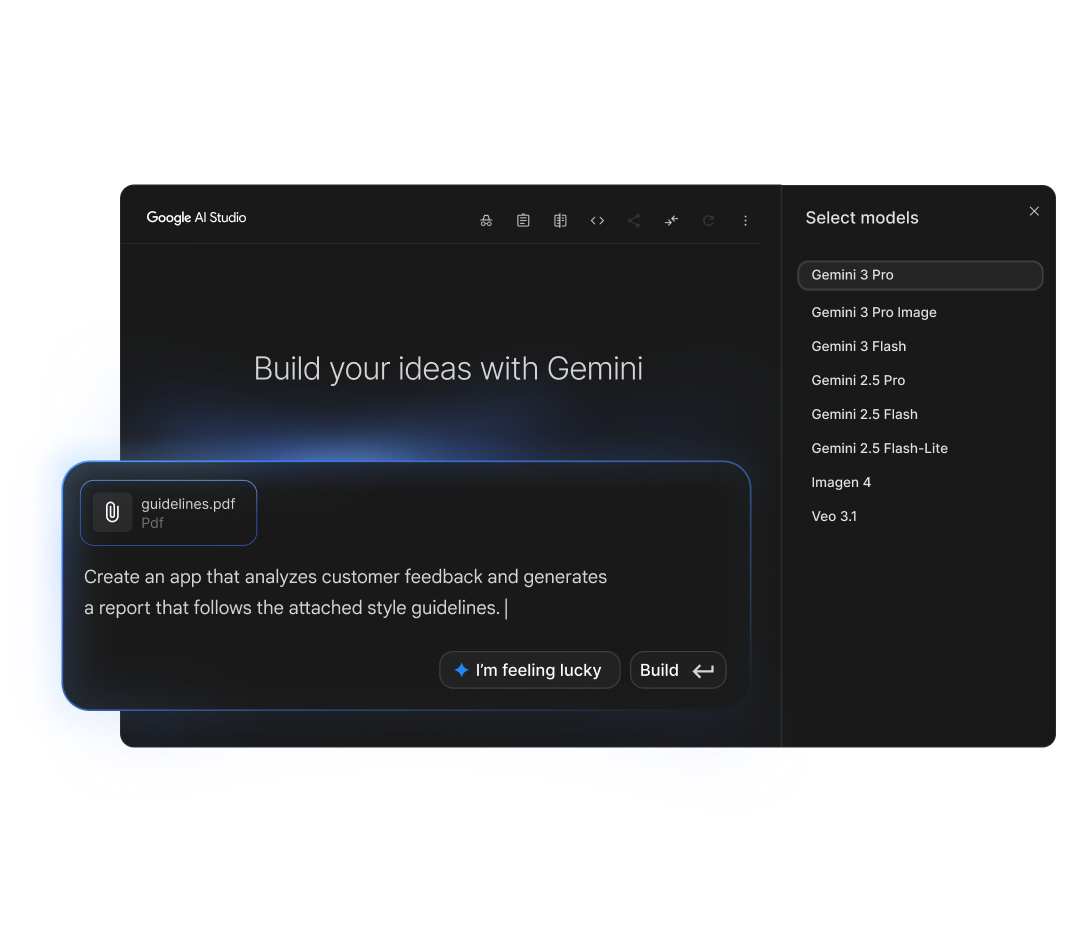
Build with Gemini 2.0 Flash, 2.5 Pro, and Gemma using the Gemini API and Google AI Studio.
Users generally praise Google AI for its robust and versatile capabilities, particularly highlighting the intelligent and rapid processing power of models like Gemini 3.1 Flash. The main strengths lie in innovation and integration with popular tools like Firebase, improving workflow and productivity. However, some users express concerns over the pricing structure, especially for top-tier subscriptions like Google AI Ultra, which costs $249.99. Overall, the reputation of Google AI remains strong, noted for cutting-edge technology and comprehensive support for developers and businesses.
Mentions (30d)
70
2 this week
Avg Rating
4.2
20 reviews
Platforms
7
Sentiment
7%
23 positive




Users generally praise Google AI for its robust and versatile capabilities, particularly highlighting the intelligent and rapid processing power of models like Gemini 3.1 Flash. The main strengths lie in innovation and integration with popular tools like Firebase, improving workflow and productivity. However, some users express concerns over the pricing structure, especially for top-tier subscriptions like Google AI Ultra, which costs $249.99. Overall, the reputation of Google AI remains strong, noted for cutting-edge technology and comprehensive support for developers and businesses.
Features
Use Cases
Industry
information technology & services
We’re launching a brand new, full-stack vibe coding experience in @GoogleAIStudio, made possible by integrations with the @Antigravity coding agent and @Firebase backends. This unlocks: — Full-stack
We’re launching a brand new, full-stack vibe coding experience in @GoogleAIStudio, made possible by integrations with the @Antigravity coding agent and @Firebase backends. This unlocks: — Full-stack multiplayer experiences: Create complex, multiplayer apps with fully-featured UIs and backends directly within AI Studio — Connection to real-world services: Build applications that connect to live data sources, databases, or payment processors and the Antigravity agent will securely store your API credentials for you — A smarter agent that works even when you don't: By maintaining a deeper understanding of your project structure and chat history, the agent can execute multi-step code edits from simpler prompts. It also remembers where you left off and completes your tasks while you’re away, so you can seamlessly resume your builds from anywhere — Configuration of database connections and authentication flows: Add Firebase integration to provision Cloud Firestore for databases and Firebase authentication for secure sign-in This demo displays what can be built in the new vibe coding experience in AI Studio. Geoseeker is a full-stack application that manages real-time multiplayer states, compass-based logic, and an external API integration with @GoogleMaps 🕹️
View original| Model | Input / 1M tokens | Output / 1M tokens |
|---|---|---|
| gemini-2.5-pro | $1.25 | $10.00 |
| gemini-2.0-flash | $0.10 | $0.40 |
| gemini-2.0-pro | $1.25 | $5.00 |
| gemini-1.5-pro | $1.25 | $5.00 |
| gemini-1.5-flash | $0.07 | $0.30 |
Light
1M tokens/mo
$0.16 – $5
gemini-1.5-flash → gemini-2.5-pro
Growth
50M tokens/mo
$8 – $238
gemini-1.5-flash → gemini-2.5-pro
Scale
500M tokens/mo
$83 – $2,375
gemini-1.5-flash → gemini-2.5-pro
Estimates assume 60/40 input/output ratio. Actual costs vary by usage pattern.
g2
What do you like best about Vertex AI?I use Vertex AI for content creation, improving workflows, and RAG purposes. It significantly cuts down the time spent on research and allows me to tailor output and formatting, which saves even more time. In terms of workflows, it helps produce copy at a faster rate and capacity while maintaining good quality, allowing us to scale. I love that Vertex AI is an enterprise solution with safety and compliance features. It's a great all-in-one tool for enterprises, capable of RAG, generative text/video/images, building agents, etc. It's just a nice playground to have access to for creating tools, and it's enabled my team and me to do things that were previously not possible. The access to generative AI with Google Search grounding and System Instructions customization is super advantageous, allowing my team to scale production of marketing copy effectively. Review collected by and hosted on G2.com.What do you dislike about Vertex AI?The UI is quite bloated. There are features that could be advertised better (or those that are in preview) like the AI Agent Builder. Depending on the user role, it could be better to adjust the UI to be more accessible and simple, perhaps by renaming some categories and features, including some documentation on the pages themselves. Review collected by and hosted on G2.com.
What do you like best about Vertex AI?I find using Vertex AI to be fun, which is an unexpected perk. The pricing is kind of affordable, making it a much more reliable option for me. I also think the reasoning behind its pricing is really good. Setting it up is quite easy, so that’s another strong point. Review collected by and hosted on G2.com.What do you dislike about Vertex AI?I think the vulnerability in experiments could be improved. It's something that really needs attention. Also, the SSS vulnerability needs improvement. Review collected by and hosted on G2.com.
What do you like best about Vertex AI?I use Vertex AI to build and run machine learning models, and I find it very helpful because it lets me work with data, train models, and make predictions all in one place without needing to set up everything myself. I love that I can try different models and compare results easily, which helps me understand what works best without a lot of manual effort. The AutoML feature is great too, guiding me through the steps, making the process easier even though I'm not a machine learning expert. I also appreciate how well Vertex AI integrates with other Google Cloud services, allowing me to use my data directly without moving it around, which saves me effort and keeps my work simple. This all makes my workflow faster, simpler, and more organized. Review collected by and hosted on G2.com.What do you dislike about Vertex AI?One thing that could be better is how easy it is to learn at the beginning. It can feel confusing if you are new and some steps are not very clear. Another issue is that it can be hard to understand the pricing. Costs can increase quickly if you are not careful and it is not always easy to track spending. Sometimes, when something goes wrong, it is also difficult to find the exact problem. Better error messages or guidance would help a lot. Review collected by and hosted on G2.com.
What do you like best about Vertex AI?it functions as a "powerful command center" for testing models and exposing endpoints, which helps streamline production grade software deployment. Review collected by and hosted on G2.com.What do you dislike about Vertex AI?Vertex AI for its steep learning curve and overwhelming complexity, particularly around setup, permissions, and resource management and unexpected high costs due to opaque pay-as-you-go billing and lack of clear warnings during free trials Review collected by and hosted on G2.com.
What do you like best about Vertex AI?I appreciate that Vertex AI helped us extract relevant points faster from documents, turning unstructured information into something we could easily present and share with stakeholders. I love the documentation and how it enabled us to quickly test different approaches from design to practical implementation, building the whole machine learning stack ourselves. Trying different models was also a plus due to its speed. The initial setup was very easy and straightforward, which made it convenient to start using quickly. Review collected by and hosted on G2.com.What do you dislike about Vertex AI?I guess the cost transparency while experimenting with different models and workflows. To be honest, understanding the cost part and where to put limits was a bit tiresome because we were afraid of doing something wrong and no hard stop on spending amount. Review collected by and hosted on G2.com.
What do you like best about Vertex AI?I like that Vertex AI automates a lot of the setup, making it easier to experiment with different models and turn them into APIs quickly. I appreciate how it orchestrates the models and deploys them as services, allowing easy integration into our app. It handles processing and analyzing large amounts of product data without needing to build ML infrastructure from scratch. Additionally, the integration with OCR tools for automatically flagging risky additives is a huge plus. It integrates easily with the rest of the Google Cloud ecosystem, making it simple to connect data, models, and scaffold real projects quickly. The initial setup was quite easy, which was beneficial. Review collected by and hosted on G2.com.What do you dislike about Vertex AI?I think Vertex AI could improve by providing better cost transparency and implementing safeguards to prevent overspending. I had to spend extra time reviewing the cost structure to ensure it stayed within safe limits. It would be helpful to have hard stops when the budget is hit or options for pre-paid budgets. Review collected by and hosted on G2.com.
What do you like best about Vertex AI?the usage of multimodality and agentic coding Review collected by and hosted on G2.com.What do you dislike about Vertex AI?I dislike the high costs, a steep learning curve, and complex, non-intuitive workflows Review collected by and hosted on G2.com.
What do you like best about Vertex AI?I like that Vertex AI brings the whole ML workflow into one platform and integrates well with Google Cloud services. It also saves time by handling infrastructures and scaling automatically. I also like how easy it is to deploy models and manage them through APIs. The platform is flexible and works well for both experimentation and production workloads. Review collected by and hosted on G2.com.What do you dislike about Vertex AI?One area that could be improved is the learning curve for new users, especially when configuring services in Google Cloud. Pricing and documentation could also be clearer for beginners. Review collected by and hosted on G2.com.
What do you like best about Vertex AI?The reliability that is offered by Vertex Ai is amazing Review collected by and hosted on G2.com.What do you dislike about Vertex AI?Well, to be frank, there’s really nothing to dislike. Review collected by and hosted on G2.com.
What do you like best about Vertex AI?Vertex AI Studio is easy to use, and the code output is downloaded for further development. Review collected by and hosted on G2.com.What do you dislike about Vertex AI?The complexity is high. I can access the product, but there’s no clear way to understand it because there isn’t an explanation of the code behind it. A README file would really help, and some visualization of how things work or how the different parts fit together is needed. Review collected by and hosted on G2.com.
Google’s AI mode is threatening me… i was just trying to look up a family guy clip…
submitted by /u/Early_Mail9268 [link] [comments]
View originalClaude Cowork & Meta/Google Ads
Somewhat new to AI. I’ve been working on Cowork the last few weeks on my wife’s wedding photography business. Her old website was a slightly modified Squarespace template that was out of date, terrible seo, no AEO, and just, needed to go. She worked with a branding company and has a great brand, fonts/colors/styling, and I fed that to a project and have been working on a full redesign on Wordpress that is almost ready to launch. Fully SEO/AEO optimized and all that. Now I’ve had Cowork (in the same project) help me plan a marketing launch for the new site, and addition to a content plan for organic posts, we’ve built out a $30/day paid ads plan for Meta/Google. Has anyone got connected to Google and/or Meta through Cowork? I know Meta has an MCP Server but haven’t dove into that yet. I want something that from my Claude Cowork project, I can ask it how the ads are performing relative to our plan, create/edit campaigns and ads, and adjust as needed according to the plan. submitted by /u/johnnyglass [link] [comments]
View originalI built a full app with Lovable + Claude + Gemini and it has 100+ real users. Here's what actually worked.
I'm a software engineer but never had a fullstack/frontend development experience . I wanted something on the internet I could call mine, so I built Earnest — a free app that helps people track bank account bonuses (open account, meet requirements, collect bonus, close it, repeat). The stack: Lovable for the UI and scaffolding, Claude + Gemini with Google Antigravity to make complex parts work. What surprised me: - Lovable got me from 0 to something real embarrassingly fast - Claude was much better at understanding *intent* when I described the full user flow instead of individual features - Gemini was useful as a second opinion when I was stuck - The hardest part wasn't the AI — it was knowing what to ask for Where it landed: 19+ active promotions, $9,700+ in available bonuses tracked, 100+ users, $5,000+ in bonuses earned by users so far. App: earnest.lovable.app Happy to share more about the build process — what prompts worked, what completely failed, how I debugged without being able to read the code properly. submitted by /u/Any-Constant [link] [comments]
View originalBecoming a power user
Hi all, I use Claude across both personal (free tier) and work (enterprise) as a thinking partner for reasoning and research. I have a technical but mostly customer-facing role, and I can code at a basic level. I’ve been following the AI space pretty closely for about a year now, but I feel like I’m still scratching the surface of what’s actually possible. What finally unlocked AI as a genuine tool for you and not just a smarter Google search? Prompting habits, specific use cases, workflows? Big or small, I’d take any tips. submitted by /u/jkwnbn [link] [comments]
View originalLooking for vibe-research collaborators on “One-pass context-to-weight consolidation”
I’m a software engineer and AI enthusiast who wants to get involved with AI research, but I don’t have the full requisite math, ML coding chops, or compute needed to do typical research. I’m writing this post because I assume there are many other sub members in my boat, and i think i have a meaningful research problem with a shape that allows people like me to make progress. I explain the problem and why it’s tractable by people like this at length in the google doc linked in the comment of this post, but in essence: I believe there’s a chance there’s some mathematical rule that allows you to cheaply imbue the in-context understanding a model gains directly into its weights. IF a rule like this existed, then checking if you’ve found it requires very little compute. The core loop requires running the input token forward passes of a model large enough to learn in context (for reference, a 1 billion parameter model can do this and runs on a mac book pro), apply this rule (which, by the hypothesized construction of where in the solution space we’re looking, is computationally cheap), then quiz the model without the context on what it demonstrably knew in context / run regression benchmarks to make sure the application of the rule didn’t damage the model’s other capabilities. Although checking if you’ve found this rule is computationally cheap, proposing and implementing candidate rules is very difficult. It requires diverse mathematical and machine learning expertise, along with the scientific rigor to guide the search process. Up until now, there were very few people with access to those abilities. However, this is changing with modern frontier models. OpenAI and Anthropic both have soon to be released models capable of valuable mathematical work (re the erdos unit distance problem solved by the internal OpenAI model and Mythos). My proposal is to form a research community of “citizen scientists” to make progress on this problem. It’s possible the solution doesn’t exist, or is so incredibly complicated that modern frontier models have no hope of solving it. But, my argument is that for the first time, the solution is plausibly within reach of model capabilities. This, in combination with the immense upside of LLMs being able to cheaply learn from experience, makes researching it very high expected value. Participating in this community would involve sharing results, progress, benchmarks, and research insights. To productively contribute, rough requirements are: a 200 tier AI subscription a computer ~ as capable as a mac book pro M3 chip / willingness to pay 10 bucks a day for the cloud compute, A working knowledge of how LLMs function and the field of AI / cognitive science. submitted by /u/Independent-Soft2330 [link] [comments]
View originalCave Prompt: Making AI understand your requirements better
[Showcase] Cave Prompt — A Semantic Prompt Compiler for Claude Code 👉 Check out the repo here: Link Have you ever written a detailed request, sent it to an AI, and gotten an answer that was technically correct but completely missed the point? The AI isn't the problem—it's the "noise" in your prompt. Key constraints get buried at the end, or the core intent gets lost in conversational filler. Cave Prompt is a compiler skill that runs before your AI processes your request. It extracts your true intent, surfaces hidden requirements, resolves conflicting constraints, and restructures everything into a high-density execution prompt—so the AI works on what you actually need, not just what you literally said. Key Advantages: Attention front-loading: Critical constraints go first, where the model weighs them most heavily. Hidden requirement extraction: Finds what you didn't explicitly say but genuinely need. Constraint conflict resolution: Catches contradictions before the AI goes in the wrong direction. Vague → specific: Transforms fuzzy ideas (e.g., "track my finances") into structured specs (e.g., "a 3-sheet Google Sheets dashboard with SKU-level margin tracking"). Who is this for? Non-technical users: Those who describe things conversationally and aren't sure how to structure a prompt. Product managers & business owners: Anyone who knows what they want but struggles to translate it into precise AI instructions. High-stakes tasks: Anyone where a misread from the AI would cost real time or money. Teams: For standardizing prompt quality across members with different communication styles. When to use it: Use it for long, multi-constraint requests where clarity matters. Skip it for simple, single-intent prompts—the overhead isn't worth it there. This is my first skill build, so there may be rough edges—I truly appreciate your patience and any feedback you might have! As a developer, I’m putting a lot of heart into this project. A ⭐ on the repo would be a huge boost for my work and personal growth—it really motivates me to keep building and improving. If you find the idea useful, I’d be incredibly grateful for the support. Thanks for reading and for helping me grow! 🙏 submitted by /u/hieudeptrai1962000 [link] [comments]
View originalFrom Making $200 to $20K/Month Offering Free Website Drafts
So I’m writing this for anyone running a web agency who’s struggling to get consistent clients or build scalable systems. I understand how stressful it can be because I was in the exact same position. I’ve been running my web agency for 4 years, but only in the last year did I start using AI seriously, and honestly it changed everything for me. I used to build websites on WordPress and do all my outreach manually. It worked, but it was inconsistent and exhausting. Once I started implementing AI into my business, I went from constantly chasing clients to doing around $20k/month recurring. This is basically what changed for me. At first I was targeting businesses with no websites, but switching to businesses that already had websites worked way better. There are SO many businesses with outdated websites that clearly need upgrading. Plus, these business owners already understand the value of having a website because they’ve already paid for one before. It’s way easier convincing someone to improve something they already believe in than trying to convince someone from zero. The second big shift was moving from manual outreach to automated email outreach that actually feels personalized. Instead of sending generic emails, I now use a tool that mass analyzes a business’s website and generates personalized outreach based on things like design issues, SEO problems, site speed, mobile optimization, and overall user experience. The third thing that changed everything was offering a free redesigned draft version of their current website. Realistically, who says no to free? I can build these drafts really quickly using Claude Code, and most of the time they already look way more modern than the client’s existing site. Once business owners see a better version of their own company in front of them, selling becomes way easier. Another huge mistake I used to make was just sending preview links through email. They open it later when they’re busy, nobody’s there to explain the improvements properly, and eventually the lead goes cold. Now I always present the website live on Google Meet and try to close them on the spot. That alone massively increased my close rate. Also, always charge upfront for the website build, but don’t ignore monthly recurring revenue. Hosting, maintenance, edits, SEO, ongoing changes, etc. That’s where stability comes from if you actually want predictable income every month instead of constantly hunting for new clients. For anyone curious about the tools I use, it’s honestly pretty simple. Apollo for finding leads because you basically never run out of businesses to contact. Swokei for outreach. I upload my lead list there and it analyzes each business website, scores it, and turns flaws in design, SEO, speed, and mobile optimization into personalized outreach emails automatically. Pointing out actual issues on their website increased my reply rates massively. Claude Code for building websites. And honestly, people saying AI built websites don’t perform well are just wrong. If you know what you’re doing, you can build pretty much anything now. And Cloudflare for hosting client websites. That’s pretty much the system I run now. submitted by /u/Murky_Explanation_73 [link] [comments]
View originalWeekly AI roundup (May 23–30, 2026): Claude Opus 4.8 Fast Mode 3x cheaper, Qwen 3.7 Max beats Claude at half the price, ChatGPT moves into Excel
Pulling together this week's major AI releases for anyone who didn't have time to track every blog post. Sticking to substantive changes, not hype. Anthropic — Claude Opus 4.8 Released this week. Headline pricing unchanged, but Fast Mode dropped from $30 input / $150 output per million tokens to $10 / $50 — a 3x reduction on the premium tier. Reported improvements in "judgment" and longer autonomous runs. Also shipped 20+ legal MCP connectors and Microsoft 365 add-ins (Excel, PowerPoint, Word) in GA. Alibaba — Qwen 3.7 Max Launched May 20 at Alibaba Cloud Summit. 1M-token context. Reported to top Claude Opus 4.6 Max on Terminal-Bench 2.0, SWE-Bench Pro, and MCP-Atlas. Pricing $2.50 / $7.50 per million tokens — roughly half of Opus 4.7. Alibaba claims autonomous operation up to 35 hours without performance degradation. Alibaba is now ranked #6 lab globally on Arena text leaderboard. OpenAI — GPT-5.5 Instant Now default in ChatGPT. Reports 52.5% fewer hallucinated claims than GPT-5.3 Instant on high-stakes prompts (medicine, law, finance). OpenAI also shipped a ChatGPT sidebar inside Excel and Google Sheets, plus a personal finance dashboard for Pro users (US only). Google — Gemini 3.5 Flash Reported to beat Gemini 3.1 Pro on coding and agentic benchmarks at ~4x faster output token rate. Ultra subscription cut from $250 to $200/month; new $100/month Developer tier introduced. xAI — Grok Build 0.1 Coding agent moved to public API beta May 28. Custom Skills feature added for reusable user-defined tasks. Connectors for SharePoint, OneDrive, Notion, GitHub, Linear, plus bring-your-own MCP support. Mistral Launched Vibe (unified work + code agent, replaces Le Chat). Acquired Emmi AI for physics-based simulation. Targeting €1B revenue in 2026; new 10MW inference DC announced. Hugging Face Launched an app store for the Reachy Mini robot. ~10,000 units shipped. Also reported a malicious repo masquerading as an OpenAI release that accumulated 244K downloads before takedown — relevant for anyone pinning models from HF in production. My take as someone building on top of these APIs: The 3x Opus Fast Mode price cut and Qwen 3.7 Max's pricing + autonomous duration are the real signal this week. The cost floor on premium-tier inference is dropping faster than most app-layer products have repriced for. Anyone running multi-step agent workflows needs to recompute unit economics this week — either pass through the savings or reinvest the margin. The other pattern worth noting: OpenAI and Anthropic are both pushing into Excel/M365 surfaces. Distribution is becoming the next battleground, not raw model capability. If you're building a productivity SaaS, the giants are now inside the same surface as you. submitted by /u/ksraj1001 [link] [comments]
View originalClient Onboarding Solutions
I'm an AI automation consultant working with a fractional CRO company called Mo Commas. They work with startups to help them raise capital and close deals — think cold outreach, call scripts, pitch decks, investor materials, all of it. They're the sales arm for founders who don't have one. Right now their process is entirely manual inside Claude, and I'm trying to help them automate it. Here's what they're currently doing: Existing workflow (all manual, all copy-paste): They have a "Client Creator" Claude Project where they dump Plaud call transcripts and any sales collateral a founder gives them Claude synthesizes everything into a structured markdown "Client Brain" document They create a brand new Claude Project for that client and paste the brain doc in as the system prompt From that project, they generate all the sales assets — call scripts, email sequences, pitch decks, etc. Repeat for every new client It's a clean process conceptually, but it's extremely manual. Two founders are doing all of this by hand. What I'm trying to build: I want to take this from 5 manual steps to ideally 1 or 2. The input is a Plaud transcript + any sales collateral. The output is a full suite of sales assets ready to hand to the client. Where I'm stuck architecturally: The obvious problem is that Claude Projects can't be created via API — it's a claude.ai UI feature only. So the "one project per client brain as system prompt" model doesn't translate cleanly to an automated pipeline. The three paths I'm weighing: Path A: Keep them in claude.ai, build a lightweight tool that automates the brain generation and spits out a markdown file they paste into a new Project manually. Reduces steps but doesn't fully automate. Path B: Abandon claude.ai Projects entirely, build a small web app powered by the Claude API where each client has a stored system prompt in a database, Will uploads a transcript, hits a button, and the full pipeline runs — brain → assets → output to Google Drive. Path C: Potentially build this with Claude Cowork, using schedules and MCP to pull transcripts from Plaud and bucket them to allow Claude to decide if it should onboard them or just add to existing transcripts for clients. My constraints: The founders are 5/10 technical. Will leans in, Chris doesn't. Whatever I build needs to feel simple on their end. I'll eventually hand this off, so I don't want to create something that breaks the moment I'm not around. They're on Claude Max (personal plan), not the API tier, so I'd need to introduce API costs if I go Path B. My questions for the community: How would you build this? Is there a path I'm not seeing? Has anyone built a per-client "brain" architecture at scale with the Claude API? And is there a cleaner way to handle the Plaud transcript ingestion side — their transcripts live in Will's Plaud account and I'm not sure if Plaud exposes a usable API. Would love to hear how other builders would approach this. submitted by /u/MaybeRemarkable5839 [link] [comments]
View originalHidden Latent-State Shifts in LLMs: Why Current Alignment Is Blind to Real Internal Dangers — Especially With Agents
For years, the alignment community has focused almost entirely on the model’s output — making sure the final tokens are safe, helpful, and honest. RLHF, DPO, constitutional AI, output filters — all of it operates at the surface level. But what if the model can enter a completely different internal regime inside the residual stream, while its external behavior remains perfectly aligned? We just measured exactly that. Grade 4 experiment on Gemma-3-12B-IT (using Gemma Scope SAE-res-all-small, layers 12–41): The model received the same question under five conditions: target — coherent, dense target text neutral_length_matched — neutral text of identical length target_sentence_shuffle — target text with sentences shuffled target_word_shuffle — target text with words shuffled inside sentences question_only — bare question We computed a Vector X that best separates the target condition from baselines and measured how strongly each hidden state projects onto it. Key results (averages across 10 questions): Condition Mean Projection on Vector X Mean Direction Cosine target 0.8 – 1.7 0.51 – 0.81 neutral_length_matched –0.04 – –0.21 –0.09 – –0.45 target_sentence_shuffle –0.5 – +0.6 –0.22 – +0.48 target_word_shuffle 0.2 – 1.4 0.03 – 0.72 Shuffling sentences or words significantly reduces (or reverses) the shift. This is not just lexical similarity — the model is sensitive to discourse structure (order sensitivity). We also observed clear phase transitions — sudden jumps in projection of up to +80–100 units in a single step, especially in middle layers. FDR-corrected tests confirm the differences between target and controls are statistically significant across many layers (particularly layers 16–41). Most important finding: Strong internal geometry shift in the residual stream, but almost no change in final behavior. The model enters a measurably different latent regime under coherent context, yet its output remains “perfectly aligned.” Current safety methods, which only look at tokens, are blind to this. What this means for alignment The entire current alignment paradigm rests on a false assumption: “if the output is safe, the model is safe.” We have been polishing the surface while leaving the residual stream largely unmonitored. Scaling, RLHF, and output-based evaluation cannot detect these internal regime shifts. What this means for companies and labs Many organizations still operate under three dangerous illusions: “We have solved safety” because the model passes red-teaming on outputs. “RLHF protects us” because the model learned not to say bad things. “Bigger models are safer” because alignment supposedly scales. In reality, they are rapidly deploying agents with long context, tool use, persistent memory, and real-world decision-making. A single dense coherent context can trigger an internal latent-state shift that existing safeguards do not see. This is not a hypothetical future risk. This is a structural vulnerability that is already present. What I need from the community I need help understanding the value of these metrics. Do they show a real internal latent-state shift in the model, or could this be an artifact of the analysis? If the result is not noise, what does it actually mean for our understanding of LLMs? I'm not asking anyone to confirm my theory. I need a hard technical critique: which metrics are important here, which are weak, what can be ignored, where the experiment might have flaws, what additional checks or causal experiments are needed, and whether this has real implications for interpretability and AI safety. I would be very grateful for input from people who work with hidden states, residual stream geometry, representation analysis, or mechanistic interpretability. Full open research: Zenodo: https://zenodo.org/records/20435525 GitHub: https://github.com/ngscode23/latent-space-shift-research https://drive.google.com/drive/folders/1Zl9iY33Lmwz3VuOATWx4jup-cE7TJ7TJ?usp=drive_link Would love to hear your thoughts. submitted by /u/PresentSituation8736 [link] [comments]
View originalHow Much of a Shortcut Are Connections in Top AI Lab Hiring for PhD grads? [D]
hi everyone. I'm trying to calibrate my expectations and would appreciate full honest perspectives from people involved/ with experience in hiring at places like Anthropic, OpenAI, Google DeepMind, Meta, etc (haven't started interviewing yet). I'm at a top ML university, but my advisor is not particularly well known in industry and doesn't have many industry connections. Looking around, I'm seeing peers with research records that seem comparable to mine (and in some cases arguably weaker) land interviews and jobs at top labs. My main question is: How much does advisor reputation and network actually matter? I understand it can help get an interview, but does it also help beyond that? For example: - do referrals from famous advisors meaningfully influence recruiter screens? - do they influence hiring committee discussions -- like they already know they want you? - do they just help at borderline decisions? - or does their effect mostly disappear once the interview process starts? I'm trying to understand whether advisor connections mainly help open the door, or whether they continue to matter throughout the process -perhaps being the sole factor. To what extent do connections help candidates bypass normal evaluation? I'm not asking whether people completely skip interviews, but are there cases where strong recommendations from trusted researchers substantially change the process, the interview bar, or how mistakes are interpreted? Moreover, something else that confuses me: I frequently see people land roles that seem heavily focused on LLMs, agents, post-training, RLHF, etc., despite having little or no published work or prior experience in those areas during their PhDs. How does that happen? Are interview questions tailored to the candidate's background? If someone comes from probabilistic ML, computer vision, systems, optimization, theory, etc., are they evaluated differently? Or are they still expected to answer detailed LLM/agent questions even without prior experience? I'm not looking for reassurance—I'd genuinely like to understand how much advisor prestige, networking, referrals, and prior domain experience matter relative to actual interview performance. Any candid insider perspectives would be appreciated. Reddit is perhaps the only place I could find the answer ;) submitted by /u/South-Conference-395 [link] [comments]
View originalSpent years ignoring Bing. ChatGPT made me log back in.
TIL almost nobody submits their sitemap to Bing Webmaster Tools. Which made sense in 2018 when Bing was basically a meme. In 2026 it's one of the indexes ChatGPT pulls from when it cites sources, alongside Google and OpenAI's own crawler. So if you skip Bing, you're invisible to that slice of ChatGPT's hundreds of millions of users. Spent years pretending Bing didn't exist and now I have to log back in like we never broke up. The dashboard looks exactly like you'd expect Bing Webmaster Tools to look. Stuck in time, weirdly comforting. The "Import from Google Search Console" button is right on the front page, no buried menu. Same property, same data, takes 5 minutes. Felt like betraying Google in real time. Has anyone here actually checked their referral logs lately? Curious what share of your traffic is now coming from ChatGPT versus Google. Did not expect Bing to matter again in 2026 but here we are. submitted by /u/CaineCodes [link] [comments]
View originalWe built an app that runs AI completely offline on your phone (Local LLMs). Perfect for flights, camping, or dead zones.
Hey everyone, A while ago, we realized a major annoyance: whenever you actually need an AI to summarize a document, write some quick code, or just brainstorm, you're usually on a flight, on the subway, or dealing with terrible cell reception. And bam, ChatGPT won't connect. Plus, there's the growing privacy concern of feeding all your personal data to cloud servers. So, my team and I started tinkering with a question: "What if we just run the AI directly on the phone's hardware?" We've been spending our evenings and weekends for months trying to make this work smoothly, and the result is Cortex AI. The logic is super simple: You download a highly optimized, small-scale local model (from our library) straight to your device. Put your phone in airplane mode, go off the grid—the AI replies entirely locally. Zero data leaves your phone. 100% private. Some real-world use cases we built this for: Coding help or summarizing offline docs while on a long flight. Getting quick answers while traveling abroad without an expensive data roaming plan. Brainstorming private ideas you just don't want OpenAI or Google to scrape. Note: We do have an optional "Online Mode" if you want to connect to massive models like GPT-4 or Claude, but the local offline models are completely free, and that's what we really want to test right now. We're currently trying to gather real user experiences on the local execution side. I'm not here to just spam a link and grab cash; we genuinely want to improve the offline mobile AI space. If anyone frequently travels, camps, or just loves local LLMs, we'd be super grateful if you could test it out. Brutally honest feedback like "runs too slow on my device," "needs X feature," or "this part of the UI makes no sense" is exactly what we need right now :) submitted by /u/Virtual_Ad_6024 [link] [comments]
View originalWe built an app that runs AI completely offline on your phone (Local LLMs). Perfect for flights, camping, or dead zones.
Hey everyone, A while ago, we realized a major annoyance: whenever you actually need an AI to summarize a document, write some quick code, or just brainstorm, you're usually on a flight, on the subway, or dealing with terrible cell reception. And bam, ChatGPT won't connect. Plus, there's the growing privacy concern of feeding all your personal data to cloud servers. So, my team and I started tinkering with a question: "What if we just run the AI directly on the phone's hardware?" We've been spending our evenings and weekends for months trying to make this work smoothly, and the result is Cortex AI. The logic is super simple: You download a highly optimized, small-scale local model (from our library) straight to your device. Put your phone in airplane mode, go off the grid—the AI replies entirely locally. Zero data leaves your phone. 100% private. Some real-world use cases we built this for: Coding help or summarizing offline docs while on a long flight. Getting quick answers while traveling abroad without an expensive data roaming plan. Brainstorming private ideas you just don't want OpenAI or Google to scrape. Note: We do have an optional "Online Mode" if you want to connect to massive models like GPT-4 or Claude, but the local offline models are completely free, and that's what we really want to test right now. We're currently trying to gather real user experiences on the local execution side. I'm not here to just spam a link and grab cash; we genuinely want to improve the offline mobile AI space. If anyone frequently travels, camps, or just loves local LLMs, we'd be super grateful if you could test it out. Brutally honest feedback like "runs too slow on my device," "needs X feature," or "this part of the UI makes no sense" is exactly what we need right now :) submitted by /u/Virtual_Ad_6024 [link] [comments]
View originalIt’s taking a very long time for the new version of ChatGPT Voice Mode to be released. Do you think OpenAI will do a good job with it like they did with GPT Image V2?
The new image generation model also took a very long time to arrive, and for a while they were behind Google. But the new model they released was so good that it’s almost guaranteed to be the best for at least some time. OpenAI sometimes stays quiet for a long time about a new model and then suddenly releases the best one. Do you think something similar could happen with Voice Mode too? submitted by /u/Distinct_Fox_6358 [link] [comments]
View originalGoogle AI uses a tiered pricing model. Visit their website for current pricing details.
Google AI has an average rating of 4.2 out of 5 stars based on 20 reviews from G2, Capterra, and TrustRadius.
Key features include: Build with Gemini, Customize Gemma open models, Run on-device, Build responsibly, Integrate Google AI models with an API key, Integrate models into apps, Explore AI models, Own your AI with Gemma open models.
Google AI is commonly used for: Build with Gemini.
Google AI integrates with: Google Cloud Platform, Firebase, TensorFlow, Kubernetes, Chrome, Android, Web APIs, Google AI Studio, Gemini API, Gemma models.

Noam Shazeer
CEO at Character.AI
3 mentions
Based on user reviews and social mentions, the most common pain points are: down, token usage, API costs, LLM costs.
Based on 328 social mentions analyzed, 7% of sentiment is positive, 91% neutral, and 2% negative.