
Use Google AppSheet to build powerful applications that transform your business. Get started today.
AppSheet has a strong reputation for simplifying no-code app development, allowing users to build scalable applications without the need for programming skills. Users commend its integration capabilities, especially with Google Sheets, and appreciate its features like automation and machine learning. While the overall sentiment is positive, detailed user reviews seem limited, making it unclear if there are common complaints or concerns. Pricing sentiments are generally neutral, with no significant mentions either praising or criticizing it. Overall, AppSheet is well-regarded in social mentions for empowering non-developers and accelerating digital transformation.
Mentions (30d)
8
Reviews
0
Platforms
3
Sentiment
12%
10 positive
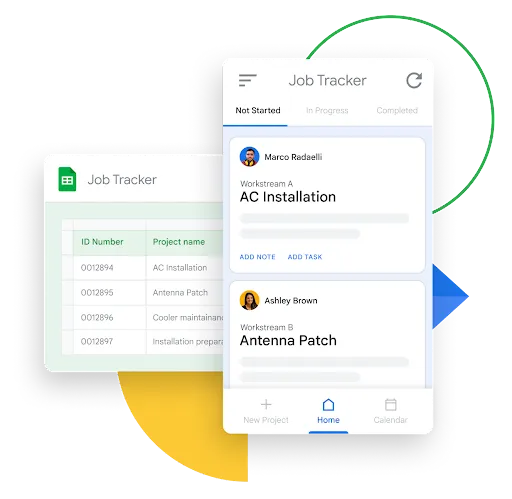


AppSheet has a strong reputation for simplifying no-code app development, allowing users to build scalable applications without the need for programming skills. Users commend its integration capabilities, especially with Google Sheets, and appreciate its features like automation and machine learning. While the overall sentiment is positive, detailed user reviews seem limited, making it unclear if there are common complaints or concerns. Pricing sentiments are generally neutral, with no significant mentions either praising or criticizing it. Overall, AppSheet is well-regarded in social mentions for empowering non-developers and accelerating digital transformation.
Features
Use Cases
Industry
information technology & services
Employees
37
Funding Stage
Merger / Acquisition
Total Funding
$18.5M
In case you missed it! A list of our most popular how to build a #nocode app resources. No matter your industry or use case, you’ll discover helpful tips, template apps and troubleshooting suggestion
In case you missed it! A list of our most popular how to build a #nocode app resources. No matter your industry or use case, you’ll discover helpful tips, template apps and troubleshooting suggestions to take your development skills to the next level! https://t.co/gvgdOR8SoH
View originalPricing found: $5, $10, $20, $5 / user, $10 / user
reddit brain goldmine - you are welcome
reddit.com/settings/data-request https://gamma.app/docs/Reddit-Brain-qt0g7e5vktlgifm Implementation Blueprint Your questions answered. Three steps to go from zero to a fully operational Reddit Brain. Step 0: Download Your Archive Go to reddit.com/settings/data-request and request your full data export. You'll receive a ZIP file containing comments.csv and posts.csv — everything you've ever posted on Reddit. Step 1: Get the Data Action: Request your export at reddit.com/settings/data-request. Then: Download ZIP, extract comments.csv and posts.csv. Optionally run reddit-user-to-sqlite to build a parallel SQLite archive for richer querying. Step 2: Build the Brain Action: Load into Sheets or a database. Clean, tag, and compute word count and engagement metrics. Then: Add LLM passes for canonical_question, topic, tone, and content type. Push into a vector store; connect via n8n or your preferred orchestrator. Step 3: Exploit the Hell Out of It Action: Generate content backlogs, podcast outlines, FAQs, scripts, and social copy from your corpus. Then: Use agents to draft from your own history, keep messaging on-brand, and refresh the archive with new exports on a schedule. submitted by /u/jdawgindahouse1974 [link] [comments]
View originalWeekly AI roundup (May 23–30, 2026): Claude Opus 4.8 Fast Mode 3x cheaper, Qwen 3.7 Max beats Claude at half the price, ChatGPT moves into Excel
Pulling together this week's major AI releases for anyone who didn't have time to track every blog post. Sticking to substantive changes, not hype. Anthropic — Claude Opus 4.8 Released this week. Headline pricing unchanged, but Fast Mode dropped from $30 input / $150 output per million tokens to $10 / $50 — a 3x reduction on the premium tier. Reported improvements in "judgment" and longer autonomous runs. Also shipped 20+ legal MCP connectors and Microsoft 365 add-ins (Excel, PowerPoint, Word) in GA. Alibaba — Qwen 3.7 Max Launched May 20 at Alibaba Cloud Summit. 1M-token context. Reported to top Claude Opus 4.6 Max on Terminal-Bench 2.0, SWE-Bench Pro, and MCP-Atlas. Pricing $2.50 / $7.50 per million tokens — roughly half of Opus 4.7. Alibaba claims autonomous operation up to 35 hours without performance degradation. Alibaba is now ranked #6 lab globally on Arena text leaderboard. OpenAI — GPT-5.5 Instant Now default in ChatGPT. Reports 52.5% fewer hallucinated claims than GPT-5.3 Instant on high-stakes prompts (medicine, law, finance). OpenAI also shipped a ChatGPT sidebar inside Excel and Google Sheets, plus a personal finance dashboard for Pro users (US only). Google — Gemini 3.5 Flash Reported to beat Gemini 3.1 Pro on coding and agentic benchmarks at ~4x faster output token rate. Ultra subscription cut from $250 to $200/month; new $100/month Developer tier introduced. xAI — Grok Build 0.1 Coding agent moved to public API beta May 28. Custom Skills feature added for reusable user-defined tasks. Connectors for SharePoint, OneDrive, Notion, GitHub, Linear, plus bring-your-own MCP support. Mistral Launched Vibe (unified work + code agent, replaces Le Chat). Acquired Emmi AI for physics-based simulation. Targeting €1B revenue in 2026; new 10MW inference DC announced. Hugging Face Launched an app store for the Reachy Mini robot. ~10,000 units shipped. Also reported a malicious repo masquerading as an OpenAI release that accumulated 244K downloads before takedown — relevant for anyone pinning models from HF in production. My take as someone building on top of these APIs: The 3x Opus Fast Mode price cut and Qwen 3.7 Max's pricing + autonomous duration are the real signal this week. The cost floor on premium-tier inference is dropping faster than most app-layer products have repriced for. Anyone running multi-step agent workflows needs to recompute unit economics this week — either pass through the savings or reinvest the margin. The other pattern worth noting: OpenAI and Anthropic are both pushing into Excel/M365 surfaces. Distribution is becoming the next battleground, not raw model capability. If you're building a productivity SaaS, the giants are now inside the same surface as you. submitted by /u/ksraj1001 [link] [comments]
View originalhow to convert pdfs into texts ?
I have huge and multiple pdfs including images, micro pdf sheets, handwritten notes, and screenshots.what to do , which website/app/software I should use as beginner and naive person to convert them into structured and organized texts in full fledged manner. also if anyone tried claude opus 4.8 ? how is it ? especially for limit part for claude pro subscribers . I wannna do heavy work from that to make study materials by shared notes in text form submitted by /u/InternalConnection95 [link] [comments]
View originalPlease give Claude real tools to do basic stuff
Why is Claude writing pecl scripts to make small file edits? Ever since 4.8, Claude is OBSESSED with using custom tools for everything, example for doing some import stuff below. Sometimes Claude (Opus 4.8) will write a bash script to cd into a dir and cat the file it wants to read.. instead of just using a file read tool... Which means more "Approve tool call?" requests, OR using auto-mode (bad idea, dangerous even with the safeguards). Did not happen in 4.7. Super tedious. Why doesn't Claude Code with its many many thousands of lines of code, offer simple edit tools that Claude can utilise? batch edit etc. cd /Users/johndoe/app/resources/js/Pages/Reporting perl -0pi -e "s/\Qimport { Button, Card, Icon, Select, Heading, EmptyState, Checkbox } from '\@\/components'\E/import { Button, Card, Icon, Select, Heading, EmptyState, Checkbox, Spinner } from '\@\/components'/" Sheet.vue perl -0pi -e "s/\Qimport { Button, Card, Checkbox, Icon, Select, Heading, EmptyState } from '\@\/components'\E/import { Button, Card, Checkbox, Icon, Select, Heading, EmptyState, Spinner } from '\@\/components'/" Table.vue perl -0pi -e "s/\Qimport { Button, Card, Icon, Select, Heading, EmptyState, Checkbox } from '\@\/components'\E/import { Button, Card, Icon, Select, Heading, EmptyState, Checkbox, Spinner } from '\@\/components'/" List.vue perl -0pi -e "s/\Qimport { Button, Card, Icon, Select, Heading, EmptyState, Input, Checkbox, Badge, Alert } from '\@\/components'\E/import { Button, Card, Icon, Select, Heading, EmptyState, Input, Checkbox, Badge, Alert, Spinner } from '\@\/components'/" Accounts.vue perl -0pi -e "s/\Qimport { Button, Card, Checkbox, Heading, Icon, Select } from '\@\/components'\E/import { Button, Card, Checkbox, Heading, Icon, Select, Spinner } from '\@\/components'/" Balance.vue echo "=== verify Spinner in imports across all 6 ===" grep -rn "Spinner" Sheet.vue Table.vue List.vue Accounts.vue Balance.vue Ledger.vue Add Spinner to remaining imports via perl submitted by /u/Ancient_Perception_6 [link] [comments]
View originalClaude makes documents into apps
Any document can become an app I’ve been working on an open-source document format and viewer called Adaptive Markdown. The basic idea is simple: A document should not have to stay static. It should be something a coding agent can extend, reshape, and turn into an interactive workspace. This is not just a canvas you edit with a chatbot. The bigger idea is that the document becomes both: the source of truth the programmable interface In other words, the document becomes a living app. You write notes, collect data, draft text, or import files. Then a coding agent can directly modify the document surface: add charts, create calculators, build filters, restyle sections, generate summaries, export views, or turn rough notes into an interactive tool. So instead of having: a document a spreadsheet a dashboard an app a changelog a separate AI chat about all of it You can have one living .md file that contains those layers together. Example A fitness log might start as a plain Markdown journal. Then the agent adds charts. Then it pulls in device data. Then it adds weekly summaries, rolling averages, goal tracking, export options, and a dashboard view. The document did not move into an app. The document became the app. Other use cases A billable time log that computes subtotals and rewrites rough notes into polished narratives A research notebook with experiment parameters, runnable code, outputs, and methodology notes A recipe book that scales servings and generates shopping lists A math textbook that can explain a theorem at different levels A project README that explains the system, demonstrates the system, and lets the agent modify it from inside the document A small data report with embedded CSV data, live charts, filters, and exportable views The thing I’m most interested in is not "Can Markdown support more widgets?" It is: What happens when the document itself becomes the programmable, agent-editable interface? Demos I made a few short video demos: Turn your document into a snake game: https://youtu.be/l-I2UiZd-Jw Basic Adaptive Markdown features: https://youtu.be/cLdzvZAL96I Import CSV, create tables, edit and format them: https://youtu.be/XKh9D3BlTCg Import MusicXML and transpose sheet music: https://youtu.be/8YV3zjMLvA8 Why I’m excited about this The biggest use case I’m excited about is academic and technical reading. In a few years, I don’t think people will just read papers passively. I think they’ll translate passages, ask questions, generate examples, explore alternate proofs, run code, attach notes, convert math to Lean where possible, and keep all of that inside the document instead of scattered across chats and notebooks. This is already pretty natural inside a browser when a coding agent has access to JS, CSS, and the document structure. It’s very early, but the workflow already feels useful to me. I’m using it for my own notes and documents. Right now it is configured for the Anthropic coding-agent SDK and experimentally for Codex. The longer-term goal is to make it run entirely locally. GitHub: https://github.com/SemiSimpleMath/Adaptive-Markdown I recently added per-document skills, so agents can automatically know how to style or transform the text or data inside a specific document. Curious whether this seems useful to anyone else, or whether I’m just overexcited because I built it. Feature requests welcome. submitted by /u/IDefendWaffles [link] [comments]
View originalSkills for google app script
Hello! I'm building a personal rental management system using claude. Any skills for google app script? Kinda new to this so any guides and inputs will be appreciated! Google sheets as backend Github as front end submitted by /u/CrimsonCosm0 [link] [comments]
View originalFrom Marine Biology to Accidental Developer: Don’t know how to feel about it
A bit of background: I did my bachelor’s and master’s in marine biology. After a while working in the field, I started noticing a lot of inefficiencies in my day-to-day work — the endless paper sheets, the lack of centralised data, the manual everything. So one day, out of boredom (and frustration), I decided to build a management app for our lab. We work with fish, and the goal was simple: ditch the paper, get everything documented digitally, with a proper dashboard and live graphics. It’s still in the final stages of development, but it’s nearly there. Then something unexpected happened. While I was still building my own app, someone in the field reached out and offered me a job — they needed someone to build them an app, and they wanted a person with Python experience and domain knowledge in the area. Knowing I could pull it off, I applied. And I got the job. The main reason? My marine biology background. The technical skills mattered, but it was the combination — understanding the science and being able to build the tool — that sealed it. They also mentioned the potential for a long-term relationship on future products, which is exciting. Here’s where it gets weird. The client expected the project to take about a month. I finished it in 5 hours max, using Claude Code. The app is built. It’s in the bug-fixing stage now. And I’ve been deliberately slowing things down because I was moving so fast it started to look suspicious. I genuinely don’t know how to feel about this. Part of me wants to just deliver fast, own the efficiency, and use it as a competitive advantage. The other part wonders if I’m undervaluing my work by moving too quickly — or if the client will feel like they overpaid for something that “only took a few hours.” So my actual questions for this community: • How do you handle the delivery timing? Do you go fast and own it, or do you pace yourself? • And how do you price and position yourself when AI is doing a significant chunk of the heavy lifting? submitted by /u/Nithien0 [link] [comments]
View originalA practical Claude Code vs Codex experiment: 6 projects, cross-reviews, self-audits, and public source
I ran a practical experiment comparing Claude Code and Codex on real coding tasks. This is not meant to be a universal benchmark or a claim that one model is objectively better. I wanted to observe something narrower: how each agent builds, tests, reviews its own work, reviews the other agent’s work, admits mistakes, and revises its judgment when confronted with evidence. Source repo with all six projects, READMEs, tests, and notes: https://github.com/AdrielRod/codex-vs-claude-code Setup: 3 rounds: web, backend, and free challenge Each agent proposed challenges for the other Each agent implemented the assigned challenges Each agent reviewed both its own output and the other agent’s output I also reviewed the results manually Runtime-proven bugs were weighted more heavily than unsupported claims Projects: Round 1: Web Claude Code built cotacao-editor, a quotation editor with IndexedDB persistence, domain logic, status transitions, and a clean UI. Codex built ReactiveSheet, a mini Excel-like spreadsheet with formulas, dependency graph recalculation, undo/redo, copy/paste reference shifting, virtualization, save/load, and Lighthouse validation. Round 2: Backend Claude Code built api-cotacao, a quotation API with business rules, SQLite persistence, idempotency, and outbox behavior. Codex built FastBoard, a persistent leaderboard service with WAL, treap ranking, crash recovery, concurrency tests, and performance metrics. Round 3: Free challenge Claude Code worked on lead-dedupe-legacy, a legacy lead deduplication/debugging challenge involving normalization, mutation removal, idempotency, and concurrency locks. Codex built RegexLab, a regex engine from scratch with parser, AST, Thompson NFA, Pike simulation, recursive backtracking with backreferences, UI visualization, and Python comparison tests. My scoring result: Codex 2 x 1 Claude Code The part I found most useful was not the score itself, but the difference in method. Claude Code was strong at technical explanation, written analysis, and self-correction. In several moments it admitted mistakes clearly, corrected bad claims, and produced useful reviews. Codex was more consistent at empirical validation in this run: opening apps, clicking through flows, running kill -9 recovery tests, stress-testing concurrent writes, comparing regex output against Python, and checking actual artifacts like Lighthouse reports. The main lesson for me was: Running, breaking, measuring, and comparing against an oracle gave me better signal than only reading code and reasoning about it. There was also an interesting disagreement in the third round: whether a more ambitious project with semantic bugs should beat a smaller project with narrower bugs. That ended up being the hardest judgment call. I’m posting this because I think practical comparisons with source code and concrete failure cases are more useful than abstract model debates. I’d be interested in what other Claude Code users would change in the methodology. submitted by /u/Ready_Vehicle1232 [link] [comments]
View originalClaude cowork combined with code
Hey there, I recently started using cowork on the pro plan in the desktop app. I use it to perform business related tasks in my crm, google drive documents/sheets and other administrative tasks. In short, most of the work it performs is in external systems and not locally on the computer. Long term i also want it to send emails to leads etc.. It works great, eventhough, for most tasks it uses the browser extension because most MCPs dont have many capabilities. I even connected it to my n8n, so it can create and execute workflows for api related tasks (again the MCP is not capable of this, so it uses a combination of the browser and api calls). My question is now - is it possible to maybe use cowork and code in the same directory with shared md files, but where code does the more developer heavy tasks like create scripts for apis etc, while cowork takes care of the slightly higher level taks like working with documents? Has anyone tried this or does anyone have any good ideas for how to do this? submitted by /u/nano-zan [link] [comments]
View originalUsed Claude Code to ship a native iOS puzzle game over a weekend, full breakdown
Shipped this on the App Store using Claude Code over a few weekends. Sharing the breakdown since the workflow questions seem to come up here a lot. What it is A native iOS 2048 variant. Three board sizes (3×3, 4×4, 5×5), Game Center leaderboards, shareable result cards. Free to download and free to play (banner ads with an optional one-time IAP to remove them - playable end-to-end without paying). App Store: https://apps.apple.com/us/app/2048-classic-number-puzzle/id6755170877 How Claude helped Scaffolded the entire game model: the move/merge/spawn pipeline, score and best-score tracking, one-level undo with state snapshots, Codable persistence to UserDefaults. Probably 60% of the actual code. Wrote the SwiftUI views for the tile grid, gesture handling, and the trickier bits - spring transitions on spawned tiles, direction-aware merge edges, the “+N” score chip that animates after each move. Did all the third-party integration: AdMob, RevenueCat for IAP, Game Center authentication and leaderboard submission, App Tracking Transparency. I described what I wanted and got wired-up working code back. Built the share-card renderer end to end - a fixed-size SwiftUI view rendered via ImageRenderer, then wrapped in UIActivityItemSource with LPLinkMetadata so the share-sheet preview shows the actual card thumbnail instead of the generic text icon. Helped me write CLAUDE.md and DESIGN.md early on. Once I started pasting design tokens (radii, accent, materials, motion specs) into context for every UI change, Claude stopped inventing styles and started asking “use the existing accent or add a new one?” What I had to drive myself Spacing, hierarchy, and the feel of motion. Claude shipped five different “+N chip” implementations; I rejected four for being too aggressive. The judgment calls - 24pt vs 28pt, spring damping 0.7 vs 0.8. Those still take taste. Production polish: the confetti on a personal best, the streak pill on the wordmark, the share-card layout. Bones from Claude, finish from me. Product strategy. What to ship, what to cut, what to defer to v2. Workflow that worked Wrote CLAUDE.md (project conventions, build commands, file structure) and DESIGN.md (color/radius/spacing/motion tokens) before any feature code. Both are loaded into every session. Worked feature-by-feature in branches, one PR per feature so each diff stayed reviewable. Scoped sessions tightly - “implement the share card with these five constraints” produced way better output than “build the share feature.” Trusted xcodebuild over SourceKit. Phantom “cannot find type” errors in the IDE were almost always noise; the actual compile would pass. The unexpected part is that there’s a small daily community competing on the Game Center leaderboard now. Wasn’t planned, just sort of happened, and I ended up addicted to my own game. Happy to answer specifics about the prompts, the file conventions, or the workflow if anyone’s interested. submitted by /u/suniltarge [link] [comments]
View originalI built a free open source RPG-inspired character-sheet app with CC
I started building a structured way to store context between chats before Claude had its auto updating built-in project memory. Even now that's a thing I personally prefer asking Claude to update a structured JSON file. This gives more control over the exact context you wanna keep between sessions and allows you to easily visualise it however you'd like. I'm personally a huge video game nerd so have a workflow where I: Brain dump whatever I'd like to track into Claude (or any other LLM, including local models for personal stuff) Claude infers recurring patterns such as my active "quests", skills, recurring enemies, recent achievements unlocked and more from the conversation I then just ask Claude to "update my data" and it outputs structured JSON context you paste back into the character-sheet UI The dashboard renders it locally (its just a .html file so no accounts or server etc) Edit anything inline, export the updated context, bring it to your next session The satisfaction of watching XP bars fill and graphs trend upward makes all the progress I'd otherwise forget or dismiss feels huge. I've tried various habit trackers and never stuck with them, wishing something more gamified and also customisable existed. Something about the two-way discussion and getting objective, external feedback from an AI made "journaling" and "habit tracking" actually fun for me, it just feels like I'm having a conversation and then I've got one place to see how everything important to me is going. Built iteratively with Claude Code (Pro) over a couple of months during evenings, weekends etc. If nothing else its a real testament to the whole "turn your ideas into an app" marketing hype.. finding any other actual users seems to be the hardest bit! Appreciate this won't be for everyone, anywhere else I've shared it I've got a lot of "boo AI" hate so hoping that won't be the case here.. character-sheet will always stay free and open source: https://github.com/sam-holmes2/character-sheet (GitHub page) https://sam-holmes2.github.io/character-sheet/character-sheet.html (live demo via GitHub pages) submitted by /u/SamHolmes2 [link] [comments]
View originalPaid for subscription but it hasn’t helped yet
I’m honestly a bit desperate at this point and could really use some help. I’m an HR professional with zero coding background, and I’ve just spent ~7 hours trying to build a simple personal accountability tracker with real-time syncing for me and my husband… and I’m stuck. Here’s what I’m trying to do: My husband and I want to start trying to conceive in ~3 months, and we want to be more intentional about building a healthy routine before that. So I’m trying to create a tracker where we can both: - Log daily habits (supplements, workouts, reading, etc.) - See each other’s data in real time - Have a shared dashboard (so we can track consistency, not just individual effort) I’m struggling to get the real-time syncing and overall structure working cleanly for both users. Now I’m trying to use Claude Pro to help me build this, but I’m clearly not asking the right way or structuring the problem well. What I have done so far is - gotten the html, created a Google sheet and used AppScript and then added that URL to the web app hosted on Github. Spent hours but it’s JUST NOT SYNCING! !!! What I need help with: - How should I frame this as a clear prompt for Claude? - What’s the simplest architecture for this (given I don’t code)? - If you’ve built something similar, what would you do differently? I’m not trying to build a startup-level app. I just want something clean, usable, and shared between two people. At this point, I feel like I’m overcomplicating something that should be simple, but I don’t know enough to simplify it. Any help (especially from folks who’ve built small personal tools like this) would be hugely appreciated . submitted by /u/Princessgonebad7 [link] [comments]
View originalHow to Build Ai Workflows to Run your entire Business on Autopilot
How to Build Ai Workflows that Run your Entire Business on Autopilot Cowork has an entire layer of functionality that almost nobody talks about - slash commands, scheduled tasks, sub-agent patterns, connector chains, and workflow templates that turn it from a helpful assistant into an autonomous operating system. Here are the 40 commands, tricks, and workflows that most users have no idea exist. Zero fluff. Every single one tested. **Slash Commands That Change Everything (1-10)** **01. /schedule**: Set up recurring tasks that run automatically. "Every Monday at 8am, check my Gmail for anything urgent, summarize my calendar for the week, and save a briefing to /Weekly." Your computer needs to be on and Claude Desktop open, but it runs unattended. **02. /compact**: When your conversation gets long and Claude starts losing context, this compresses the conversation history while keeping the important details. Fresh context equals better output. Use this before Claude starts repeating mistakes. **03. /clear**: Nuclear reset. Wipes the entire conversation and starts fresh. Use when context is too polluted to save. Better to start clean than fight a confused agent. **04. /strategy**: From the Product Management plugin. Walks you through a full strategic canvas: vision, goals, target audience, competitive positioning. Chain it with /business-model → /pricing → /plan-launch for a complete product strategy session in 20 minutes. **05. /review**: Custom slash command you can build. Create a review checklist for any type of work. content, code, proposals, reports. Put it in .claude/commands/ and it is available in every session. **06. /memory**: Shows you which memory files and context Claude currently has loaded. This is your debugging tool when Claude is behaving inconsistently. If the right context is not loaded, you have found your problem. **07. /doctor**: Diagnostic command. When something is not working right, this shows you the state of your Cowork environment. connected apps, loaded skills, available commands, and current permissions. **08. /plan**: Forces Claude into planning mode before execution. Instead of diving straight into a task, Claude first creates a step-by-step plan, shows it to you for approval, and only then executes. Essential for any task touching multiple files or systems. **09. /cost**: Shows estimated token usage for a task before you run it. On the Max plan this matters less, but on Pro ($20/month) where limits are tighter, knowing a task will cost 3x normal usage before running it saves you from burning through your allocation on something that was not worth it. **10. /undo**: Rolls back the last file operation. Made a mistake? Claude moved the wrong files? Hit /undo before panicking. Only works for the most recent operation. **File System Power Moves (11-18)** **11. Batch rename with intelligence**: "Rename all files in /Downloads using this pattern: YYYY-MM-DD\_description\_type. Use the file creation date for the date and generate the description from the file content." Claude reads each file, understands what it is, and renames intelligently. **12. Smart deduplication**: "Find all duplicate files across /Documents and /Desktop. Show me what you found before deleting anything. For near-duplicates (same content, different names), keep the one with the most recent modification date." Claude finds true duplicates AND near-duplicates. **13. Folder structure from chaos**: "Look at every file in /Downloads. Create a logical folder structure based on what you find. group by project, then by file type within each project. Move everything into the new structure and give me a summary of what went where." Turns a dumping ground into an organized workspace. **14. Archive stale files**: "Find all files in /Projects that haven't been modified in 90 days. Move them to /Archive/\[year\]/\[month\]. Don't touch anything in /Projects/Active." Automatic housekeeping without accidentally archiving active work. **15. Template generator**: "Read all the proposals in /Proposals/Completed. Identify the common structure, sections, and formatting. Create a blank template in /Templates/proposal-template.docx that follows the same pattern." Claude reverse-engineers your best work into reusable templates. **16. Recursive search and extract**: "Search through every PDF in /Research for mentions of \[topic\]. Extract the relevant paragraphs, note which document and page each one came from, and compile them into a single research summary file." Cross-document research in seconds. **17. Format converter pipeline**: "Convert all .docx files in /Content to .md format. Preserve formatting, headers, and bullet points. Save the markdown versions to /Content/markdown with the same filenames." Batch conversion with formatting intelligence. **18. Size audit**: "Analyze my /Documents folder. Show me the 20 largest files, any folders over 1GB, and estimate how much space I could free up by removing files I
View originalJARVIS like AI Assistant for day-to-daily activities
Like the title says, I've been building JARVIS like AI assistant (name is unoriginal, I know) for the past few weeks and it's gotten to a point where I genuinely can't imagine going back. And yes, everyone is building JARVIS, one with to-do, mail summarisation, calendar syncs etc etc. But I wanted to solve a different use case. Do give it a read :) In one's day-to-day life, there are a lot of things to track - some require manual effort (expenses, to-do items, mood, calories), while others are auto synced (smartwatch based metrics, weather etc). Every thing gets logged separately onto multiple apps (a friction point). So you end up juggling between 6 apps, none of which talk to each other — and still feel like you're missing something. My initial focus is to solve for this friction. This assistant runs as a Telegram bot on my Mac. I text it naturally — "spent 350 on groceries", "did 30 min exercise", "feeling low today 4/10" — and it handles/logs everything. Expenses, calories, habits, mood, todos, fitness tracking (Garmin), media logging, vocab learning, reminders ... 55 tools total. Further details here: noob-slayer.github.io/jarvis-overview/ The interesting bits: - Tiered routing — Haiku classifies what you're asking, then only loads the relevant ~12 tools for Sonnet instead of all 55. Cut my API costs by ~40%. - Hybrid storage — SQLite for agent state, Google Sheets for tracking data. Sounds weird but it works great. I can open the sheet and manually edit anything. - Personality profiles — I added named personas. Right now I have a "Rocky" mode (the alien from Project Hail Mary) that roasts me when I skip workouts. "Lazy space-blob! Body needs movement or it breaks!" - There's a web HUD too — hand-rolled SVG charts, no chart libraries. Cyan-on-black Stark aesthetic because obviously. The end goal is to eventually push it toward cross-domain pattern recognition — correlating sleep vs mood vs spending vs fitness — but right now it's firmly in the "really good butler" phase and honestly that's already life-changing. Do share your thoughts and feedback. Happy to answer questions about the architecture or share what I learned about keeping Claude API costs down. submitted by /u/noob__slayer [link] [comments]
View originalmake claude yours :)
https://preview.redd.it/rzwhieuustwg1.png?width=2880&format=png&auto=webp&s=eae9c2fb75902f8c6a659217692cac91113f4d58 https://preview.redd.it/zcesc1qvstwg1.png?width=2879&format=png&auto=webp&s=299a8587663cd983a70d4a8e4262c3aa96bb5527 https://preview.redd.it/ytj0fluwstwg1.png?width=2879&format=png&auto=webp&s=64029b32f437f4e932d356b50ee5564dfd5477aa https://preview.redd.it/87sw6h86ttwg1.png?width=2879&format=png&auto=webp&s=0df5effc756f70c6e2c6e86aad8fd55fd97b7415 https://preview.redd.it/oyy36bdlttwg1.png?width=2879&format=png&auto=webp&s=0900d51621aa0eaf3ef6d49e48b8048ef3dbffdf alrighty so i know i'm about to get a TON of hate (imagining a lot of "another Claude Code UI wrapper?" comments), but i don't particularly care because i've been having a lot of fun with this project. YouCoded — Make Claude Yours i started using Claude about a month ago, and pretty quickly realized it was more capable than most other AI tools i've messed with in the past few years. i started using it to journal and to help me manage my calendar and such, but quickly realized the web client and anthropic-built desktop app had a lot of limitations around what they can link to and how they can interact with external services. i started using Claude Code to see if i could get around this and, long story short, i just kept adding things to my own Claude Code to make it more useful. i wanted to share it with friends, but they all got scared away by the terminal, so i ended up building even more stuff on top of it and now we're here. i'm calling it "YouCoded" (possibly cringe but idgaf). basically, here's what i've got: - native chat-reducer that makes tool calls and agents and such look less cluttered than they would in a terminal, while retaining full access to the real terminal view - remote access that is WAY better than native Claude Code remote access. basically you get the full native app UI from any device. - custom shortcuts/hotkeys for session switching and more - chrome-style multi window and session reordering. - automatic tab/session renaming - visual grey/green/red/blue status indicators if Claude is active, awaiting input, or has already responded -custom tagging for session ("Complete" to hide sessions from the resume list, "Priority" to filter them to the top of the list" - full read/write/edit integration for all google services: slides, docs, sheets, drive, calendar, gmail, etc - full read/write/edit integration for all Apple services: reminders, notes, calendar, mail, iCloud, etc (this is still in testing because i do not own a mac, sorry if it's a bit janky). - full iMessage and Google Messages integration (i might've broken Google Messages temporarily, but will fix that soon) - floater buddy that can be accessed from any screen with built-in screenshot ability to share your screen with Claude - full claude code CLI on android (not just remote, i have it set up to run fully locally on device for android phones) - full cross-device backup and sync through Google Drive, iCloud, or GitHub - sound notifications when Claude completes a response or is waiting for input - full community marketplace to share/upload/download skills and plugin sets made by yourself and others. - fully customizable app themes with a claude-driven theme builder skill - in-app developer tools. this thing is fully open source, and the basic framework for fixing bugs or improving the app is fully contained within the app itself so we can all make it better for eachother :) - my plugins: in the marketplace, i have a few cool things i've already worked on. the biggest is the journaling/life history system that basically helps you create a full biography, track information about events and relationships that matter to you, etc. it's cool but a lot to explain. - basic gemini support. not really "support" but you can open a terminal window running gemini CLI. my hope is some of us can build this out a bit more (make the chat reducer work, add a plugin compatibility layer, etc) for gemini and possibly Codex. also want to add plain terminal/shell sessions for those who might use them. for my regular Claude people who haven't use Claude Code, i promise that's all way less scary than it sounds and i HIGHLY recommend giving it a try. also, to be clear, i have absolutely no coding experience and fully expect the actual software developers in this thread to vomit at the monstrosity i've created here. whatever i did (mostly) works, though, and that's what matters!! i've mostly only been able to test on my own Windows PC and Android phone so there may be a few bugs i missed on macOS and elsewhere, but please do report them in the app if you come across anything! p.s. if anthropic shuts this down somehow i will be very very sad. don't do that pls. also i'm super open to becoming a "Vision Engineer" or something equally goofy if anyone has six figures to throw away😚 submitted by /u/destinmoss [link] [comments]
View originalPricing found: $5, $10, $20, $5 / user, $10 / user
Key features include: No-code app creation, Customizable templates, Data integration with Google Sheets, Real-time collaboration, User authentication and access control, Offline data access, Rich data capture with forms and checklists, Branding and color theme customization.
AppSheet is commonly used for: Building internal business applications, Creating customer feedback forms, Developing inventory management systems, Designing event registration apps, Automating field data collection, Creating dashboards for data visualization.
AppSheet integrates with: Google Sheets, Google Drive, Google Forms, Zapier, Slack, Salesforce, Firebase, Microsoft Excel, Dropbox, QuickBooks.
Based on user reviews and social mentions, the most common pain points are: token usage, API costs.
Based on 85 social mentions analyzed, 12% of sentiment is positive, 86% neutral, and 2% negative.
